
Configuring the Management Extender
Before you can begin working with the different Virtualization features, you must configure a relay server or a root server to communicate with a specific VMware vCenter or ESX host.
An Administrator role is required for you to configure the management extender.
- Install the BigFix relay Version 9.2 or 9.5.
- Deploy Fixlet 801: Deploy Management Extender for VMware vCenter from the Patches for ESXi site. This action appears as applicable when the BigFix relay is installed.
- Activate analysis 905: Management Extender Status.
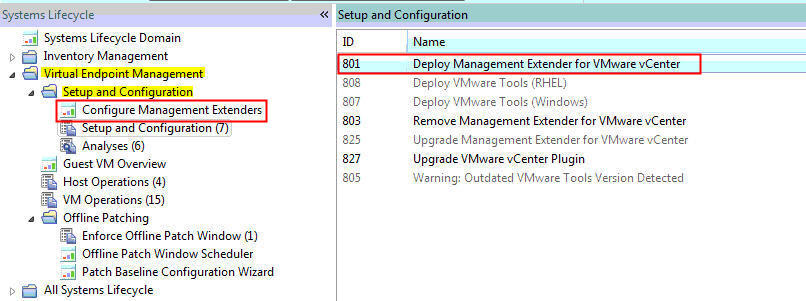
Using the Configure Management Extenders dashboard
To use the dashboard, navigate to . The Configure Management Extenders dashboard lists all the endpoints where you ran the Deploy Management Extender for VMware vCenter task. Select the management extender that you want to configure. Click Configure.
- Refresh interval minutes
Set how often the management extender gathers data. A larger refresh cycle is highly suggested. The larger the VMware deployment is, the longer it takes to gather data.
- Server name
- Admin User
- Password
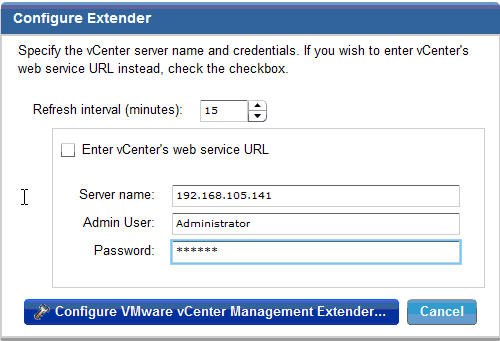
You can configure the management extender again without removing the deployment and configuring it twice