There are two primary ways to deploy your selected software.
Option A: Deploy as Package
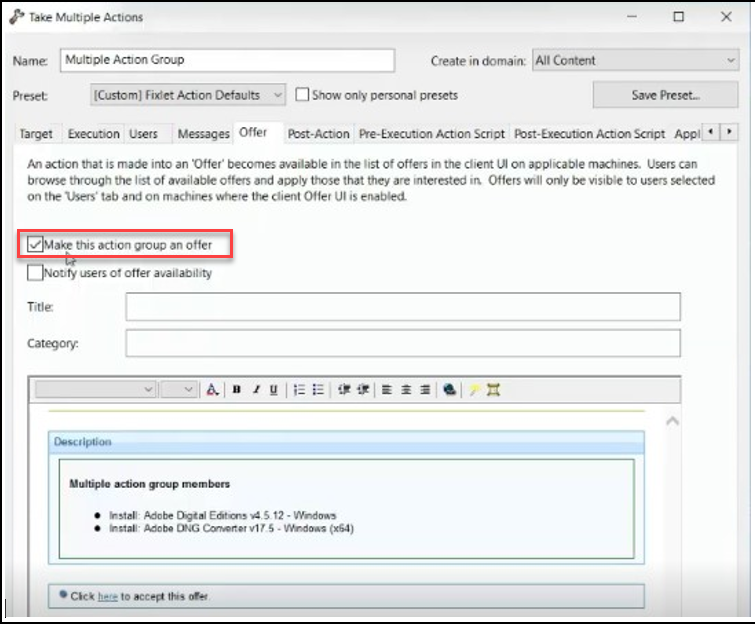
This method creates a Group Action for all selected Fixlets.
Automatic Settings: The "Make this action group an
offer" setting is enabled automatically in the action's
Offer tab.Figure 1. Make this action group an offer
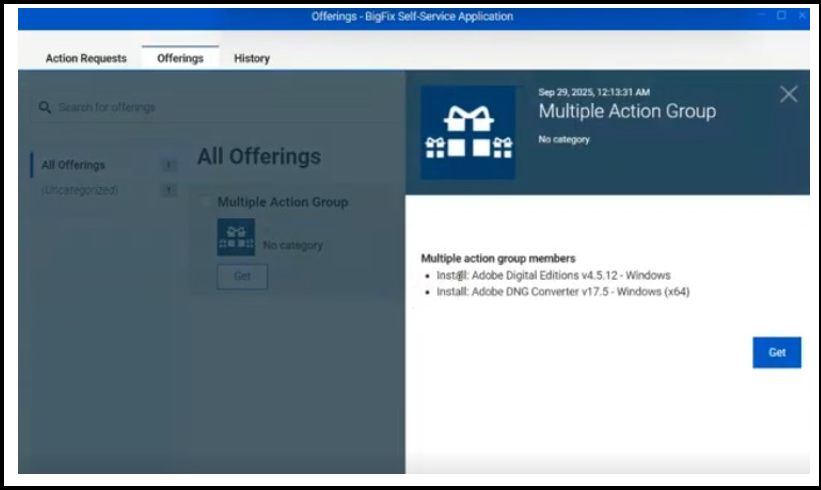
User Experience: Deployed applications will appear in the
Self-Service Application for end users to install at their
convenience.Figure 2. SSO offerings
Option B: Deploy Individual Task
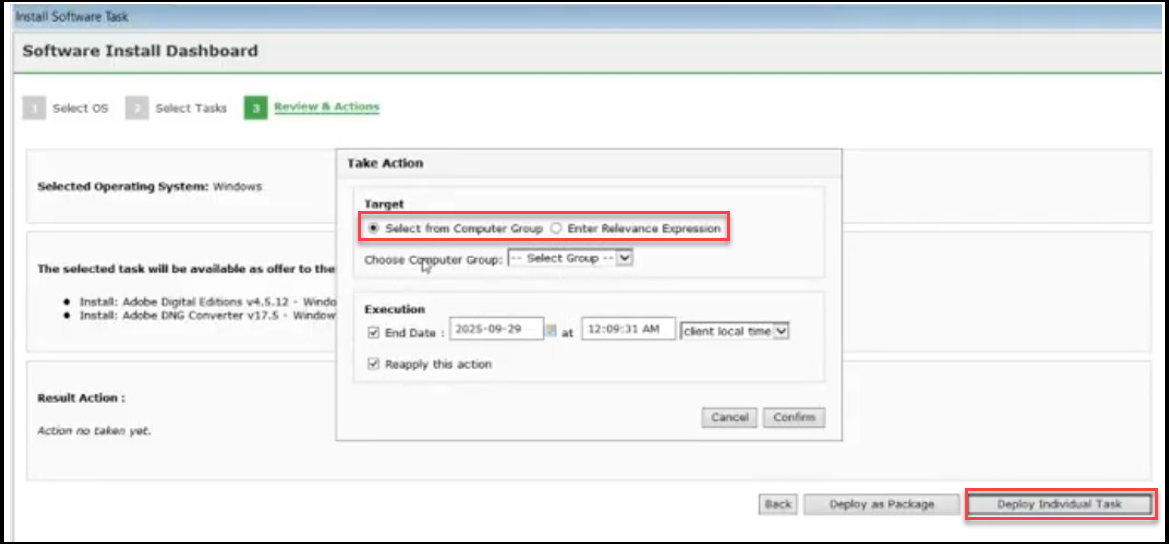
This option allows you to deploy tasks separately. Upon selection, you will get an
additional screen where you must define the target:
Select Computer Groups
Enter a Relevance Expression
Note: Relevance Expressions are not validated within this
dashboard; ensure accuracy before entry.
Figure 3. Deploy Individual Task
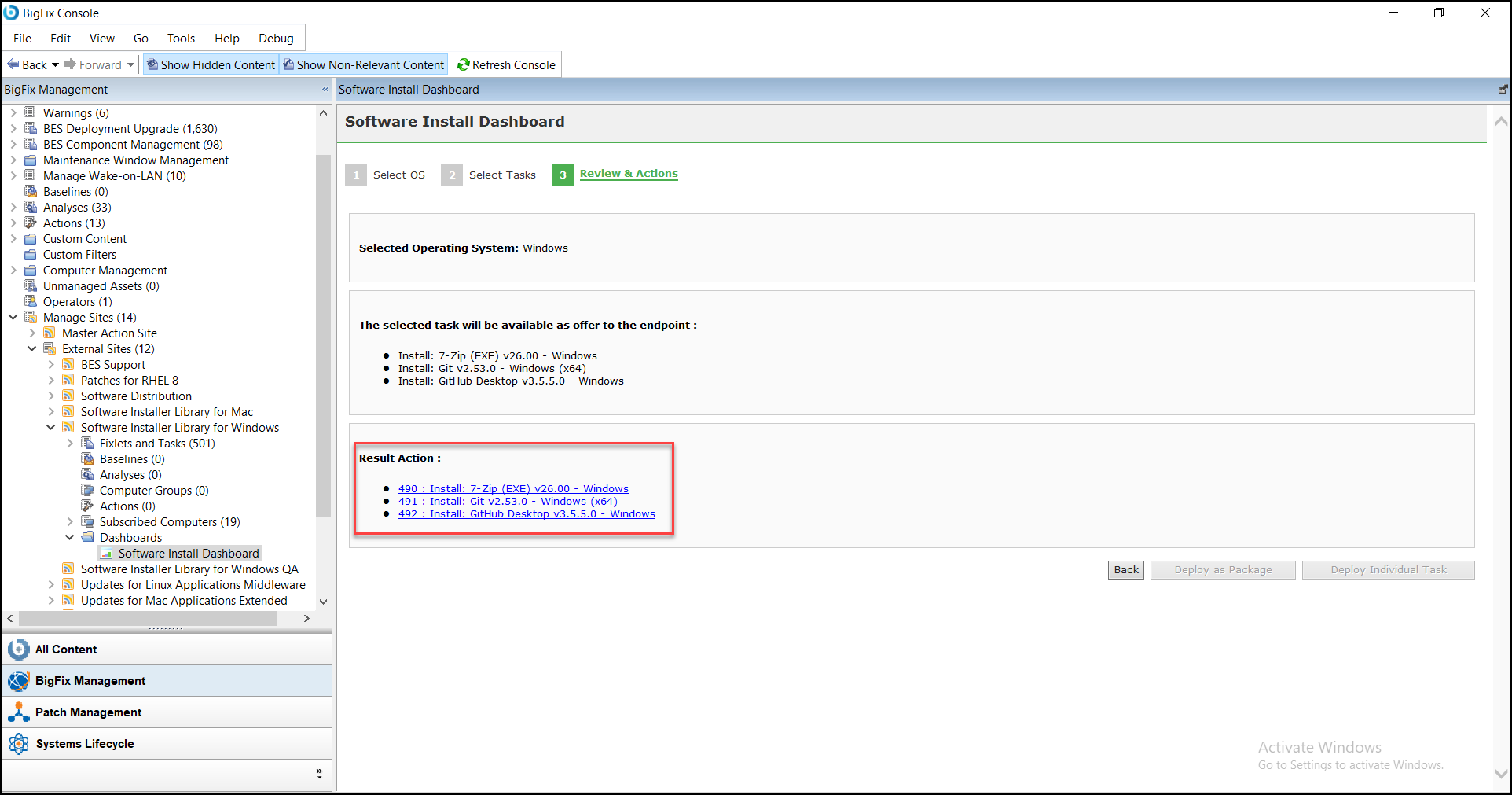
Once you Deploy Individual Task, a Result
action is created. Click on the Action Items
to view deployment progress and status across targeted computers (e.g., pending,
running, and completed).
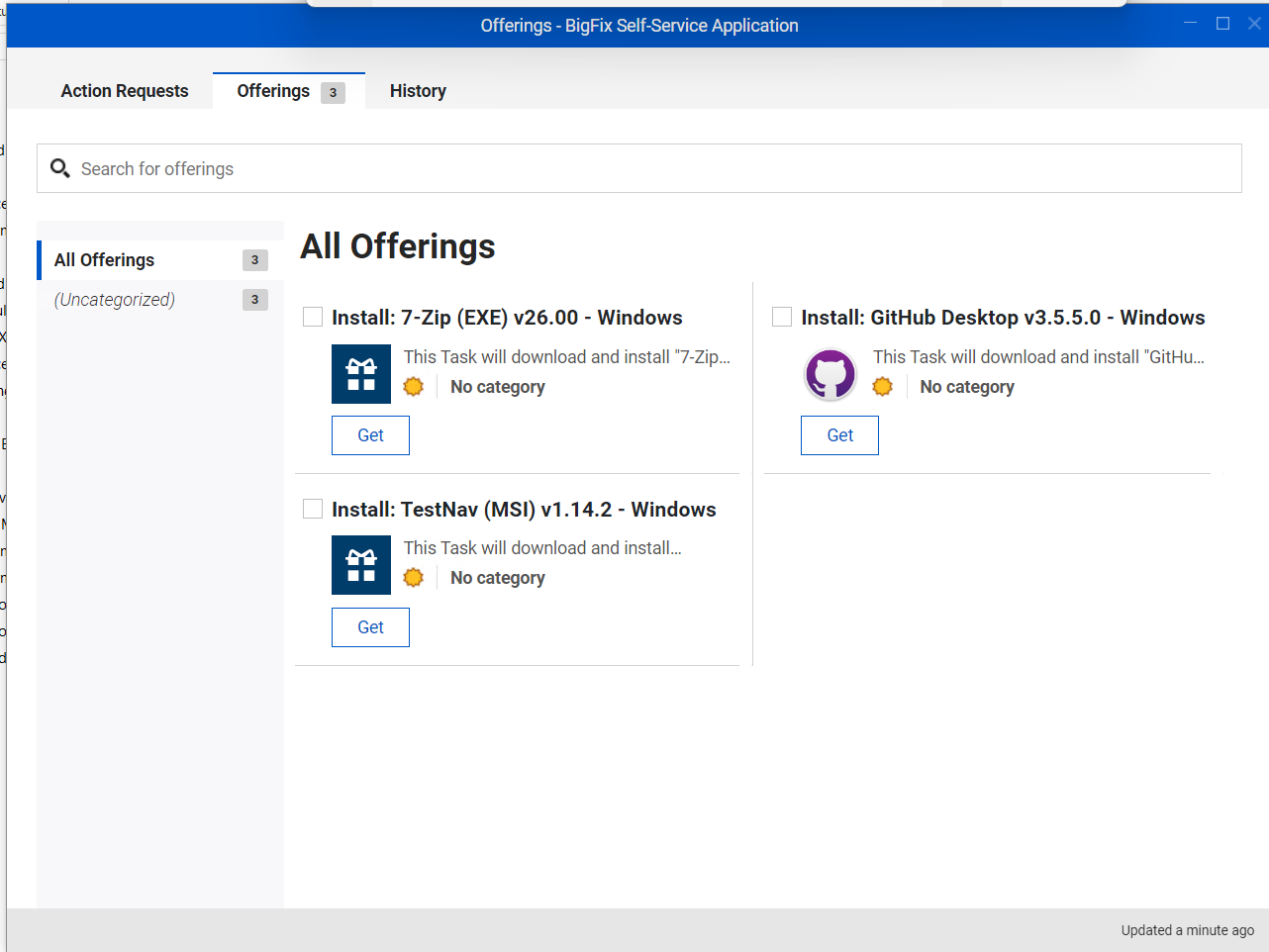
Deployed applications will appear in the Self-Service Application for end
users to install at their convenience.Figure 4. Self-Service Application - Deploy Individual Task
Execution
The Execution Tab contains critical timing and logic settings.
Includes:
End Date
Reapply Action
Important Assumptions & Tips
Manual Overrides: If the "Offered as Enable" box
is not ticked in the dashboard, testers can still manually enable the
Offer by ticking “Make this action group an offer” directly
from the BigFix console Offer tab.
Persistent Selections: Previously selected applications remain checked
even after returning to the dashboard from a deployment.
To clear your list, you must manually uncheck boxes or navigate back to
the initial OS selection page.
Single Action Constraint: The dashboard does not allow users to check
previous actions once a new deployment has been initiated.
Deploy Individual Task Targeting: When deploying by Individual
Task, it can be deployed only to computer groups or by providing
a Relevance expression.