
Delegation of Control to enable Offline Domain Join
This document provides step-by-step instructions for delegating control to a domain user, enabling them to perform offline domain joins beyond the default limit of 10 computers without requiring domain admin privileges. The process involves configuring permissions in Active Directory Users and Computers for the relevant Organizational Units. For further details on domain join installation and configuration, refer to the BigFix MCM Help Center.
About this task
Procedure
-
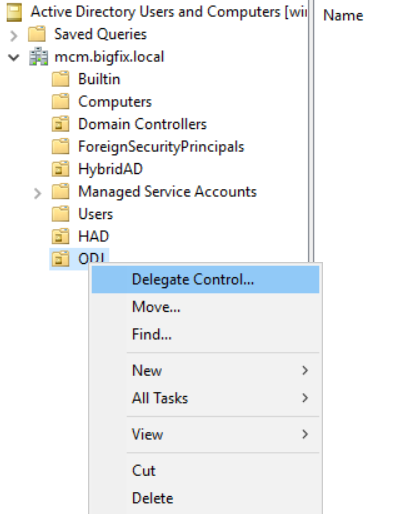
Right click on the Organizational Unit (OU) and select Delegate Control option
to open the Delegation of Control wizard
-
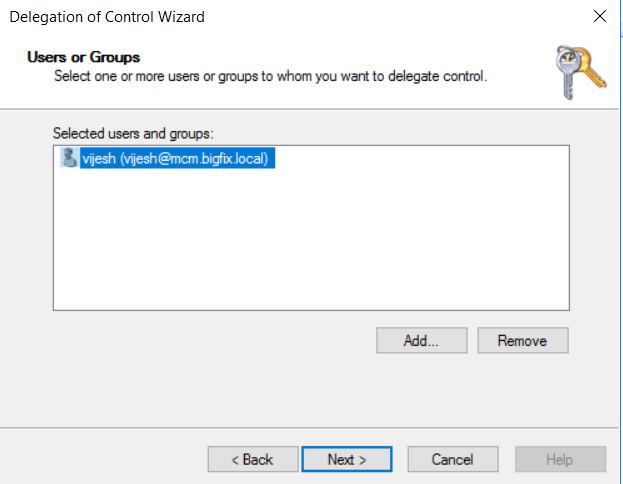
Add the user, for whom the Offline Domain Join permission should be
enabled.
-
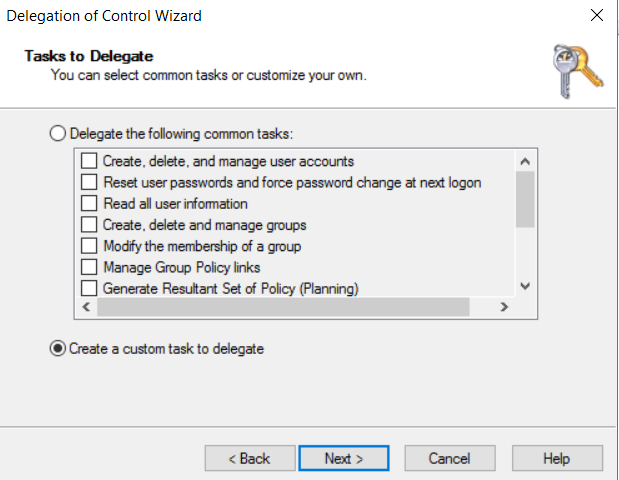
Choose custom task option to delegate
-
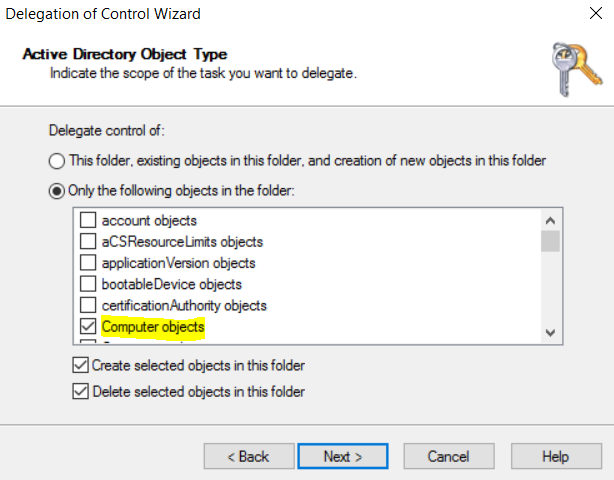
Select only computer objects and allow create, delete objects.
-
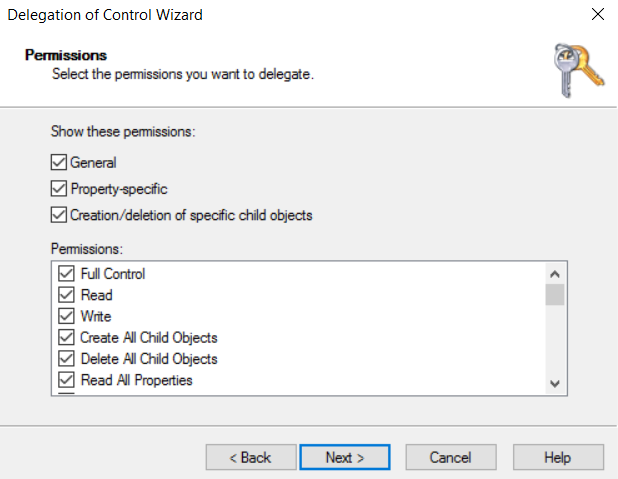
Grant full control and complete the wizard
 For complete information about Domain join installation and configuration, refer to the BigFix MCM Help Center at Domain join installation and configuration