Configuring the identity provider on the BigFix Console
OIDC authenticates a user, but the user still needs a BigFix operator to work with BigFix resources. Add your identity provider to the BigFix Console, create the identity provider operators, and then create the matching users in BigFix UI.
Why the Console configuration is needed
When a user signs in with Log in via OIDC, the identity provider verifies the credentials of the user. BigFix UI then matches that user with an existing identity provider user, which is bound to a BigFix operator. The operator determines which sites, devices, and actions the user can work with.
Therefore, the identity provider must be defined on the BigFix Console, and an operator must exist for each user who signs in through OIDC.
Adding the identity provider to the BigFix Console
The procedure depends on the provider that you use for OIDC.
| Provider | What to do |
|---|---|
| ADFS | Add the existing Active Directory to the BigFix Console. See Integrating the BigFix Windows server with Active Directory. |
| Microsoft Azure Entra ID | Add Microsoft Entra ID as an identity provider. See Adding Microsoft Entra ID as Identity Provider. |
| Okta | The BigFix Console does not integrate with Okta directly. See Using Okta with the BigFix Console. |
Using Okta with the BigFix Console
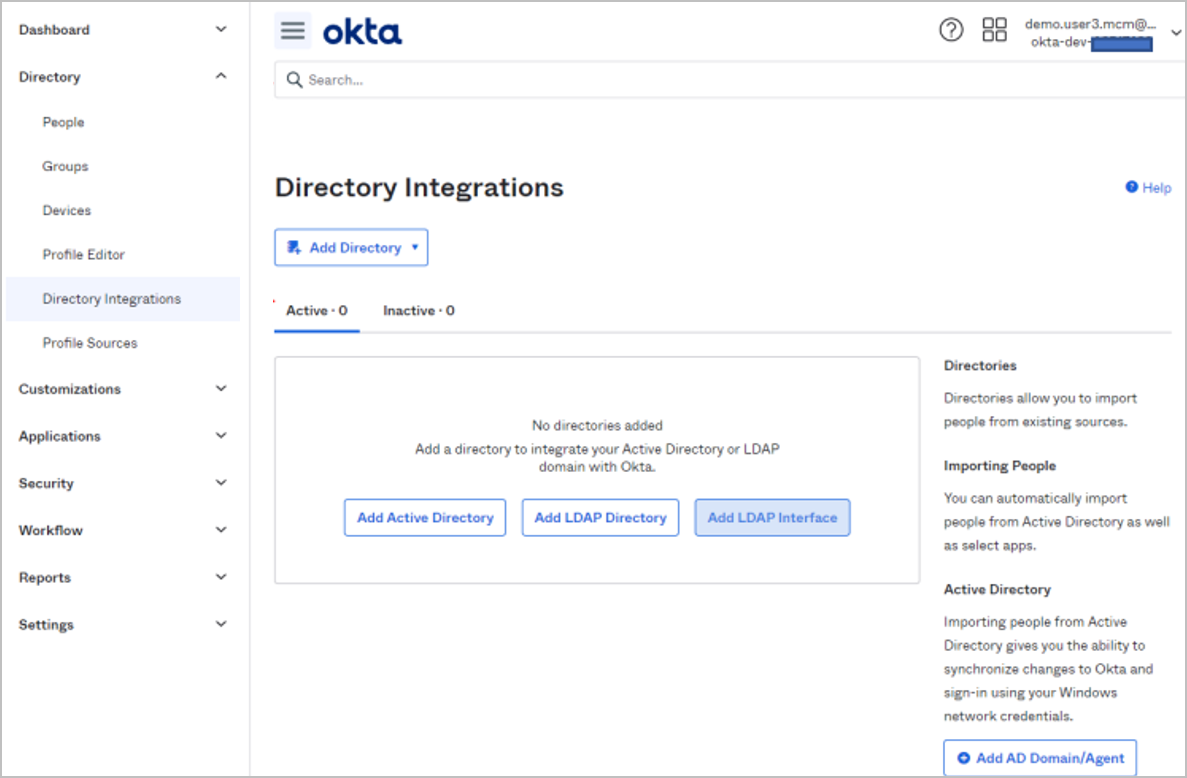
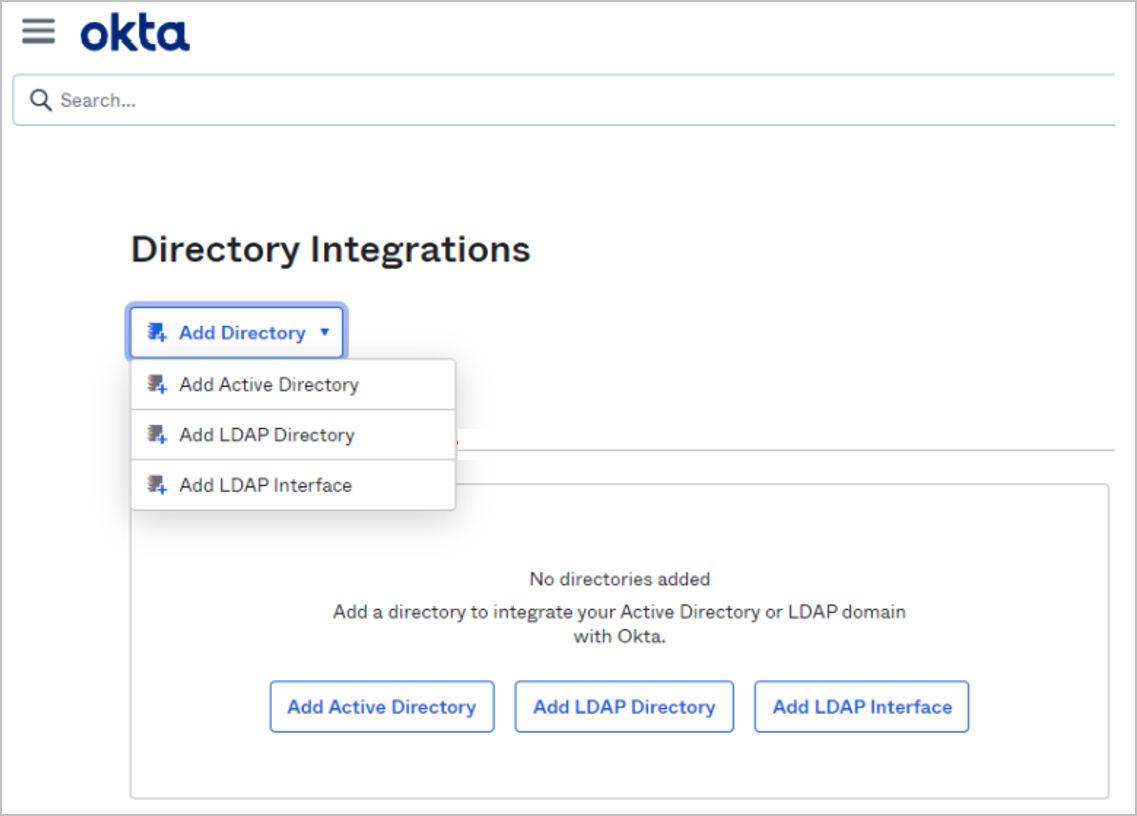
The BigFix Console does not provide direct integration with Okta. Connect Okta to an Active Directory or LDAP directory, and then add that directory to the BigFix Console:
- In the Okta Admin Console, open and click Add Directory.
- Select Add Active Directory, Add LDAP Directory, or Add LDAP Interface, and complete the integration.
- Add the same Active Directory or LDAP directory to the BigFix Console in the standard way. See Integrating the BigFix Windows server with Active Directory.
Adding identity provider operators
Create Console operator accounts from your Active Directory, LDAP, or Microsoft Entra ID account. When you select this option, an operator with the same name as the one in the identity provider directory is added under the operators node in the Domain Panel of the BigFix Console.
For details, see Adding Identity Provider Operators.
Creating the identity provider users in BigFix UI
For each operator, create a user in BigFix UI with the authentication method Identity provider (Idp) and bind it to the operator. No password is set or managed in BigFix UI for these users, because the identity provider authenticates them. See Creating a new user.