
Deploy and Run task
Deploy and Run tasks are a crucial part of the checklist, especially for checks where continuous monitoring is not feasible.
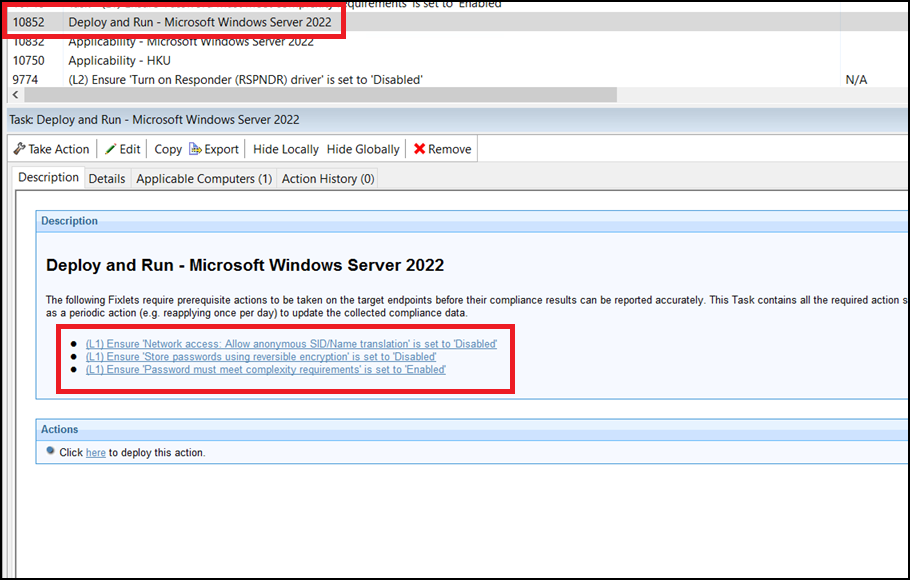
Windows checklists require you to run the Deploy and Run tasks to populate the necessary properties on the endpoints, enabling relevance evaluation.
C:\Program
Files (x86)\BigFix Enterprise\BES Client\__BESData\__SCMData.- From the Security Configuration domain, navigate to All Security Configuration > Sites > External Sites.
- Select a checklist and click Fixlets and Tasks.
- In the List panel, locate and click the Deploy and Run Task.
Figure 2. Deploy and Run Task in the CIS Checklist Windows 2022 DC 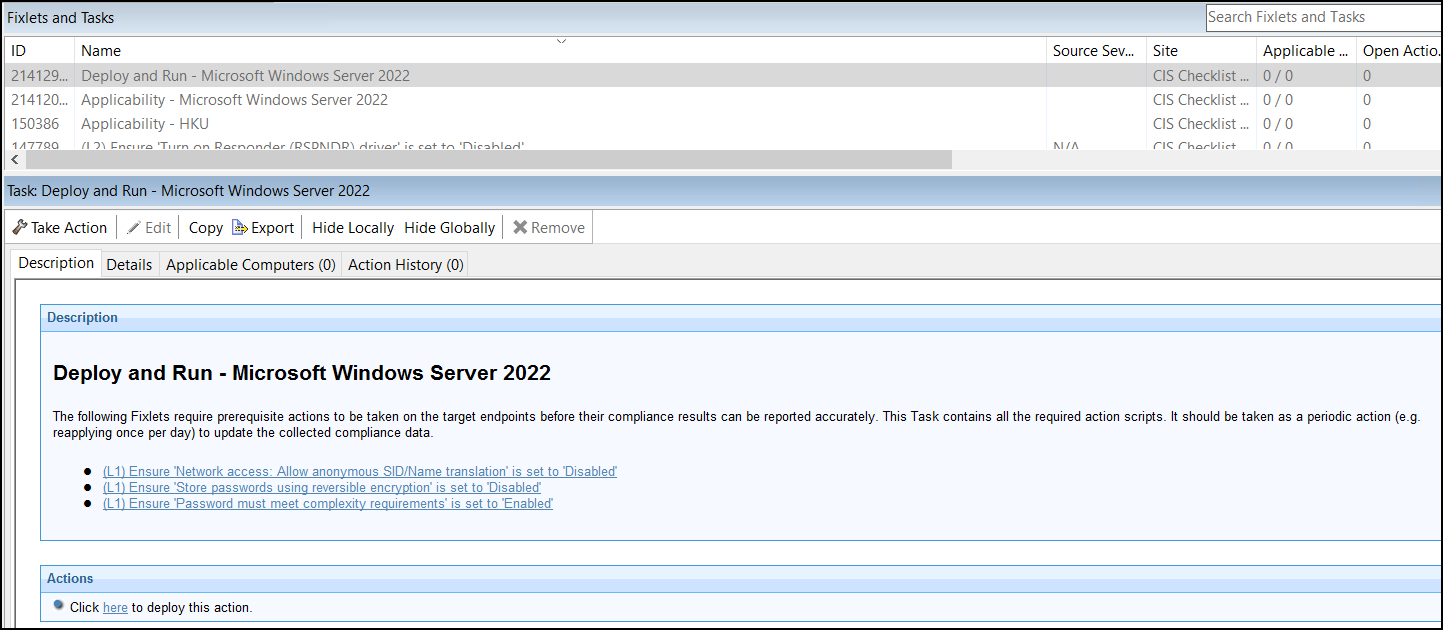
- Click Take Action to deploy the task, or click the appropriate link in the Actions box.
- Select the appropriate endpoints in your environment.
- Click the Execution tab.
Figure 3. Take Action - Execution tab 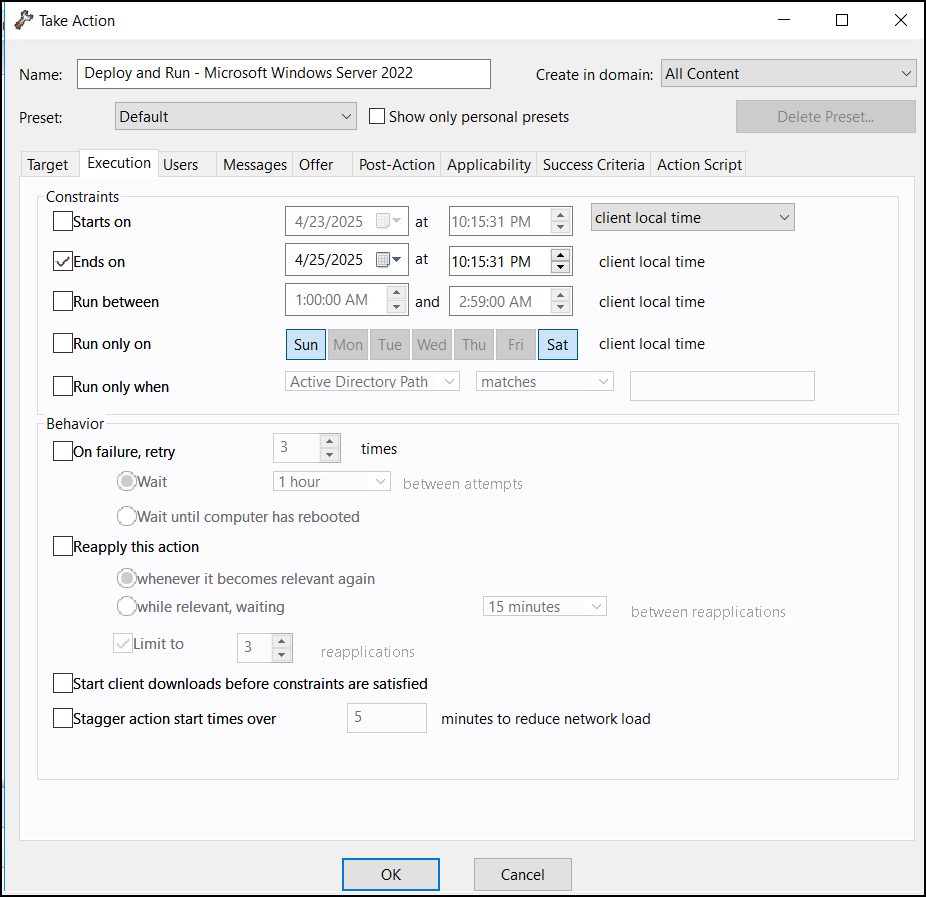
- Set the Deploy and Run Task to run daily and click OK.
- Once the task is complete, refresh the endpoints.
The Deploy and Run Task will update the reports in the Security and Compliance Analytics console (now known as BigFix Compliance Analytics) with the latest results. To ensure that you get the most current content, run this task on the endpoint before initiating an import. For automatic daily imports to BigFix Compliance Analytics, scheduling more than one run of the Deploy and Run Task action is unnecessary.