Jump to main content
HCL Logo Product Documentation
Customer Support Software Academy Community Forums
Landing page
  • Release Notes
  • Getting Started
  • How To
  • Rest API
  • Implementation Guides
  • HCL Software Products Integration
  1. Home
  2. Getting Started
  3. Conversational Designer
  4. Nodes and Templates
  5. Carousel
  • Getting Started
    • Getting Started with IntelliService
    • Conversational Designer
      • Nodes and Templates
        • Conversational Designer Formats and Options
        • Box Selector
        • Carousel
        • Email
        • Expression
        • Forms
        • HTTP
        • Script
        • Text
        • Text Prompt
    • Cognitive Search
    • Intelligent Product Triage
    • Insights
    • Settings
    • Concepts

Carousel

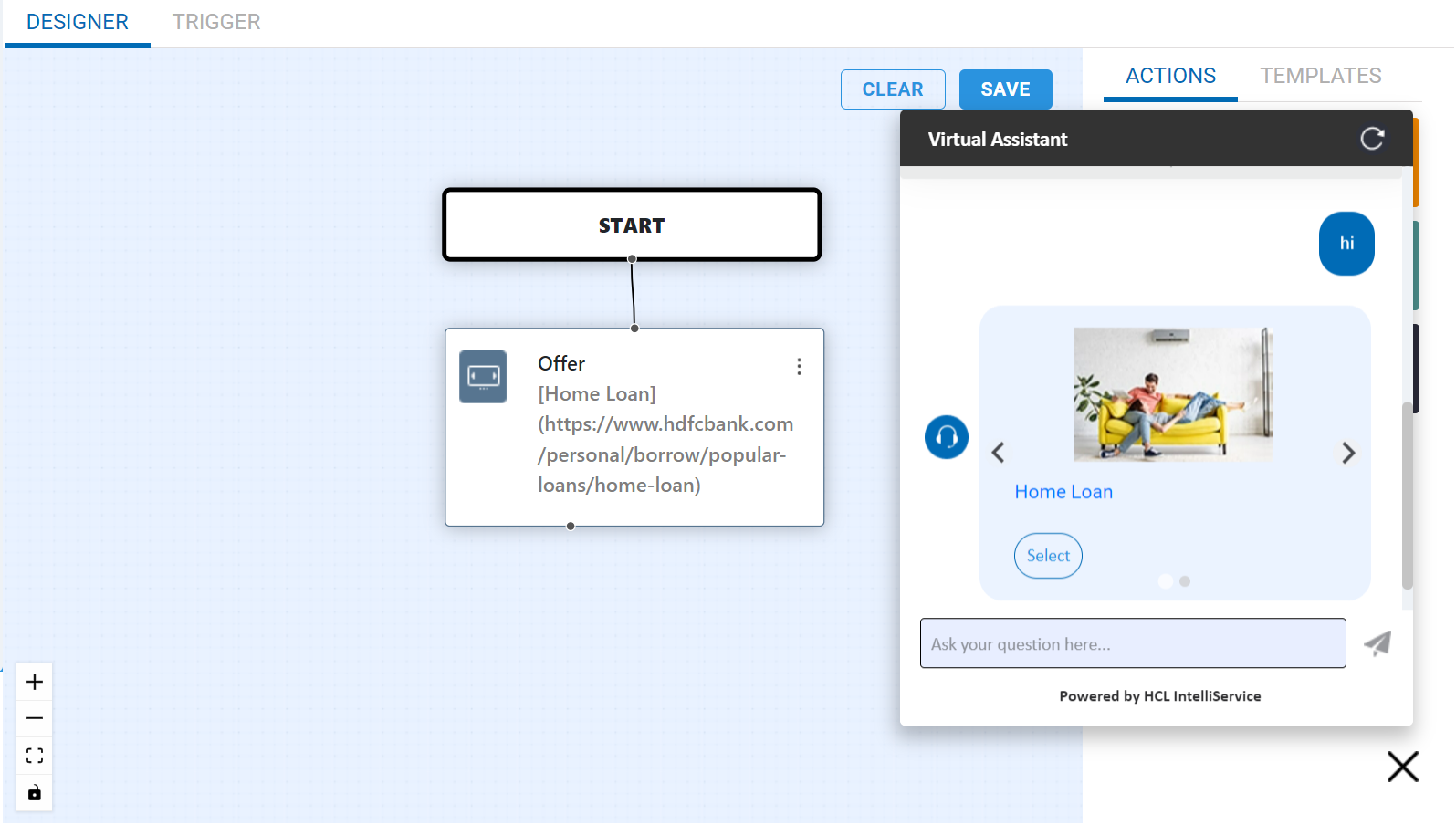
This Carousel node is used to display multiple options in carousel view in the conversation. In the carousel node, the options can be either added manually or through reference values. In the body of the node, include context for the carousel along with the url. If required, you can add selection values and url of the image that is to be displayed in the conversation.

A sample flow demonstrating about the carousel node and the carousel view in the conversation.

Rate this topic


  • Share: Email
  • Twitter
  • Disclaimer
  • Privacy
  • Terms of use
  • Cookie Preferences