
Application screen
An application screen is a meaningful arrangement of characters displayed on the host terminal by a host application. An example of an application screen is the OS/390® ISPF Primary Option Menu, which is displayed in A sample application screen, the OS/390 ISPF Primary Option Menu.
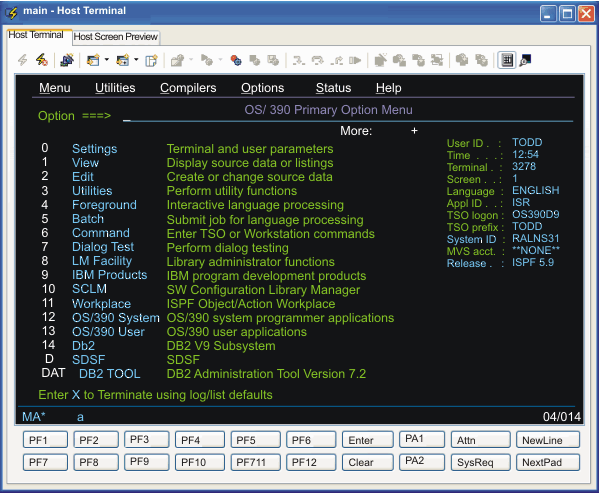
Menu, Utilities, Compilers, Options,
and so on), a title near the top (OS/390 Primary
Option Menu), a list of options along the left side (0 through DAT), and an input field in which to type an option
number or letter (Option ===>). When the user provides
input, for example by typing a 3 (for Utilities) followed
by the enter key, the ISPF application removes all these visible items
from the host terminal and displays a different application screen.