Repository
Before you begin
You can select a repository from the list using the following:
Procedure
- To select the repository, follow one of the steps shown:
- On the Home Page,click the
 button; OR
 - Move the cursor to the Import menu on the home page and
select Running/Completed;
Figure 1. Running/Completed 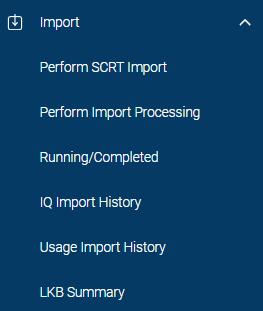
OR - Move the cursor to the
 icon and select
Repositories.The Repositories page is displayed:
icon and select
Repositories.The Repositories page is displayed:Figure 2. Repositories selection 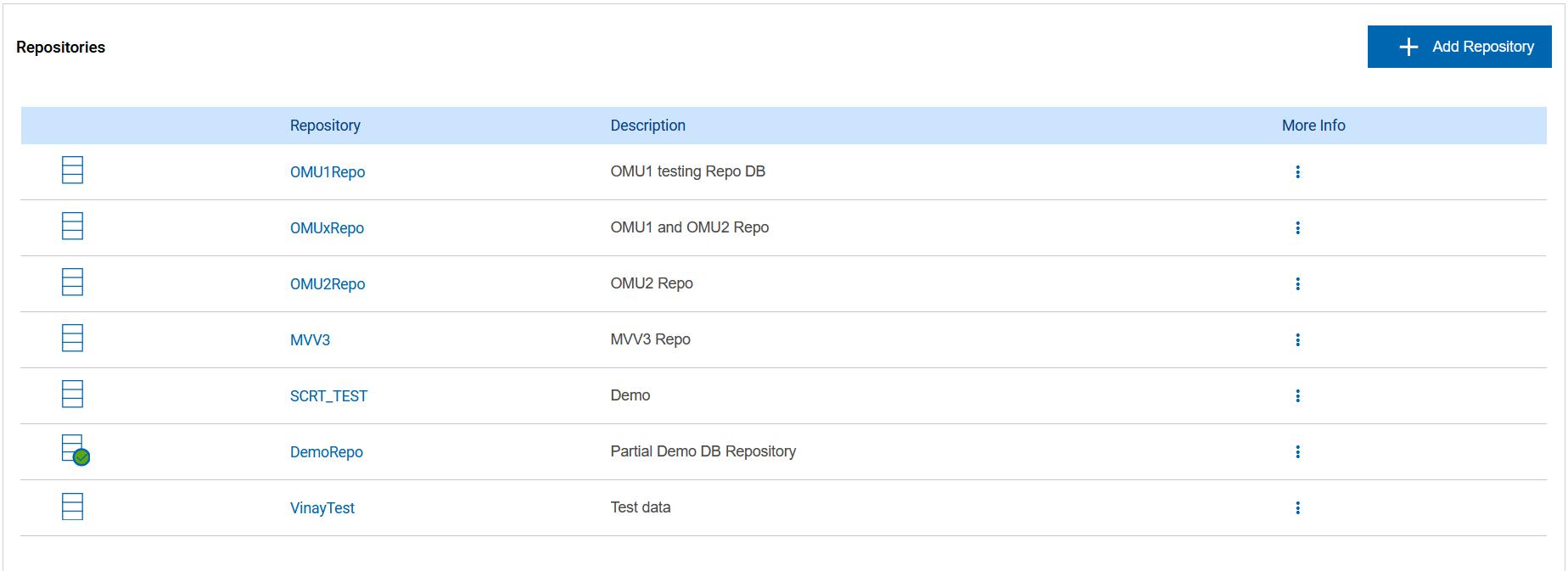
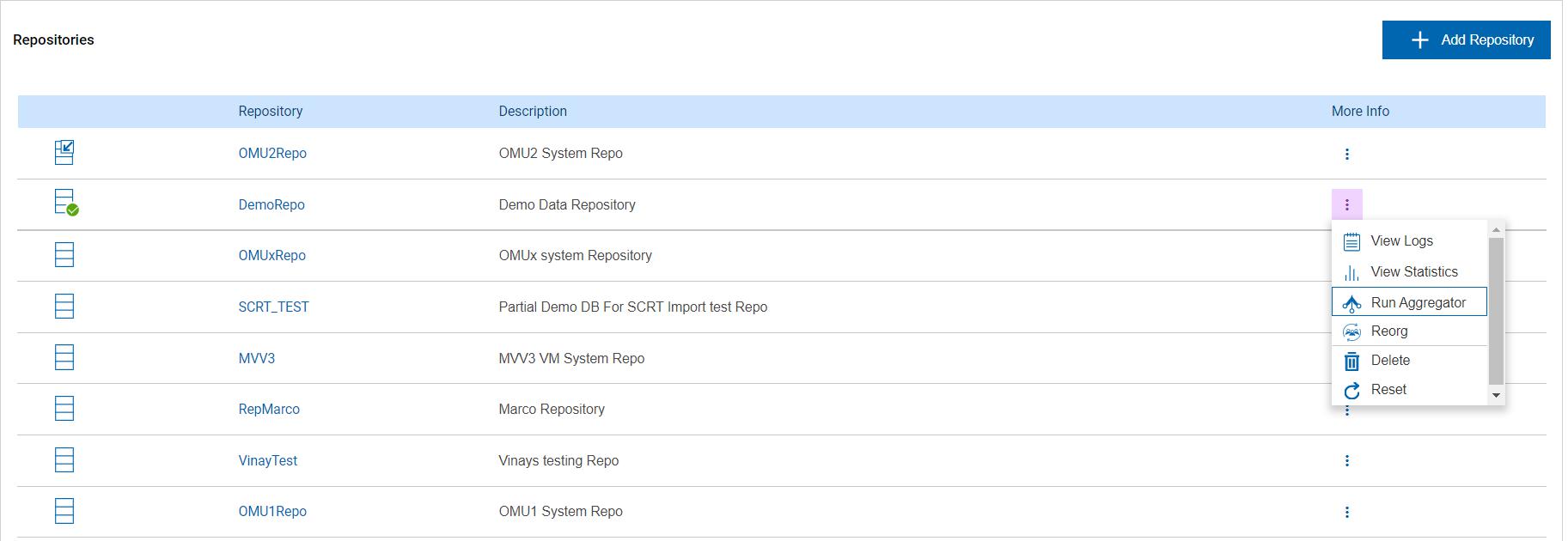
Each repository has the following options:
- Set as default
- View logs
- View Statistics
- Run Aggregator
- Reorg
- Delete (Administrator Only)
- Reset (Administrator Only)
- On the Home Page,click the
-
To view the options, move the cursor to the
 icon. The
Administrator level options are displayed below. Non-administrators will have a
reduced selection of options available.
icon. The
Administrator level options are displayed below. Non-administrators will have a
reduced selection of options available.
Figure 3. Repositories - Administrator options