Viewing dashboard results
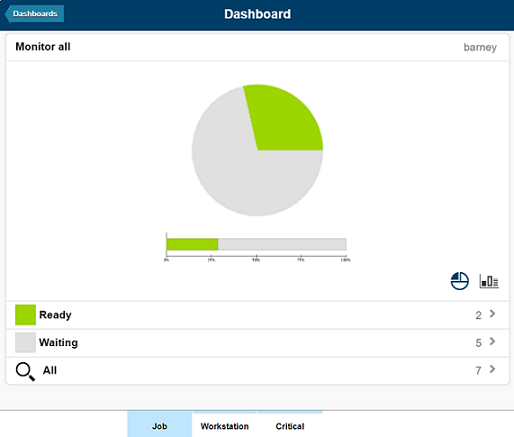
You can use your mobile device to display a dashboard of results. The results can be filtered further to monitor more targeted results, view details about the results, and perform recovery actions.
Before you begin
- Self-Service Dashboards web address
where, host_name and port_number are the host name and port number of the Dynamic Workload Console to which you are connecting.https://host_name:port_number/dwc/mobile
- Required role
- To run the query defined for a dashboard on the engine specified,
you must have at least one role that is associated to the group to
which the engine is shared on the .
For example: user1 with role1 can view dashboard results
for engine1 which, on the ,
is shared to group1, to which role1 is associated.
For more information, see Defining users and roles.
About this task
Procedure
- Tap the Self-Service Dashboards section to launch the application.
- Tap the dashboard you want to view.
- The results corresponding to the filter criteria defined in the dashboard are displayed in
graphical form.