Using OneDB Explore
Procedure
-
Login to OneDB Explore.
-
Select onedb-server-0.
-
From the Left Panel choose .
-
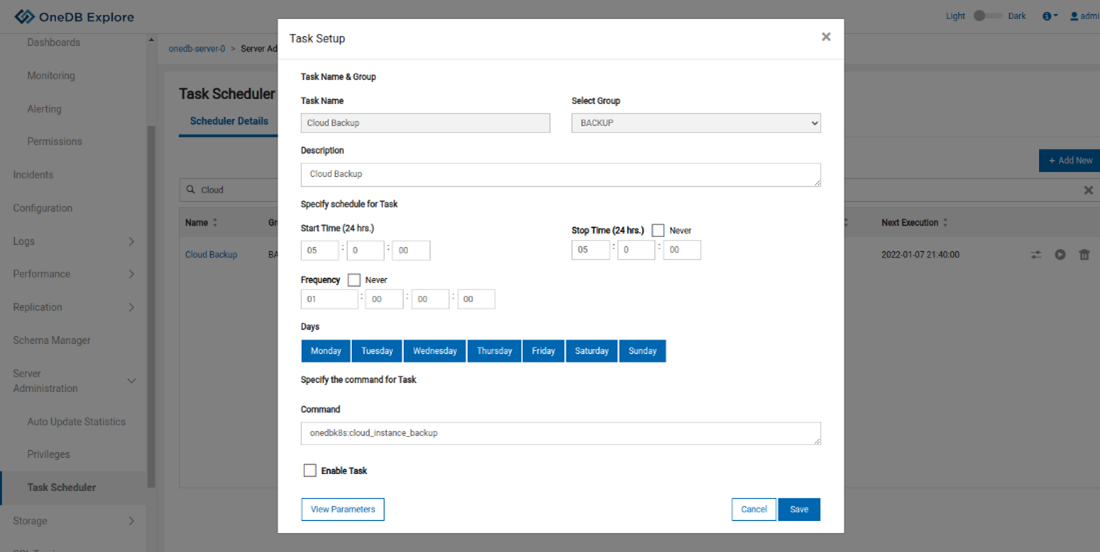
Search for the Cloud Backup Task.
-
Select the Cloud Backup task and Edit accordingly.
-
Uncheck the Enable Task button and Save.
-
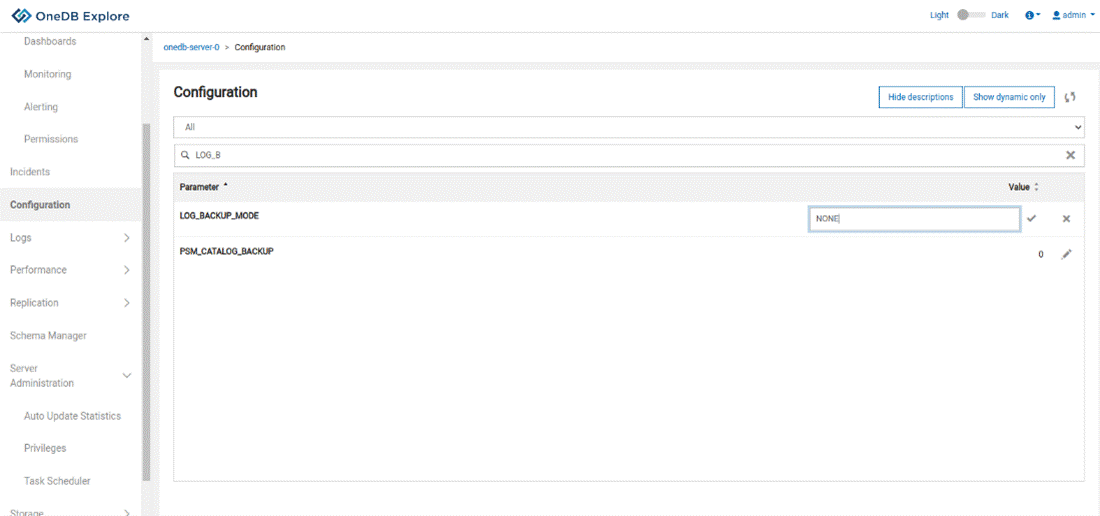
Select Configuration from the Left Panel.
-
Search for the LOG_BACKUP_MODE parameter.
-
Edit this value and change to NONE.
Have feedback?
Google Analytics is used to store comments and ratings. To provide a comment or rating for a topic, click Accept All Cookies or Allow All in Cookie Preferences in the footer of this page.