
Solution
- Open HCL IEM Web URL and login with Admin credentials.
Create Entity
- Click the customer onboard section, for particular customers click on the customer action
edit section. Click on the Entity page, Entity records for the selected customer will
be displayed in the grid view as shown.
Figure 1. Entity Page 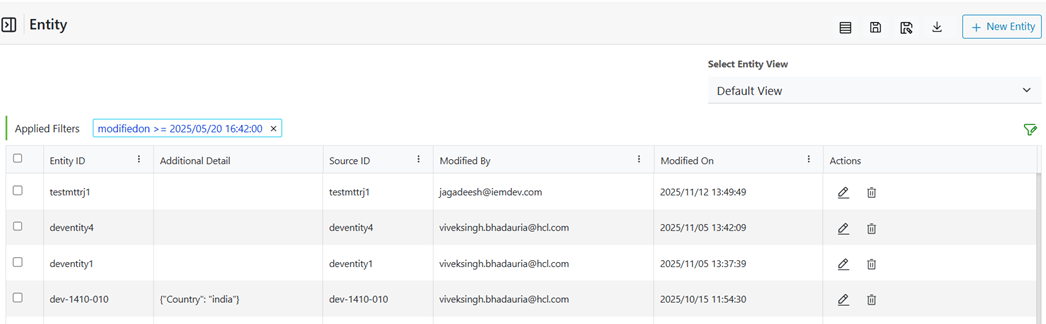
- Click +New Entity.
Figure 2. Navigation for Create an Entity 
- Specify the entity name which is a mandatory column.
Figure 3. Add Entity Name 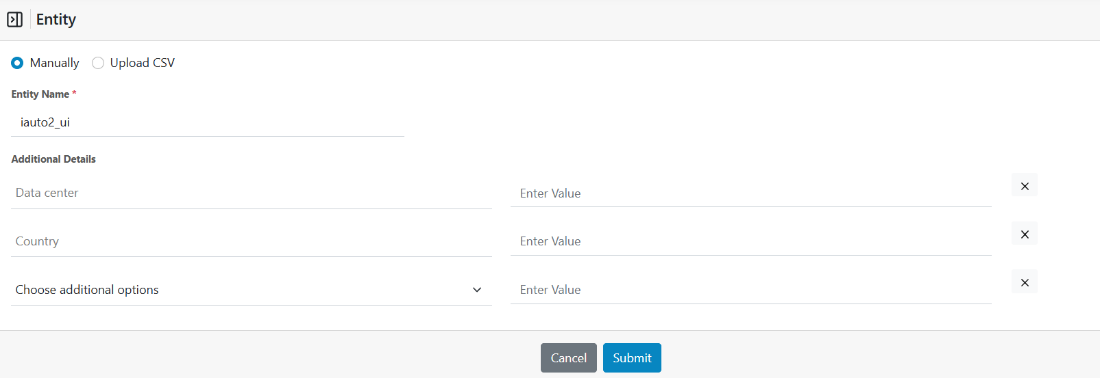
- Enter the Entity Name as ‘iauto2_ui’.
- If required other details can be added using ‘Choose additional Options’. As the dropdown is selected the existing keys created within the environment will be displayed with an option to add a new ‘custom key’.
- Click on Submit once done.
- On successful creation the Entity will be listed in the main grid.