Solution
- Open HCL IEM Web URL and login with Super Admin credentials.
- Create Customer, In the top navigation bar, click Customer. Customer Grid will be
displayed. This displays a list of all customers configured in the environment. When we are
coming here for the first time, only the default customer will be listed with Edit option
next to it.
Figure 1. Customer Page 
- Click +New Customer.
Figure 2. Navigation for Create a New Customer 
- Enter the Customer Name as ‘AlphaCustomer’.
- Enter the Customer Description as ‘AlphaCustomer’.
- Click on Submit.
Figure 3. Customer Creation 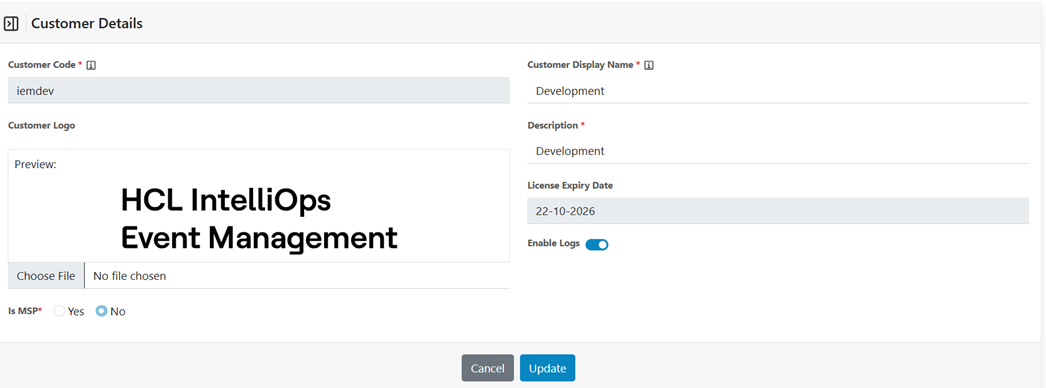
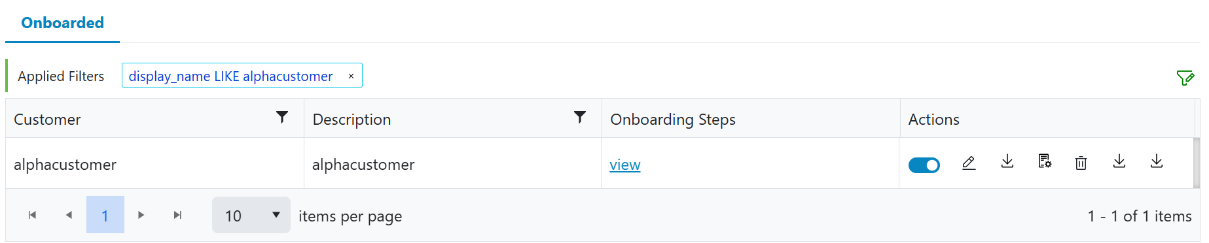
- On successful creation the customer will be listed on the main grid.
Figure 4. Customer Creation Process 
- It will show the customer creation progress in percentage.
Figure 5. Customer Creation Process 
- The customer creation process can be resumed by clicking the resume button. It will open
up the window then click on confirm button.
Figure 6. Resume Customer 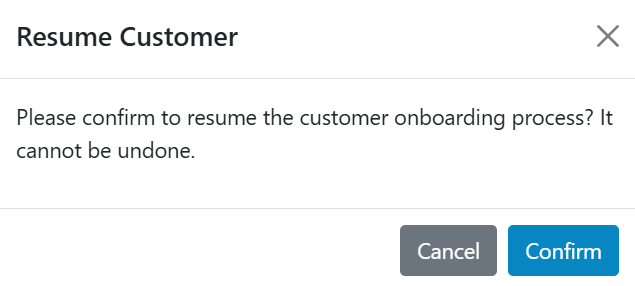
Figure 7. Customer Page