Jump to main content
Solution
- Open HCL IEM Web URL and
login with Admin credentials.
- Create Alert Closure Configuration rule
- Click the customer onboard section, for particular customer click on the customer action
edit section. Click on the Alert Closure Configuration page.
- Click + NewFigure 1. New Alert Closure

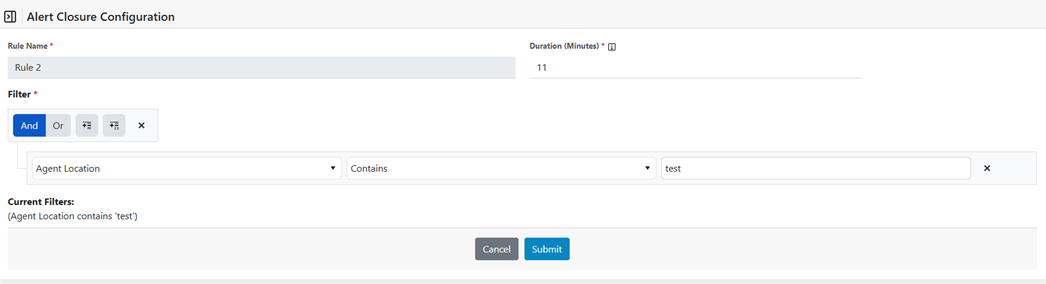
- Following window will be opened
- Enter Rule Name in alphanumeric without space and duration in minutes
- Add filter by selecting field name, operator and put filter value
- Click Submit
- Success message will be shown and will redirect to alert closure page.Figure 2. Create Alert Closure