
Solution
- Open HCL IEM Web URL and login with Admin credentials.
- Create User – Admin
- Click the customer onboard section , for customers click on the customer action
edit section.
Figure 1. User Page .png)
- Click on the User page, User menu item to access this page.
- Click on +New User icon.
Figure 2. Navigation for Add New User .png)
- Enter the User Email ID as ‘Admin@abc.com’.
- Enter the Username as ‘Admin’.
- Click on Submit.
- On successful creation, a confirmation pop-up is displayed.
- Select the User of as ‘Admin’. Click on the User Role icon next to the user whose details are to be Assign Role. The form will appear with the saved details.
- And select the User
Role as ‘Viewer’.
Figure 3. Assign Role to a User 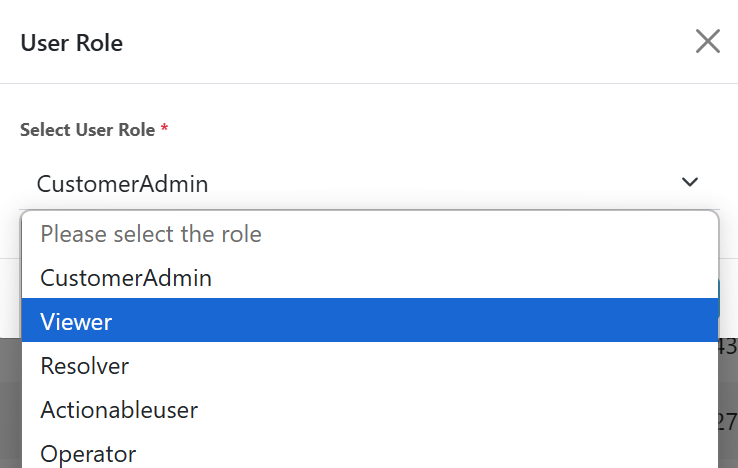
- Click on the Save button.
- Select the Access On as ‘Admin’. Click on the Group icon next to the user whose details are to be Assign Group. The form will appear with the saved details.
- Select Group as ‘uatgroupnormaluser’.
Figure 4. Assign Group to a User .png)
- Click on the Save button.