Enable Channel Modules
After onboarding the tenant account, enable or disable modules required for the tenant based on the proposed contract.
To enable the modules, follow the steps below:
- In the Admin portal, on the left pane, click Enable/Disable Modules.
- Select a campaign ID that was created for the Tenant account in the previous step, and click Submit.
- As a result, the Enable/Disable Modules page displays the module group as
shown below.
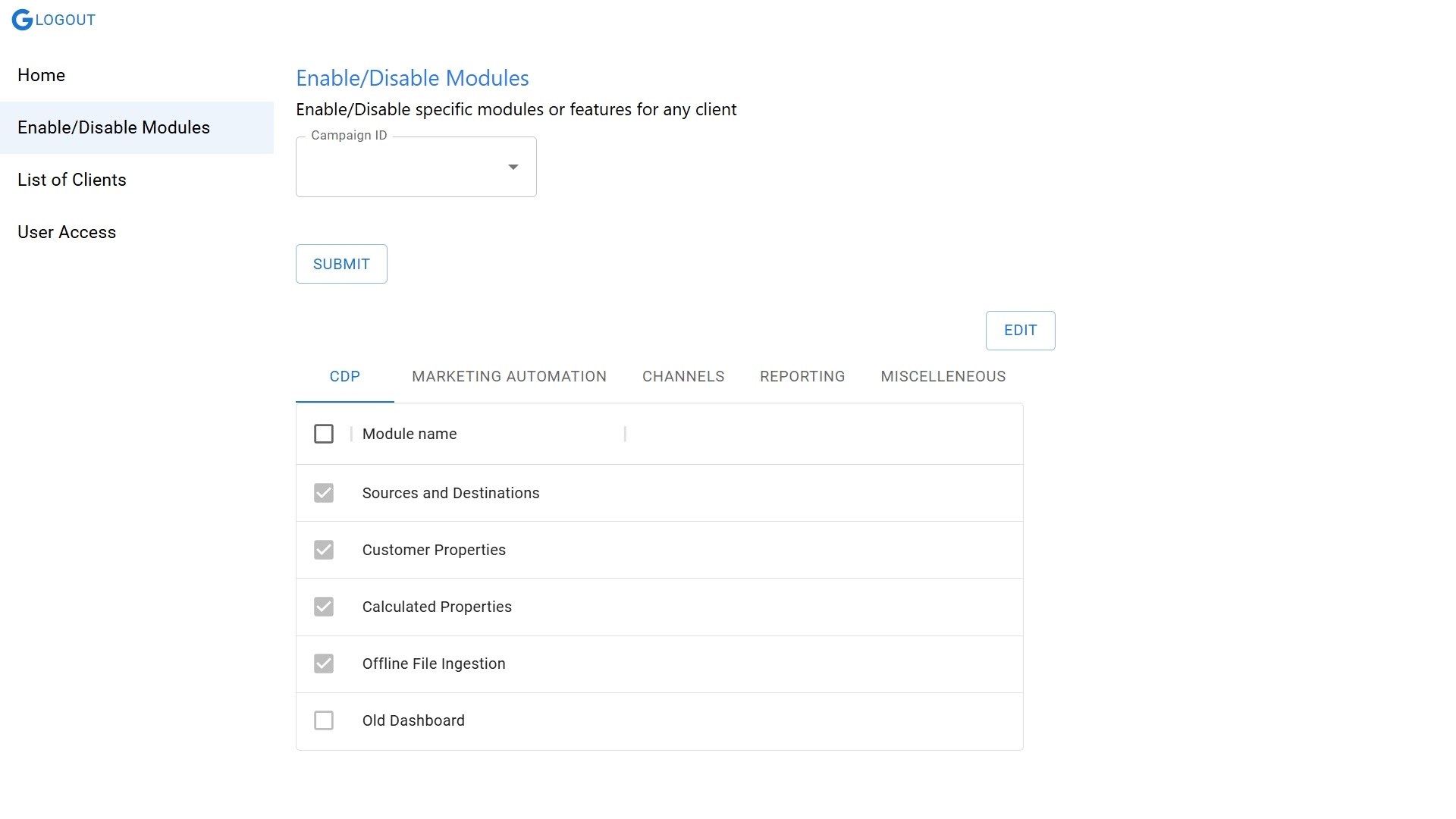
- The list of modules are tabled as below.
Module Group Module CDP Sources and Destinations Customer Properties Calculated Properties Offline File Ingestion Angular Dashboard Angular COV Angular Segment Angular Channels Old Dashboard Link Dashboard Campaigns Channels Segments Data Pipeline Event Dictionary Profile Management Profile Upload Events Product Labels Frequency Caps Contacts Lead & Conversion Events Google Ads Facebook Ads Campaign Scope Segment Export COV Old Cov Profile Predication From DB Basic Details Attribute Device Campaign Activity Voice Flow MARKETING AUTOMATION Profile and Segment Upload Predictive Segments Ramanujan Custom User Segments Journey Builder SMS Email Web Push Notifications App Push Notifications Onsite Notifications Notification Bot Facebook Export Google Ads Export InApp Notification WhatsApp Banner Personalization External Api Journey Api REPORTING Explore & Channels Funnels Events Paths Cohort App Install and Uninstall User Report Campaign Report Telemetry URL Reporting Analytics Campaign Summary Events Dashboard Event Occurrence Event Trends MISCELLANEOUS Customer One View Two-Factor Authentication(2FA) Settings Enable BP JSON Old Cov Activity Devices Web Data From Athena New RTS Social Engagement - Click EDIT, and from the list of modules, select the required modules, and click SAVE.