Prepare a Page for Your Script Application
-
If you have an existing target page for the Script Application, then skip to step #3. Otherwise, you may create a sibling or child page under the Woodburn Studio site to have a temporary test page:
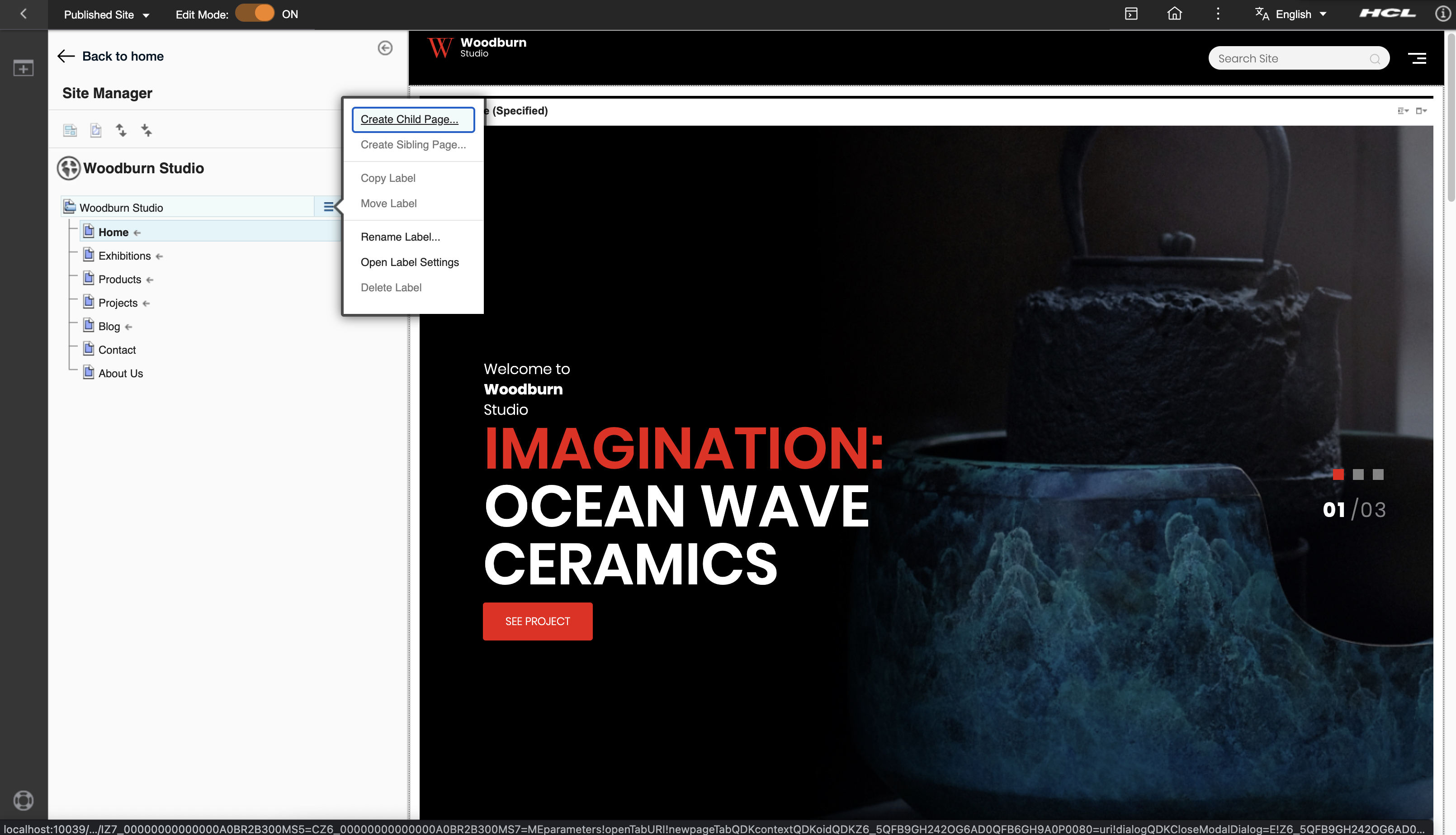
-
Enter a Page Title and choose the template Basic Portal 8.5 (temporary theme). Click on the Create Page button.
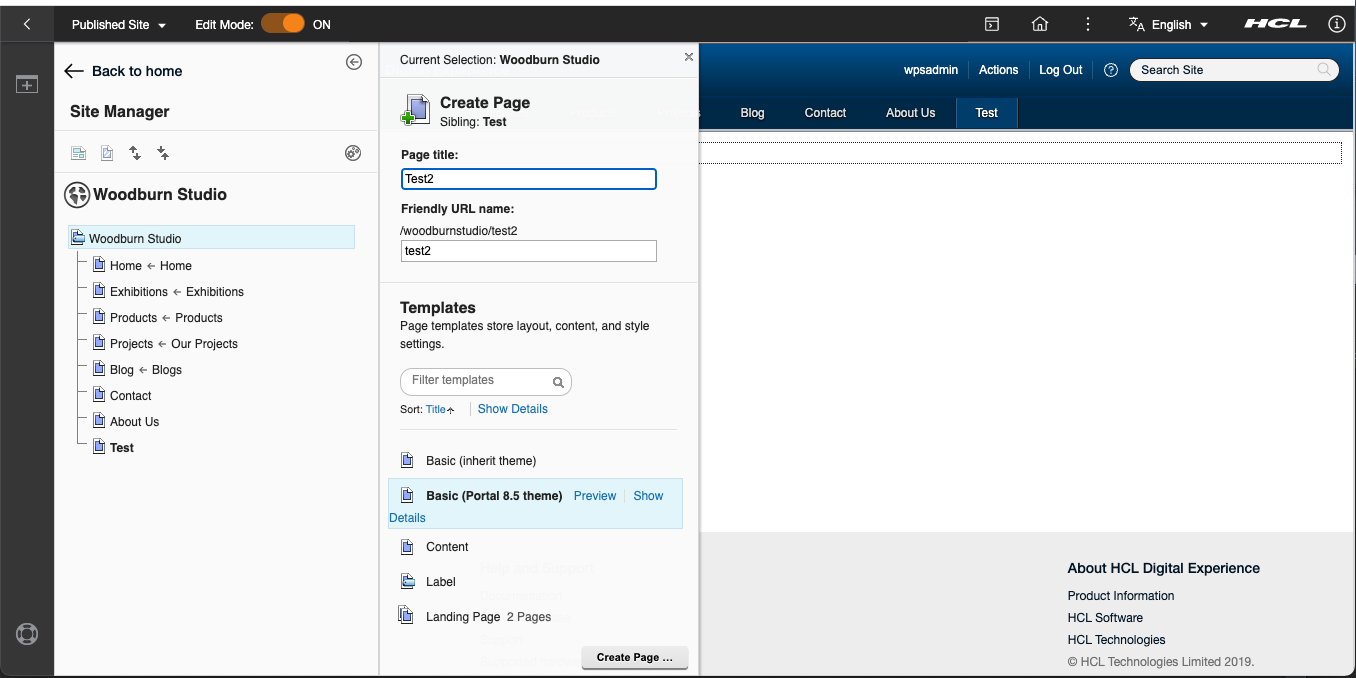
-
Right-click the menu button at the right of the target page and choose Open Page Settings. Edit the Page Properties by clicking the pen button:
- Open page settings
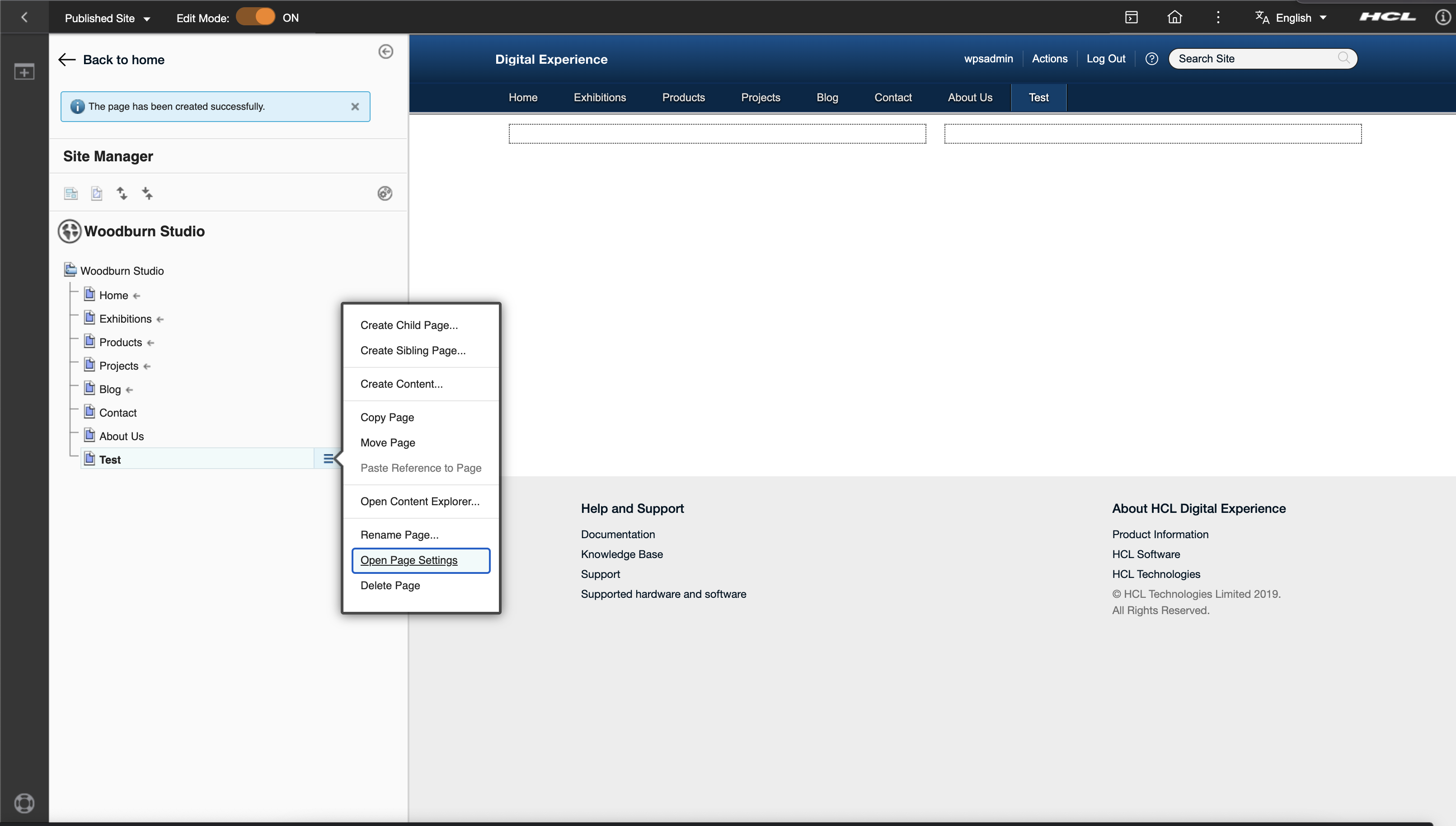
- Select edit page properties
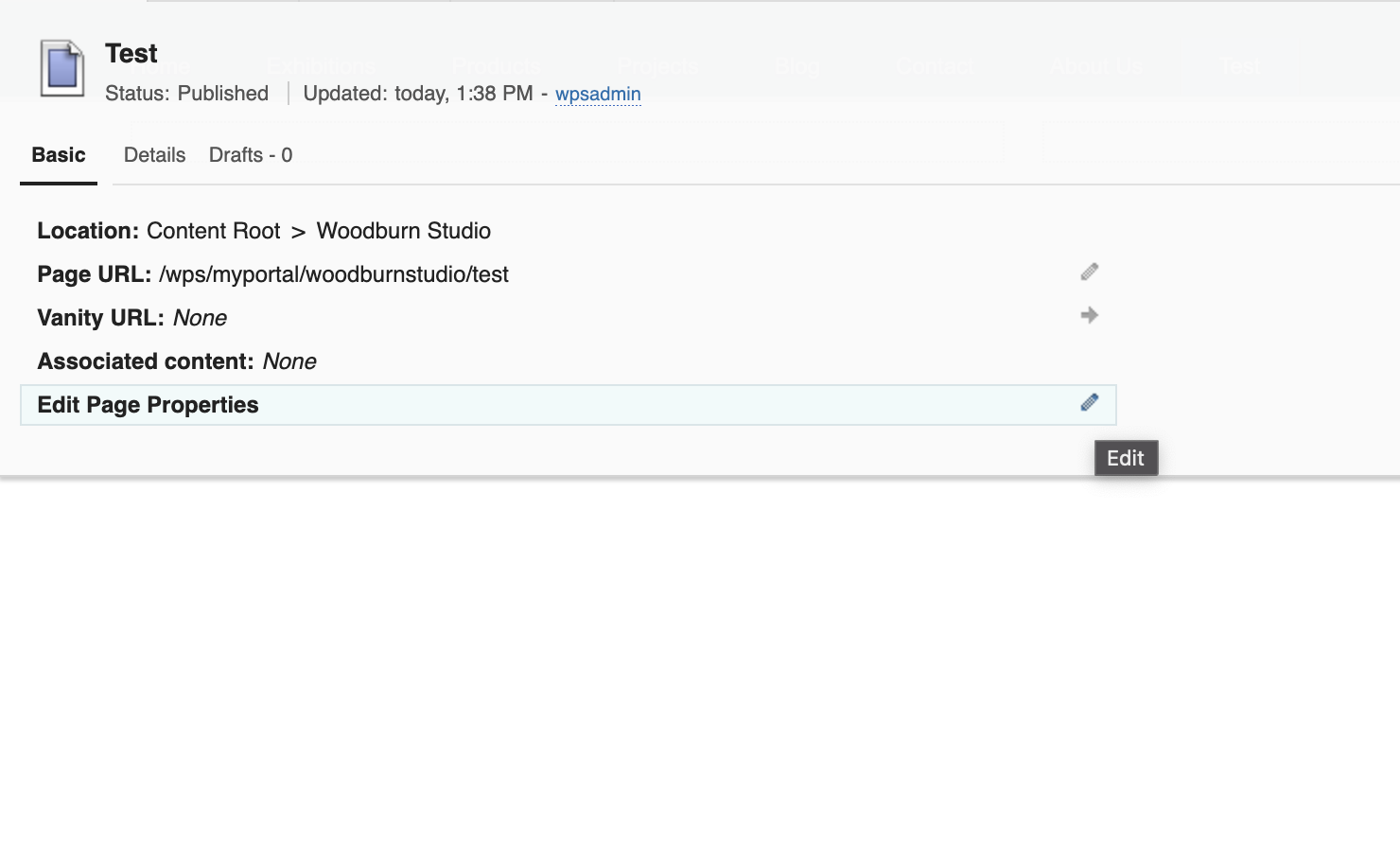
- Open page settings
-
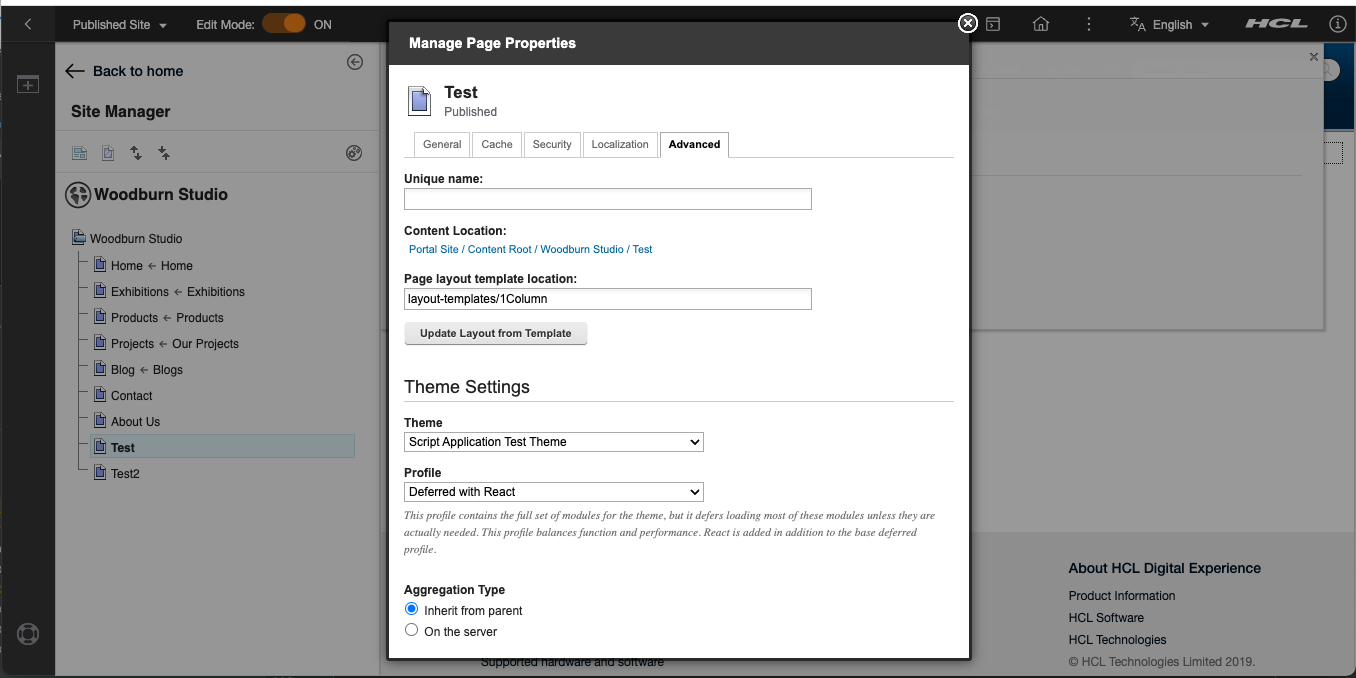
Edit the theme settings in the Advanced tab. Select Theme(i.e: Script Application Test Theme) and Profile(i.e: Deferred with React) then click Save button.
Last update:
September 2, 2022