DAM Soft Delete configuration
Manage Soft Delete and trash clearance behaviors in the values.yaml file under the configuration.digitalAssetManagement section.
Update the following parameters to configure automated trash clearance:
enableTrashClearance: Set totrueto enable automated trash clearance.trashClearanceTimeInDays: The number of days items remain in the Trash before they are permanently deleted (Default:30).trashClearanceHeartbeatInMinutes: The number of minutes between background clearance runs (Default:60).
configuration:
  digitalAssetManagement:
    # Enable or disable automatic Trash clearance
    enableTrashClearance: true
    # Number of days before items are permanently deleted
    trashClearanceTimeInDays: 30
    # Interval (in minutes) for the clearance heartbeat
    trashClearanceHeartbeatInMinutes: 60
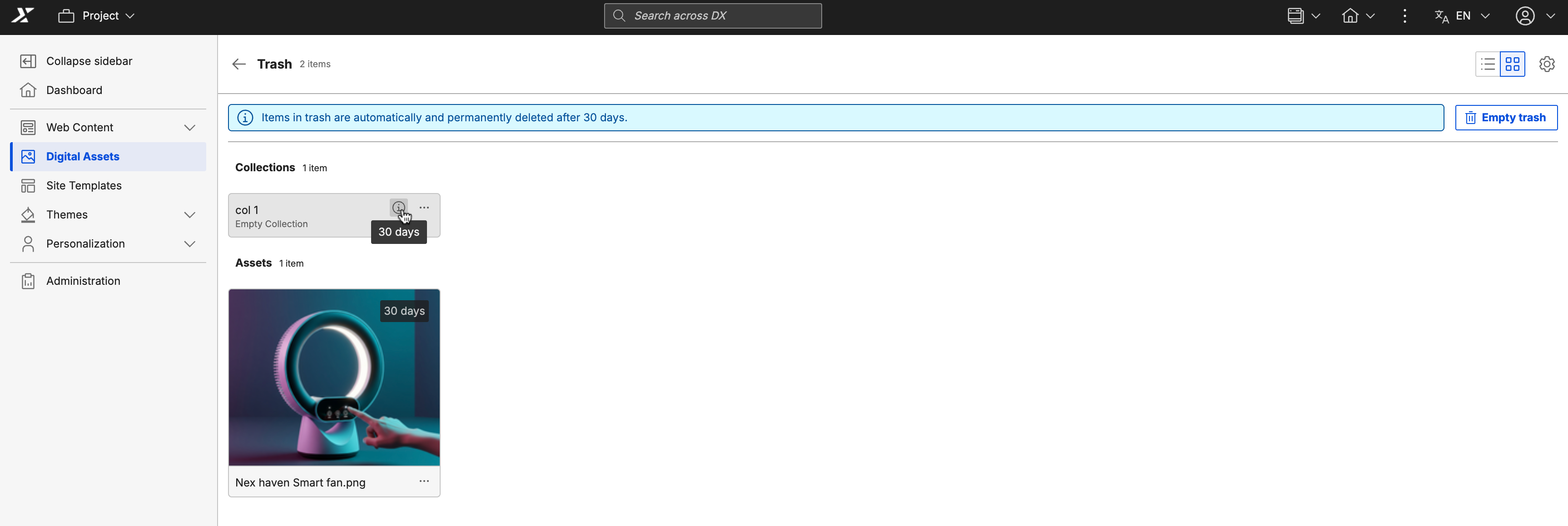
When automated trash clearance is enabled, a timer displays on items in the Trash to indicate when they will be permanently deleted.
Grid view
List view
