
Installing a custom SAP ABAP plug-in
To enable HCL DevOps Test Integrations and APIs (Test Integrations and APIs) to be able to record IDocs and enable the watch mode subscriptions, you must install and configure the plug-in that is provided with Test Virtualization Control Panel.
Before you begin
Download and extract the SAP IDoc ABAP plugin package that is provided with Test Virtualization Control Panel (referred to as SAPABAP hereinafter). For more information, see DevOps Test Integrations and APIs tool packages.
Procedure
-
In the SE11 transaction on the SAP GUI, create structures
by using the files available in the /SAPABAP/structures folder, as shown in the following table:
Option Description ZRGTPTS_RANGE_DOCNUM RGTPTS_RANGE_DOCNUM (screen capture):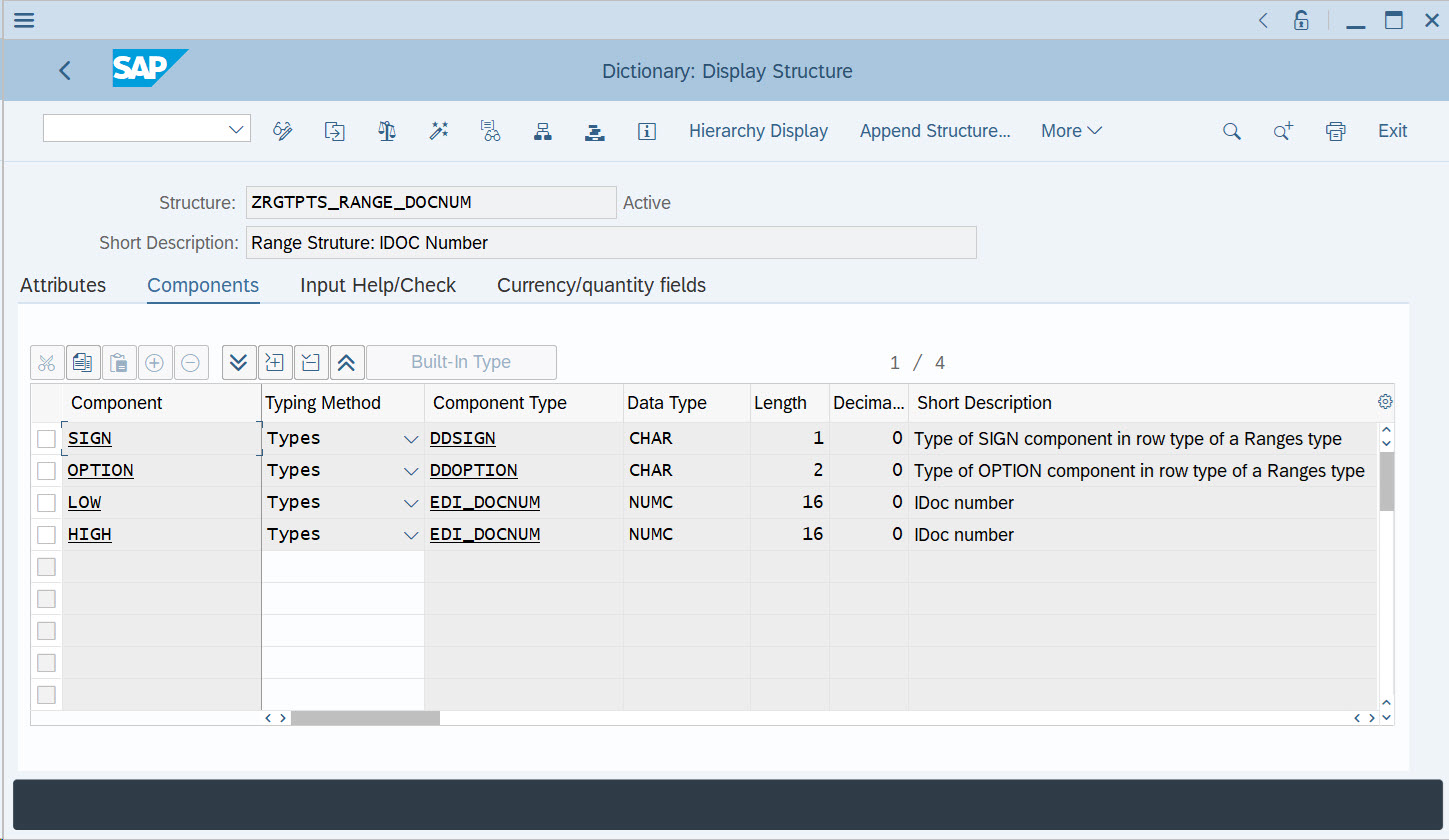
ZOGTCSS_IDOC_STATUS ZOGTCSS_IDOC_STATUS (screen capture):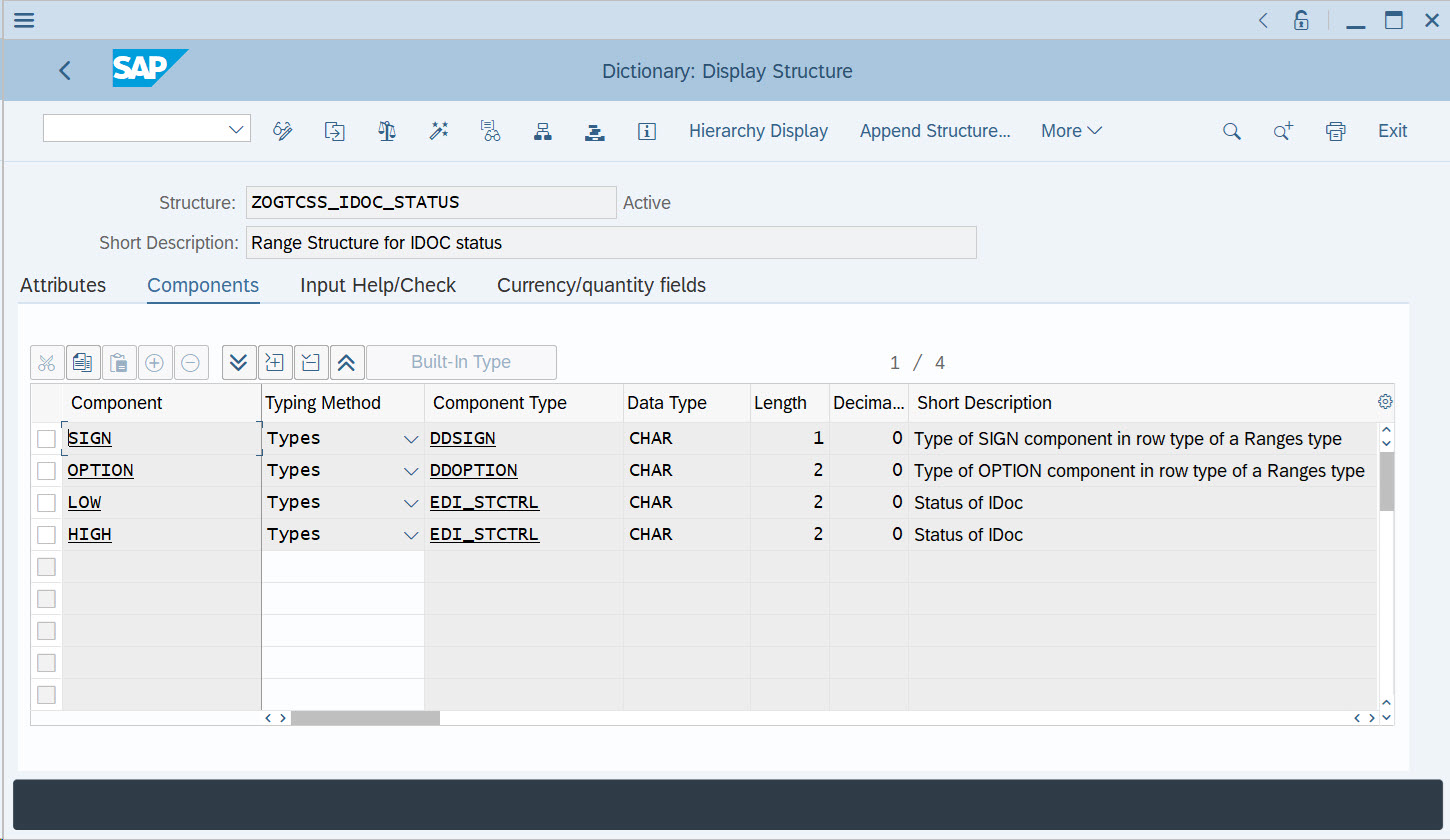
ZOGTCSS_IDOC_DIRECTION ZOGTCSS_IDOC_DIRECTION (screen capture):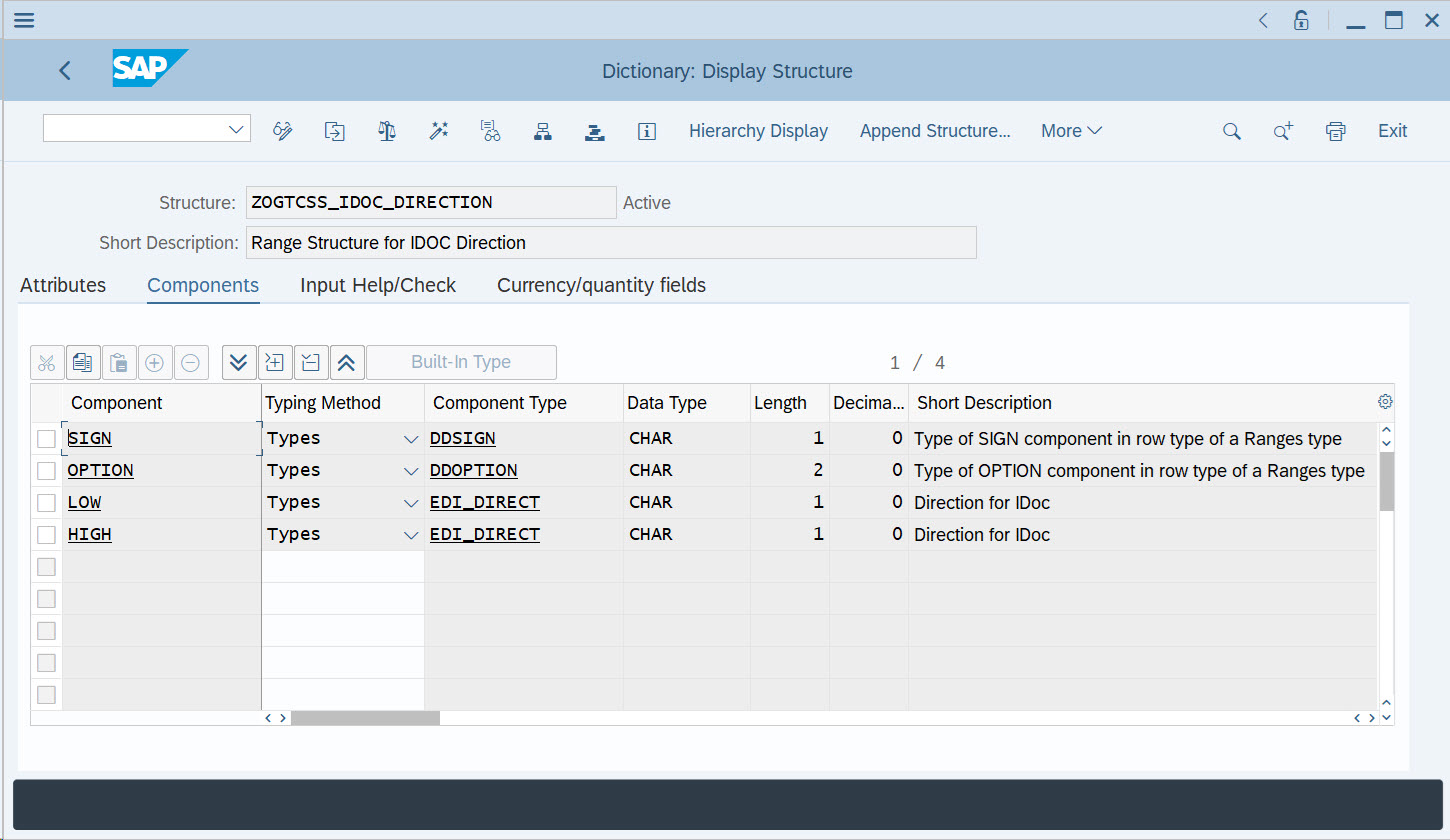
ZOGTCSS_IDOC_PPPRN ZOGTCSS_IDOC_PPPRN (screen capture):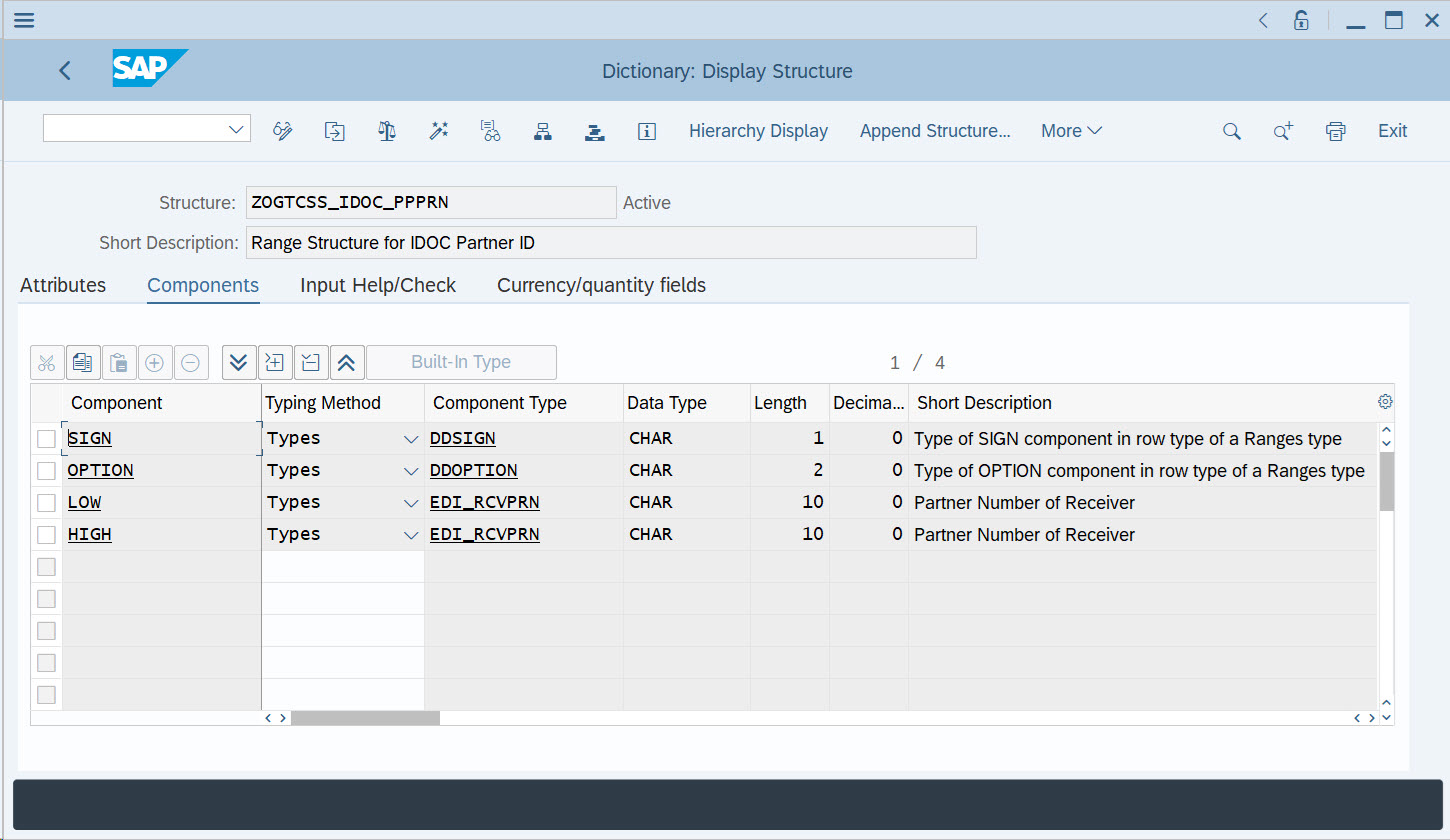
ZRGTITS_SEL_MESTYP ZRGTITS_SEL_MESTYP (screen capture):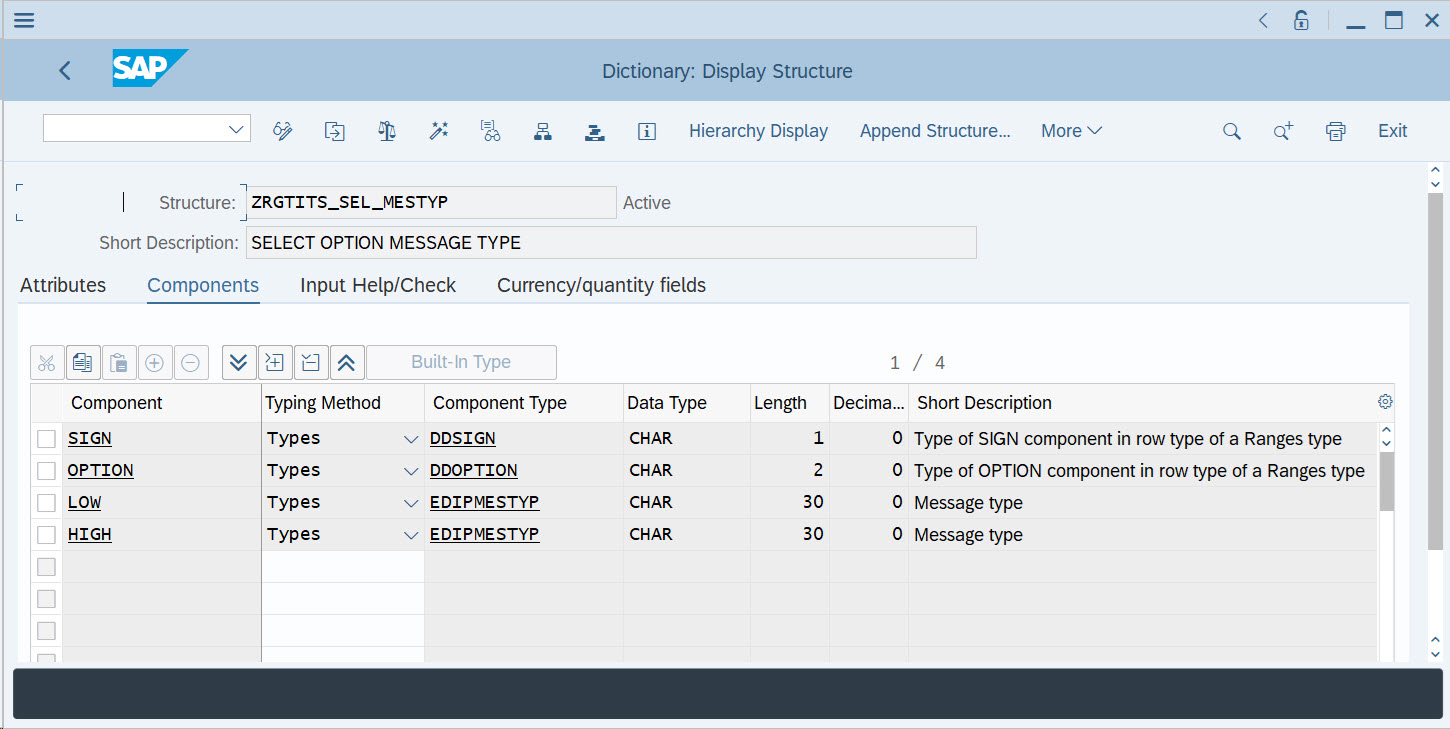
ZRGTITS_SEL_UPDTIMSTMP ZRGTITS_SEL_UPDTIMSTMP (Screen capture):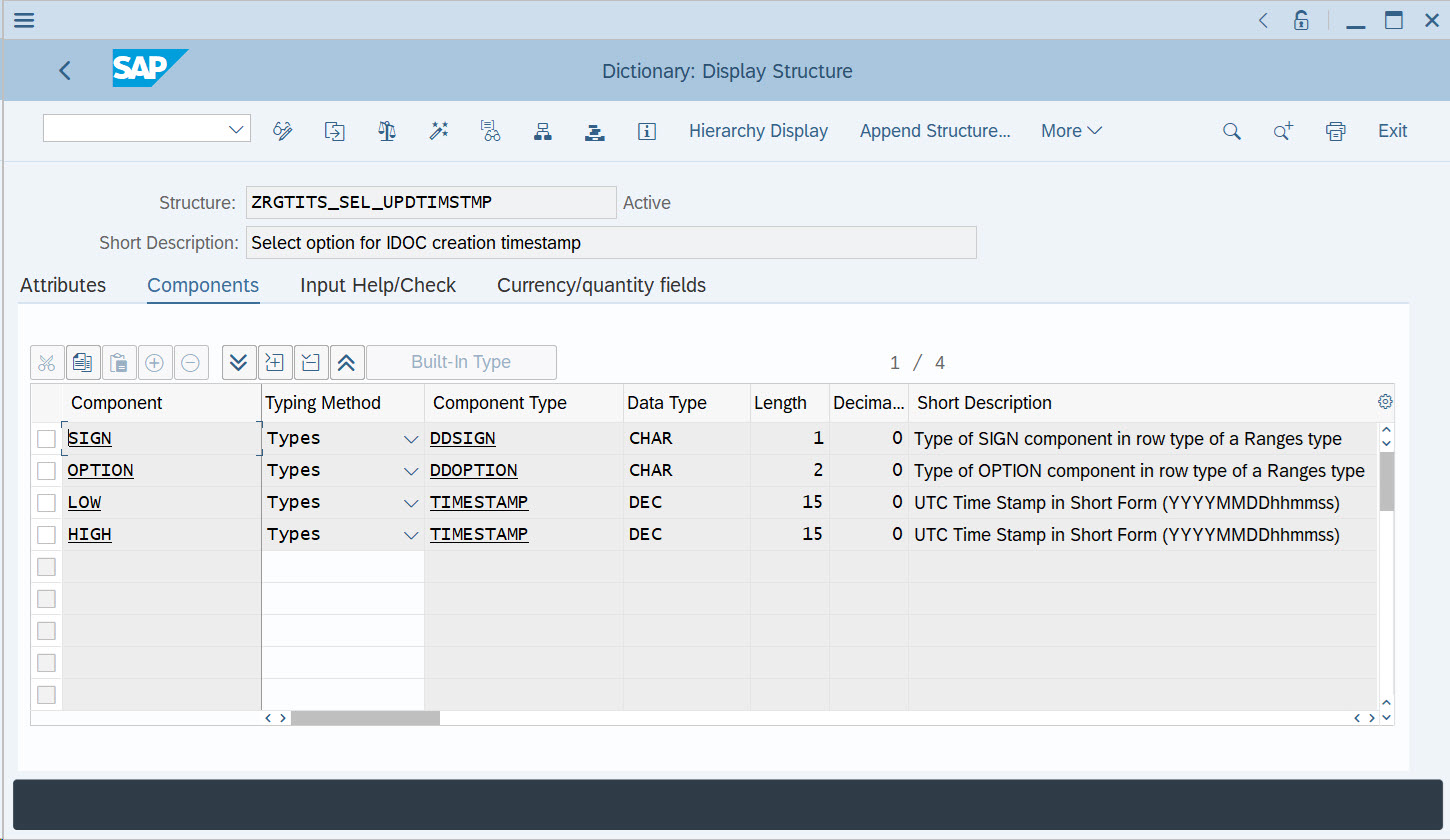
ZRGTT_GREENHAT_EDIDD ZRGTT_GREENHAT_EDIDD (Screen capture):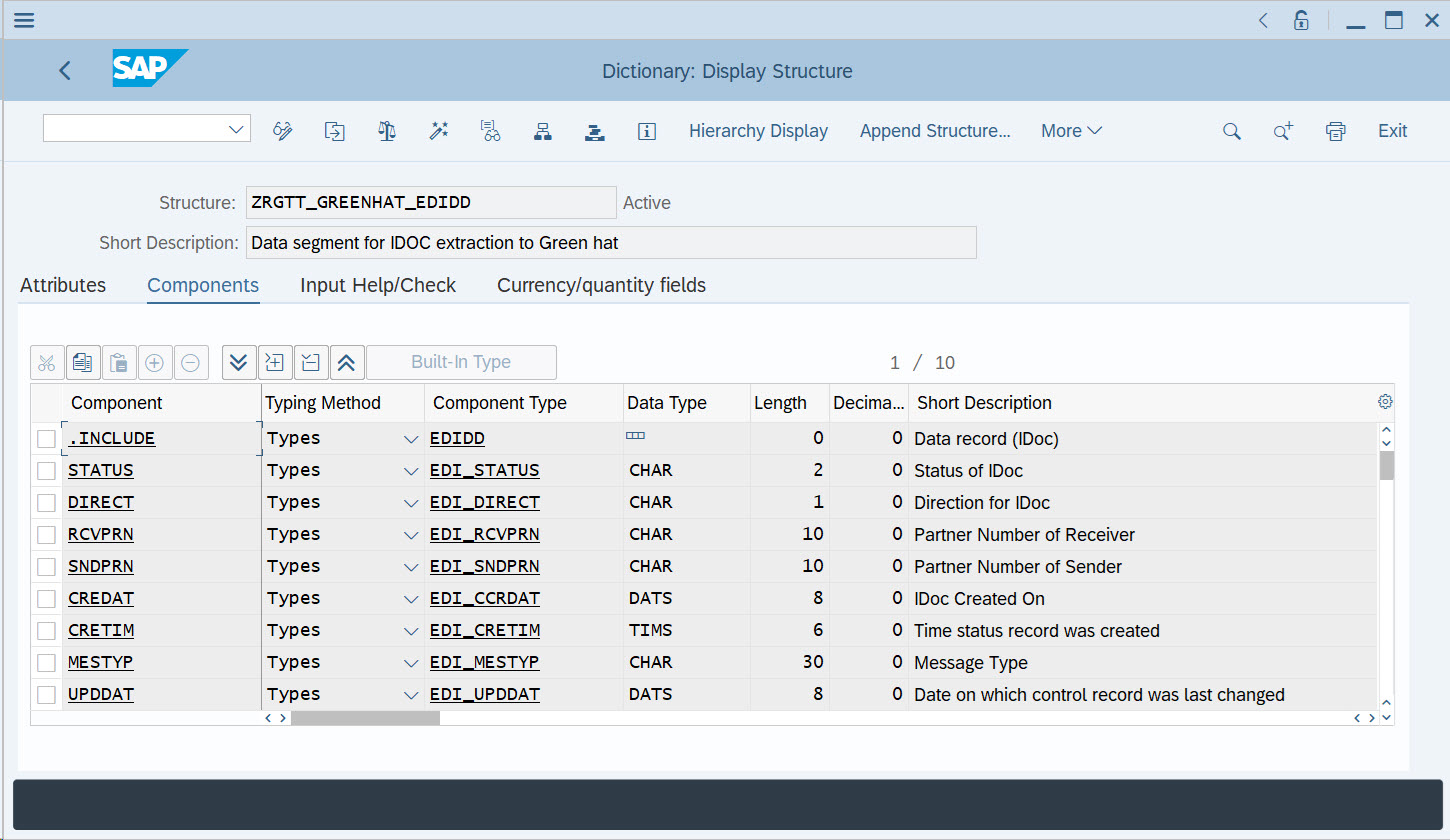
-
In the transaction SE37 on the SAP GUI, create a new
Function module labeled
Z_RGT_GREENHAT_IDOC_SEND and
configure it as described in the following steps:
-
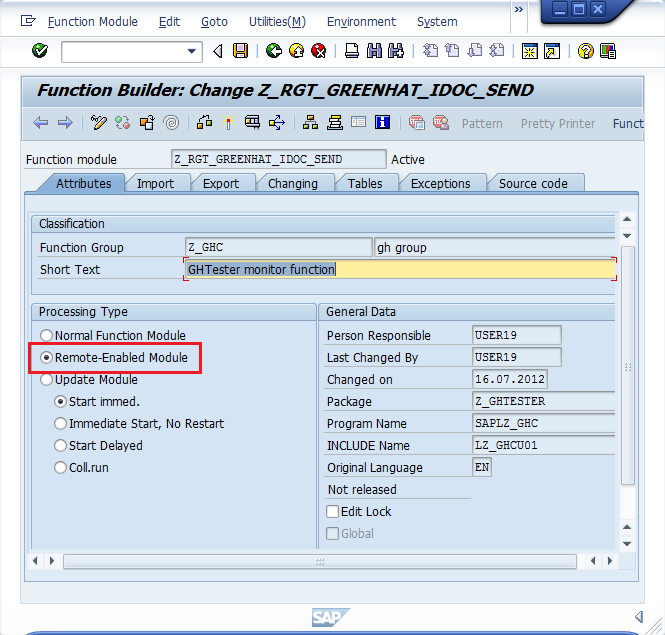
For Test Integrations and APIs to be able to access the Function module, it should be
remote-enabled. To achieve this, open the Attributes tab and set Processing Type to Remote-Enabled Module.
Attributes (screen capture):
-
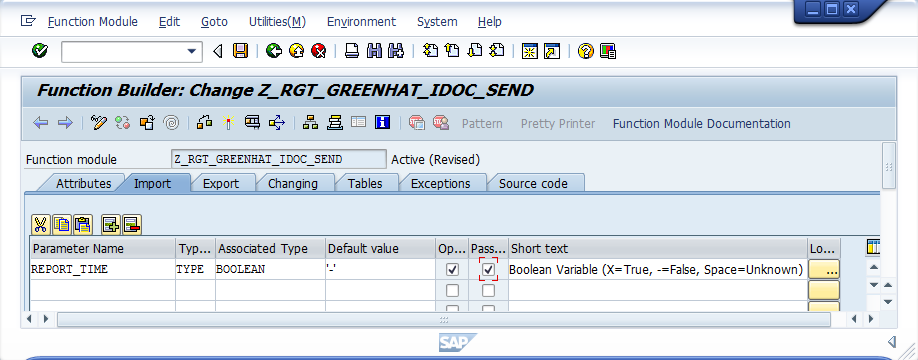
Open the Import tab. Copy the import parameters from /SAPABAP/Import Parameters.txt and
paste them into the fields. Ensure that the Optional and Pass Value check boxes are
selected.
Sample import parameters (screen capture):
-
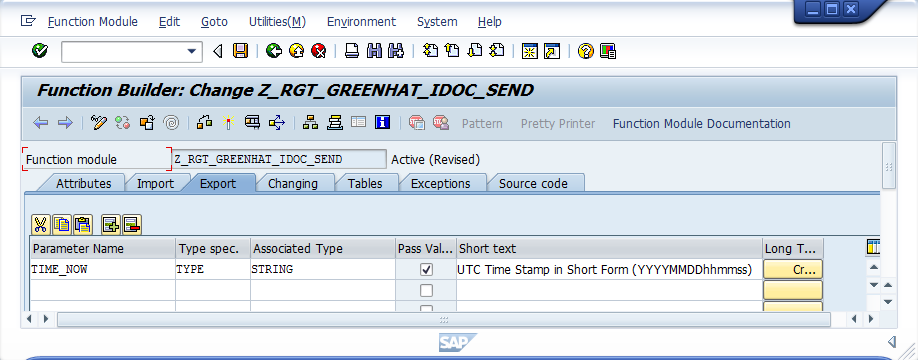
Open the Export tab. Copy the export parameters from /SAPABAP/Export Parameters.txt and
paste them into the fields. Ensure that the Pass Value check box is
selected.
Sample export parameters (screen capture):
-
For Test Integrations and APIs to be able to access the Function module, it should be
remote-enabled. To achieve this, open the Attributes tab and set Processing Type to Remote-Enabled Module.