
Setting up the target platform
Set up the target platform to HCL OneTest™ API installation folder to enable setting up the dependency, extend, and implement the Function class.
About this task
Follow the steps to set the target platform in Eclipse:
Procedure
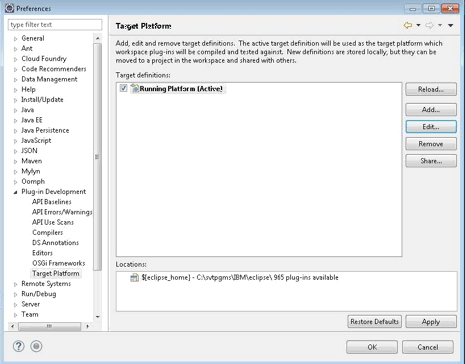
- Go to .
- Select the active Target Platform and
click Edit.
The Edit Target Definition window opens.
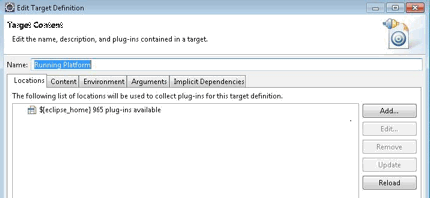
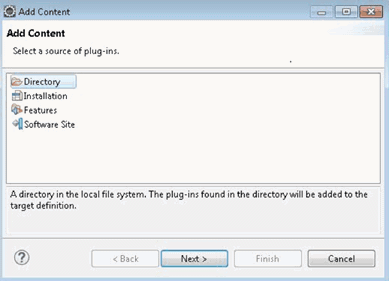
- Click Add, select Directory,
and then click Next.
-
Click Browse and select the HCL OneTest™ API plug-ins
folder.
For example,
C:\Program Files\HCL\HCLProducts\HCL®IMShared\plugins.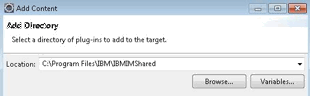
- Select the Content tab
and select File Path for the Group
by method.
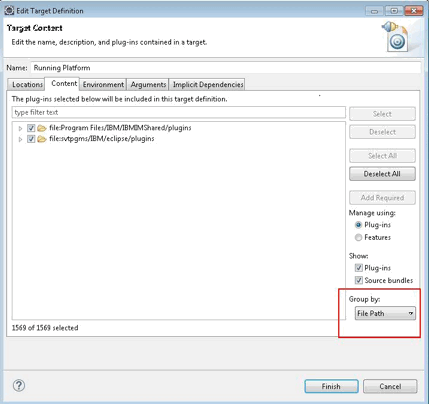
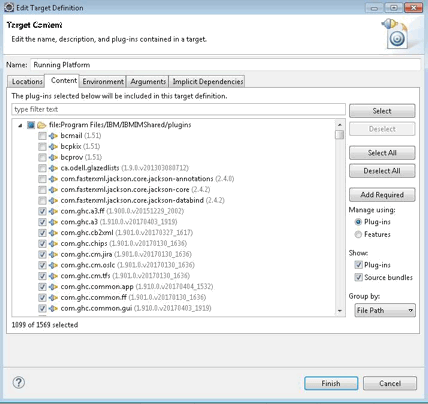
- Select the HCL OneTest™ API specific plug-ins from the
list for
HCL®IMSharedplug-ins.List of HCL OneTest™ API plug-ins:- com.ghc.*
- com.greenhat.*
- com.ibm.greenhat.*
- com.ibm.rational.rit.*
- Click Finish to close the Target Content window.
- Click OK to close the Preferences window.