Prerequisites for testing Windows desktop applications
You can find information about the prerequisite conditions that you must satisfy before you can test Windows desktop applications.
Before you record and play back Windows tests, you must have completed the following
actions:
- Configured the Windows desktop application. See Configuring a Windows application.
- Restarted your computer if you want to record the Windows test immediately after you install the product.
Tip:
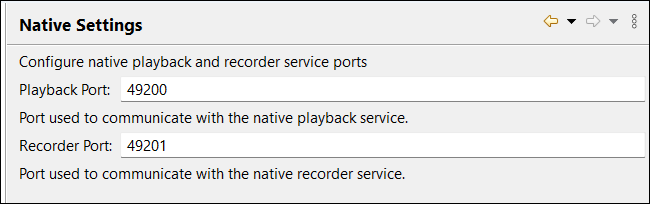
- You must ensure that the 49200 and 49201 ports are available and they are
set in the as shown in the following image:
- To run tests on your local computer, you must clear the Host checkbox in the Mobile Device tab. You can access the checkbox from the tab.