Shell sharing with IBM® Engineering Workflow Management
You can install the Engineering Workflow Management Client Extension in Test Performance by adding the p2 Install Repository.
Before you begin:
You must download the EWM-Client-p2Repo-7.0.3.zip file from the Engineering Workflow Management downloads page.
Perform the following steps:
- Open Test Performance.
- Click .
The Install window opens.
- Click
Add.
The Add Repository window opens.
- Click Archive... and select the downloaded EWM
p2repo
.zip file.
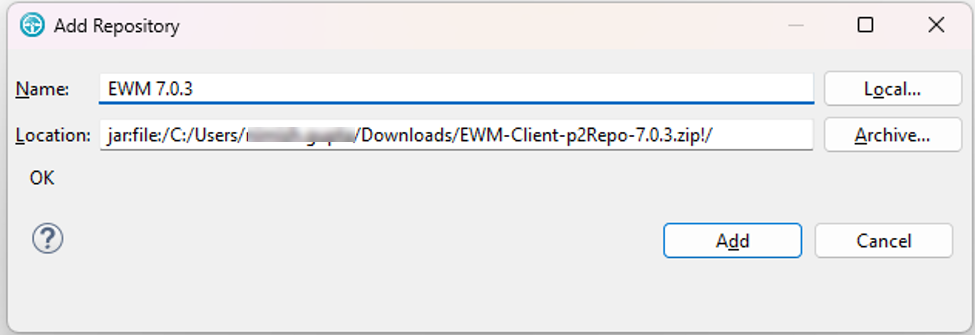
- Click Add.
- Click Select All, and then click Next.
- Click Next.
- Click Finish.Note:The Trust Artifacts window might open to verify the unsigned content of the unknown origin. You must then click Select All, and then click Trust Selected.
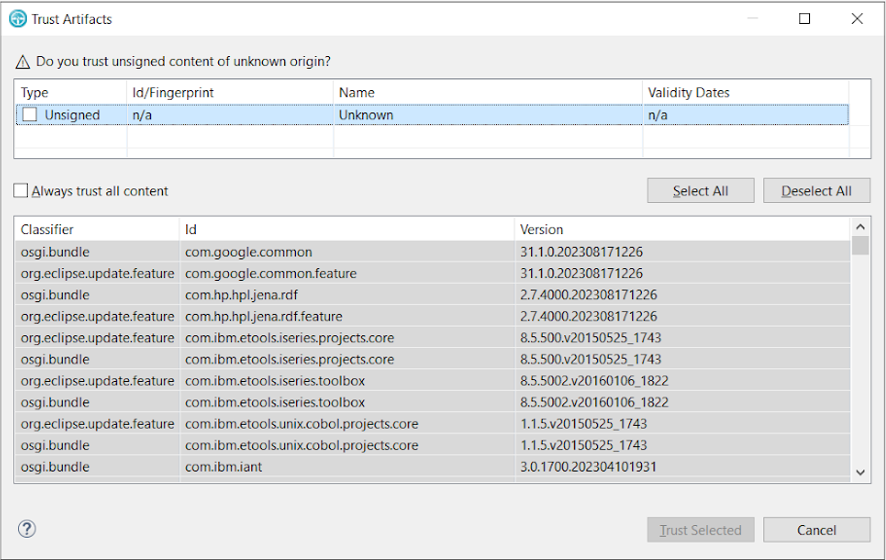
- Click Restart Now when you are prompted to restart the
software.
Test
Performance restarts with the software update.