
Adding an identity to the Physical view
You can use an Identity when it is necessary to authenticate to a third party (for example, when you are importing or synchronizing with a WSDL by using a secure URL, when you are monitoring a remote log file over SSH). To add an Identity to the Physical view of the Architecture School perspective, use the General menu.
Click to add an Identity to your project.
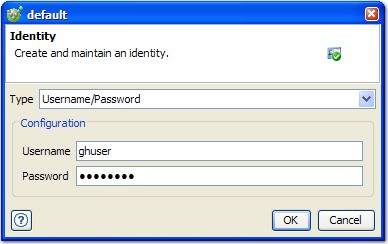
| Field | Description |
|---|---|
| Type | The type of authentication to use. |
| Configuration | Authentication details, depending on the value of the Type field:
|
Notes:
- The name of the identity resource in the Physical View reflects the type of authentication and the authentication details.
- An FTP connection uses the value anonymous for the Username or for the Password when these fields are left blank.