Deleting an offline user token in DevOps Test Hub
You can delete all the offline tokens when you want to revoke server access or when the existing tokens are no longer required.
Before you begin
You must have logged in to Test Hub with an active user account.
About this task
Offline tokens provide access for desktop clients and third-party integrations to connect to the server.
Warning:
Deleting offline tokens invalidates all
existing offline tokens. Any desktop client, automated agent, proxy, or
third-party integration that currently uses these tokens will lose connection to
the server and fail to authenticate until a new token is configured.
Procedure
-
Click the User icon
 from the menu bar, and then select Delete
Tokens.
The Delete All Offline User Tokens dialog is displayed with a warning.
from the menu bar, and then select Delete
Tokens.
The Delete All Offline User Tokens dialog is displayed with a warning.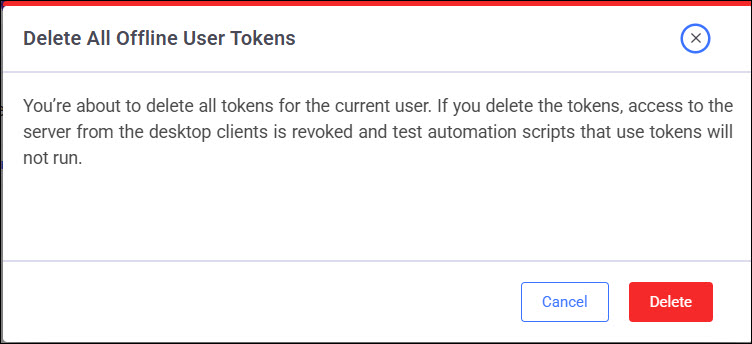
- Click Delete to confirm deletion.
-
Perform any of the following necessary actions:
- Inform the affected desktop client users that the existing tokens were deleted.
- Update any test automation scripts that used the deleted tokens to prevent authentication failures.
What to do next
If you need to restore connections for desktop applications, agents, or integrations, you must complete the task to generate a new offline user token. See Creating an offline user token in DevOps Test Hub.