Detailed system requirements

This section provides comprehensive information on the system requirements for Integration Services. Prior to service deployment, it is necessary for the user to possess the access outlined below.

BigFix Service Account Requirements

  • Admin access (not SOAP role admin access)

To facilitate the import of ServiceNow CMDB data into BigFix, a Master Operator account is required. Otherwise, the minimum account requirements to send BigFix endpoint data to ServiceNow are the following:

  • A non-master operator account with permissions against the in-scope computers.

  • Read access to the BigFix ServiceNow Data Flow site.

  • The Can use REST API setting set to Yes

  • The Can Create Actions setting set to No.

ServiceNow Service Account Requirements

  • Read and write access for CMDB_CI_COMPUTERS , SYS_CHOICE and CORE_COMPANY tables
  • The ServiceNow Administrator should have a service account that leverages basic authentication with read and write access to the CMDB tables.

Note:
CMDB_CI_COMPUTERS requires write access in all environments: the ServiceNow Adapter inserts and updates CI records during every Data Flow cycle. SYS_CHOICE and CORE_COMPANY store the choice-list and company/manufacturer values referenced by fields in CMDB_CI_COMPUTERS [Source: BigFix engineering/support confirmation]. The Data Flow can run without write access to these two tables: existing values keep mapping correctly, but new values received from BigFix cannot be inserted into the corresponding choice lists, which can leave data missing or inconsistent — for example, a new OS or Manufacturer value. If write access is withheld, create and maintain the required choice-list values manually in ServiceNow to keep data mapping consistent.
Important:
While running the BigFix ServiceNow integration from ServiceNow to BigFix, it's crucial to ensure that user roles align with the table's Access Control List (ACL) for successful attribute extraction. If there's a mismatch between user roles and the table's ACL, users may encounter instances of empty data. The same role/ACL sensitivity applies to any reduced-privilege model on SYS_CHOICE or CORE_COMPANY — validate against a non-production instance first.
Table 1. ServiceNow Data Flow
Operating system Hardware Configuration BigFix Service Account Supported BigFix versions Supported ServiceNow versions Recommendations
  • Windows 2016
  • Windows 2019
  • Windows 2022
  • 6-8 Cores
  • 32 GB RAM
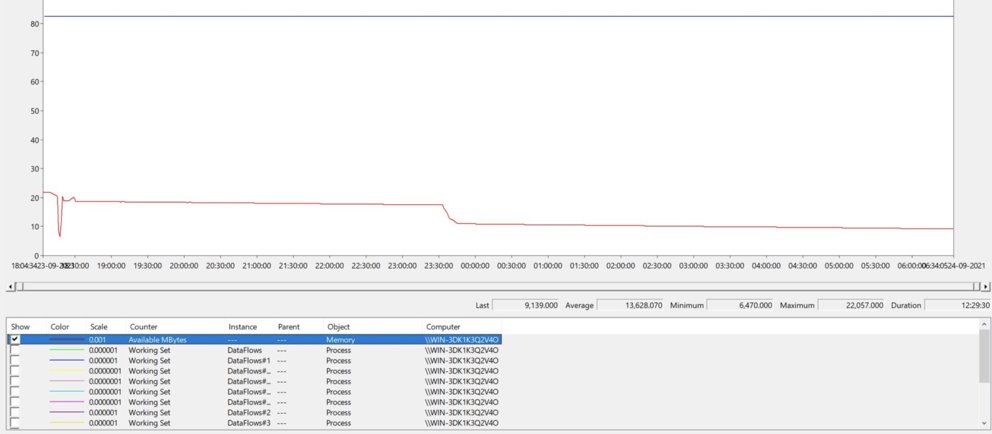
RAM Utilization depends on number of devices, example:
  • 50k devices utilize 3.5GB RAM
  • 300k devices utilize 22GB RAM*
  • Network Access to BigFix Root Server
  • Network Access to ServiceNow REST APIs
  • Master Operator account required
  • Access to InScope Devices
  • No Ability to Create Actions
  • Access to REST API
  • Access to Any Site Containing In-Scope Properties
  • BigFix Server version 10
  • BigFix Server version 11
  • Orlando
  • Madrid
  • New York
  • Rome
  • Quebec
  • Paris
  • San Diego
  • Tokyo
  • Utah
  • Vancouver
  • Washington
  • Xanadu
  • Yokohama
  • Zurich
In larger environments, make sure you deploy the integration solution on a dedicated server.

*12 hours execution for 300K devices consumes maximum 22 GB RAM