
PLA report
The Protection Level Agreement (PLA) report measures how long endpoints remain exposed to known security issues after a patch becomes applicable to them, and compares that exposure against the remediation time frames agreed for your BigFix environment.
This analysis shows the current state of your environment against several sample Protection Level Agreements (PLA).
- Content (i.e. the set of in-scope Patches for the given PLA)
- Endpoints (i.e. the set of in-scope endpoints against which to measure the PLA)
- Time (i.e. the target time frame within which the content should be addressed for the given Endpoints)
How PLA compliance is calculated
For each computer and Fixlet in a designated patch group, the exposure duration is the time between when the patch became applicable to your environment and when it was fully remediated — or the current date, if it is still applicable.
The calculation uses three timestamps that BigFix tracks for every Fixlet result:
- Last Became Relevant — when the Fixlet most recently became applicable to the device.
- Last Became Nonrelevant — when the patch was successfully applied and the vulnerability was remediated.
- Relevant flag — the current status indicating whether the Fixlet is still applicable.
Exposure duration = time from Last Became Relevant to Last Became Nonrelevant — or to the current date, if the Fixlet is still relevant.
Why the last became-relevant time is used.BigFix uses the last time a Fixlet became relevant (not the first) so that real-world patching scenarios are measured correctly. For example: a patch is applied on Monday (the Fixlet becomes nonrelevant); a user reverts the patch or restores a previous snapshot on Wednesday (the Fixlet becomes relevant again). The true exposure window is from Wednesday onward. Using the last became-relevant time captures the full exposure time even if a patch was previously applied and then removed.
Example calculations
- Example 1 — Successfully patched Fixlet. Fixlet A became relevant on Aug 1, 2026 and became nonrelevant (patched) on Aug 5, 2026. Exposure duration: 4 days.
- Example 2 — Unpatched Fixlet (still relevant). Fixlet B became relevant on Aug 10, 2026 and is still relevant (not yet patched) on the current date, Aug 28, 2026. Exposure duration: 18 days, and continuing.
- Example 3 — Patched after an extended period. Fixlet C became relevant on Aug 4, 2026 and became nonrelevant (patched) on Aug 14, 2026. Exposure duration: 10 days.
Calculating average exposure
When a patch group contains multiple Fixlets, BigFix averages the exposure durations: Average = sum of all durations ÷ number of Fixlets. Both patched and still-relevant Fixlets contribute — unpatched systems add their current, still-growing exposure time to the average. For the three example Fixlets above: (4 + 18 + 10) ÷ 3 = 10.67 days.
| Fixlet | Duration | Status |
|---|---|---|
| Fixlet A | 4 days | Patched |
| Fixlet B | 18 days | Still relevant |
| Fixlet C | 10 days | Patched |
| Average | (4 + 18 + 10) ÷ 3 = 10.67 days | — |
Compliance status
A patch group is compliant when its average exposure duration is within the agreed PLA target, measured from when each patch became applicable. The default PLA target is 30 days. In the example above, 10.67 days is within a 30-day target.
A patch group is noncompliant when the average exposure duration exceeds the PLA target, or when at least one required patch remains unpatched beyond the target time frame measured from when it became applicable. In the example above, if Fixlet B continues unpatched past day 30, the patch group becomes noncompliant even if the other Fixlets are remediated.
PLA chart
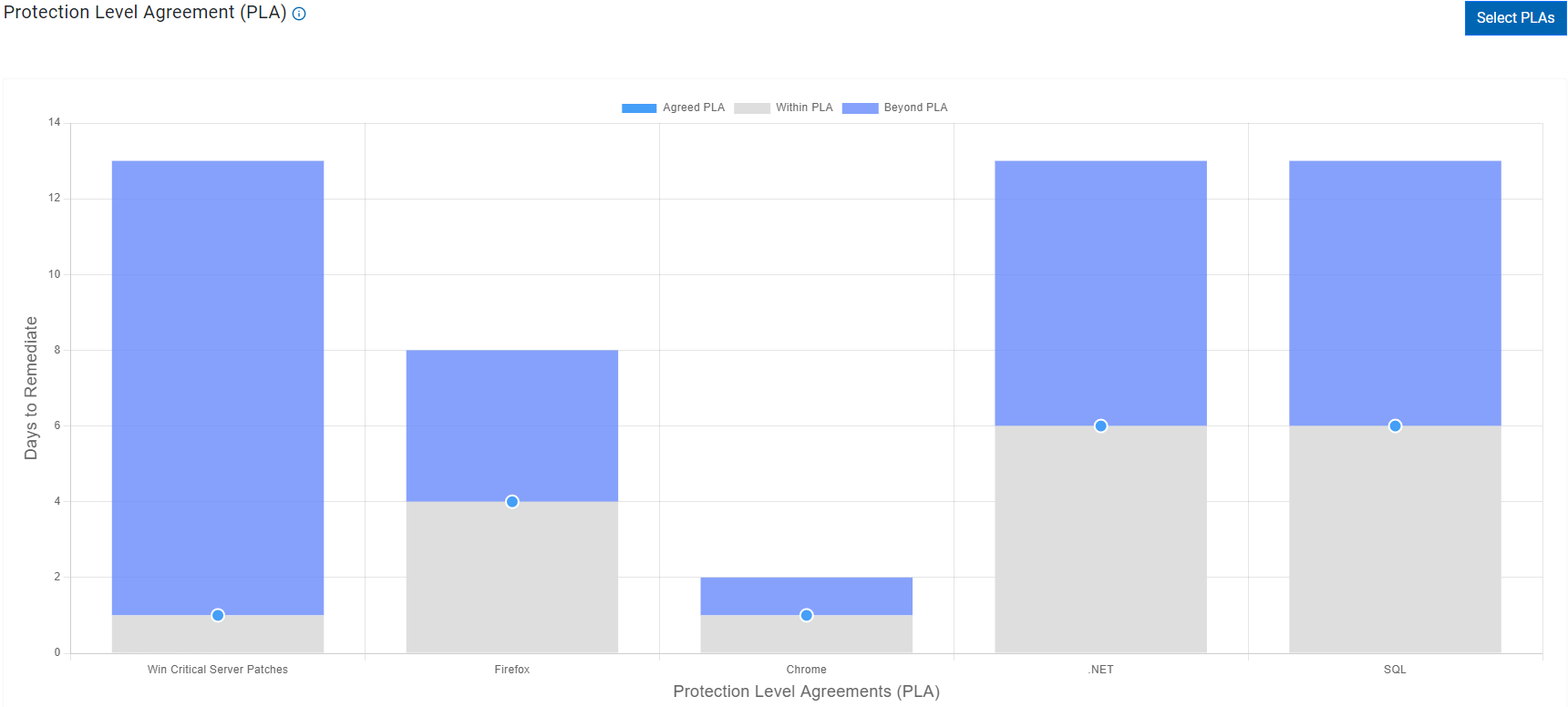
A typical PLA chart shows the timeline taken to patch the vulnerability in an environment.
The color on the bar represents the following:
-
 Agreed PLA: The timeline defined to patch the vulnerabilities.
 -
 Within
PLA: The grey portion of the bar represents the number of
vulnerabilities that are patched within the agreed PLA timeline.
Within
PLA: The grey portion of the bar represents the number of
vulnerabilities that are patched within the agreed PLA timeline. -
 Beyond
PLA: The purple portion of the bar represents the number of
vulnerabilities that are yet to be patched. These vulnerabilities are way
past the agreed PLA timeline and possess a greater risk to the devices.
Beyond
PLA: The purple portion of the bar represents the number of
vulnerabilities that are yet to be patched. These vulnerabilities are way
past the agreed PLA timeline and possess a greater risk to the devices.
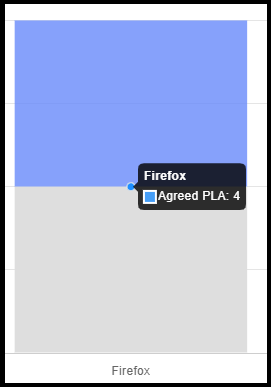
Mouse over on the bar to see the patched vulnerabilities.
Select PLAs
Users have the ability to establish their own designated Protection Level Agreement (PLA) periods to effectively manage ongoing mitigation efforts tailored to their specific business requirements. By specifying an agreed time, users can easily monitor their progress towards achieving the pre-determined targets. The designated time frames can be modified by adjusting the provided sliders, with the minimum PLA target set at 1 day and the maximum at 180 days.

Filter Devices
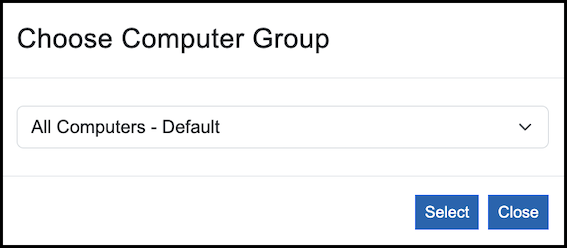
To define the group of computers for PLA calculation, navigate to Select PLAs and click Filter Devices.
Add Patch Group
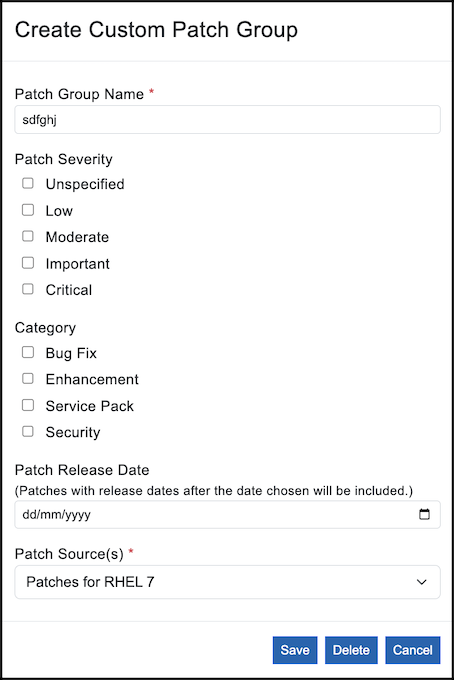
To create a custom Patch Group, navigate to Select PLAs and click on Add Patch Group. Provide a Patch Group Name, specify severity, category, release date and source of the patch. Save your changes.
Only Fixlets that carry a source release date, a source severity, a category, and at least one CVE ID are evaluated for a patch group. Patches whose Fixlets lack any of these fields do not appear in the PLA calculation.
CyberFOCUS Category
The following table shows the mapping between the CyberFOCUS external content categories and Fixlet categories:
| CyberFOCUS category | Fixlet category |
|---|---|
| BUG FIX |
Bug Fix Bug Fix Advisory Bug |
| ENHANCEMENT |
Definition Update Definition Updates Feature Pack Hotfix Update Updates Product Enhancement Advisory ENHANCEMENT Recommended Optional Upgrade |
| SERVICE PACK |
Rollup Service Pack Update Rollup |
| SECURITY |
Critical Update Critical Updates Security Security Advisory Security Hotfix Security Setting Security Update Security Updates SECURITY Mandatory |
Severity Mapping
The following table shows the mapping between the CyberFOCUS Severity categories and Fixlet Severity Field categories:
| CyberFOCUS Severity | Fixlet Severity Field |
|---|---|
| CRITICAL | Critical, Mandatory, High |
| IMPORTANT | Important, Recommended |
| MODERATE | Moderate, Medium |
| LOW | Low, Optional, Negligible |
| UNSPECIFIED | Unspecified, NA, and empty values |
Export data
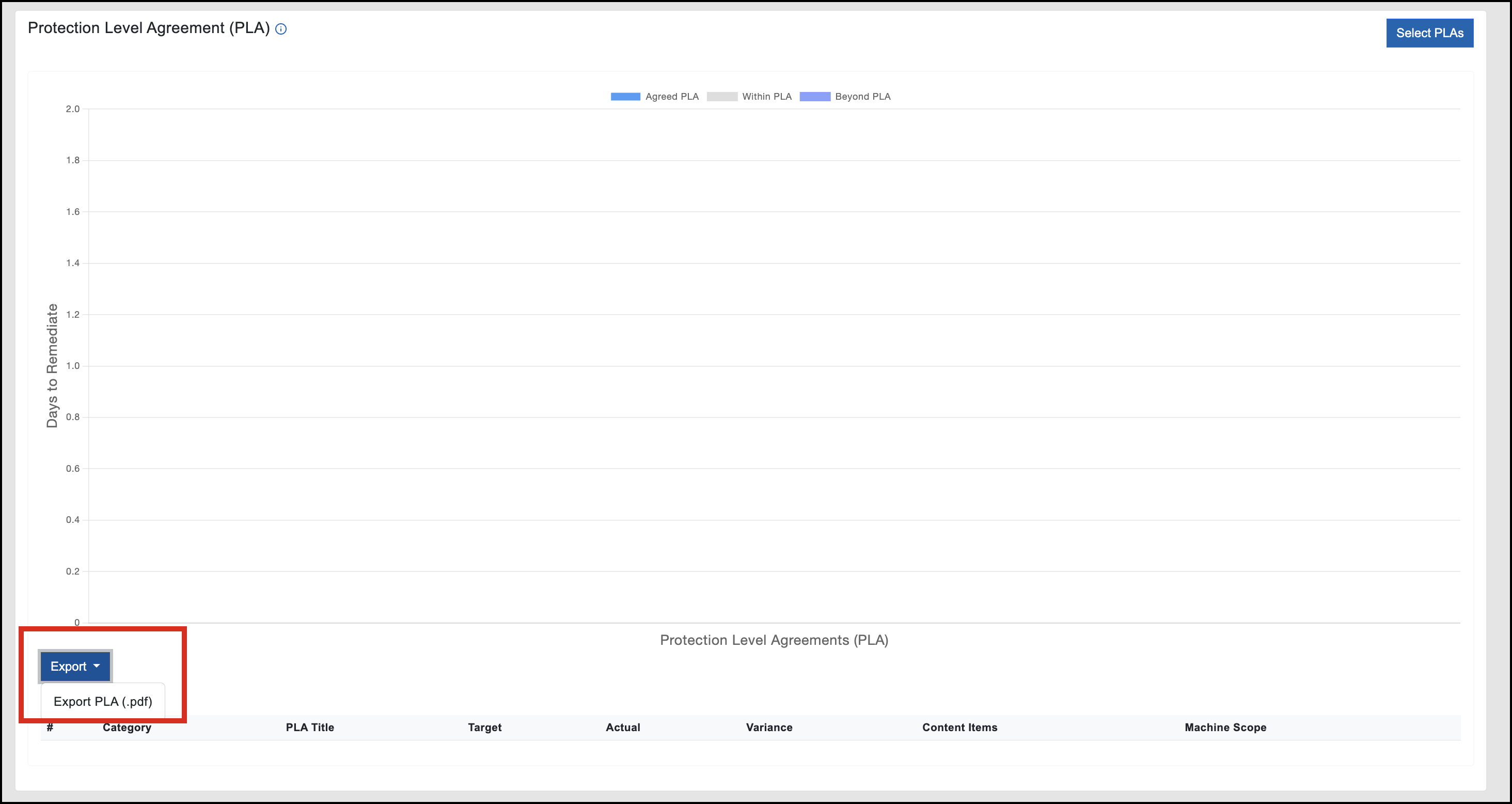
To export PLA data click Export and select Export PLA (.pdf).
Patch Details Pane
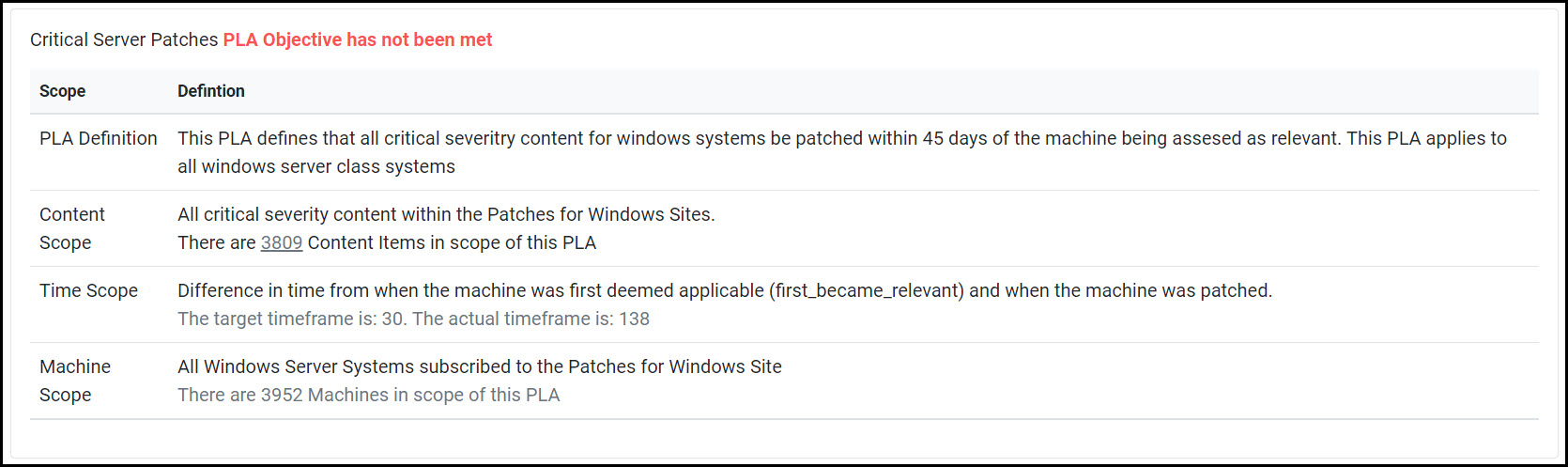
The Patch details pane provides additional information about the patch. For example, Java patches, critical server patches. This pane is dynamically updated based on the where you mouse over the PLA chart.
This pane shows if the PLA objective of a patch is met or not and overall information of the patch such as PLA definition, content scope, time scope and machine scope.
PLA Table
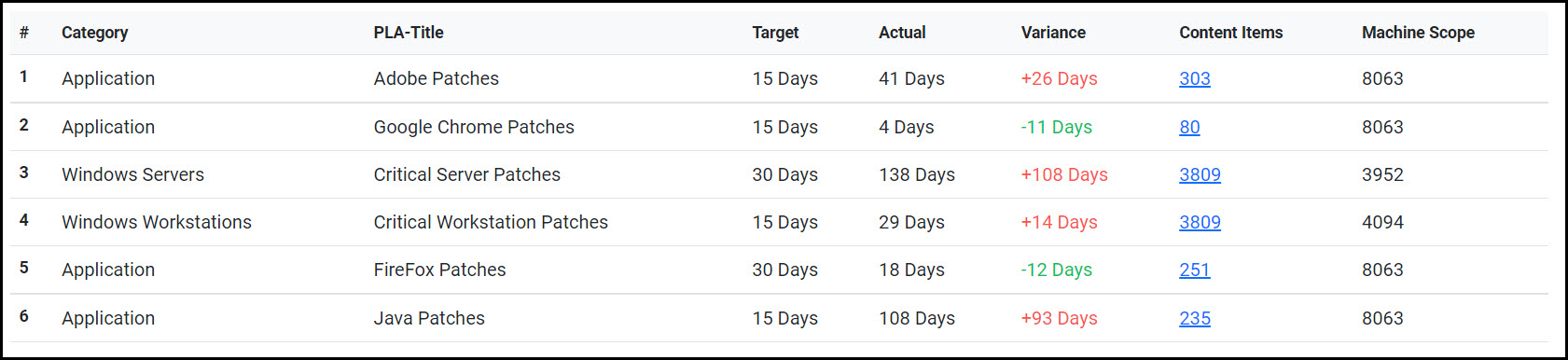
The PLA chart is represented in a tabular format and contains the following columns:
Category: Device category.
PLA-Title: Name of the patch.
Target: Number of days provided to address the vulnerability.
Actual: The measured average patch exposure duration, in days, for the patch group.
Variance: The difference between target and actual.
Content items: Number of Fixlets available in the patch, click on the number to see the list of Fixlets.
Machine scope: Number of devices applicable to patch type.