
Uploading scan results to AppScan 360°
You can upload AppScan Standard scan results to AppScan 360°, to work with them there.
Procedure
- Open the scan you want to upload.
- Click Connect to AppScan 360°, and connect to AppScan 360° with your, URL, Key ID and Key Secret.
-
Click Upload scan results to AppScan 360°.
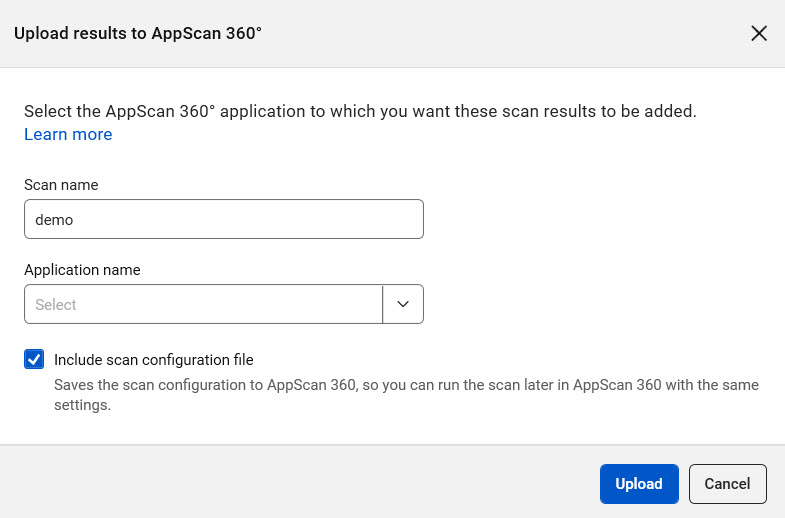
- Optionally rename the scan.
- From the Application name drop-down, select one of the existing applications in AppScan 360°.
- Select the Include scan configuration file checkbox to upload the scan configuration along with the results.
-
Click Upload.
When the upload is complete you can view the scan results in AppScan 360° and work with it there. You can run rescans as needed.