
Multi-Factor Authentication (MFA)
You can configure AppScan to handle multi‑factor authentication (MFA) methods required during login or automatic exploration, including one‑time passwords (OTP), security questions, and CAPTCHA challenges.
Multi-Factor Authentication (MFA) page
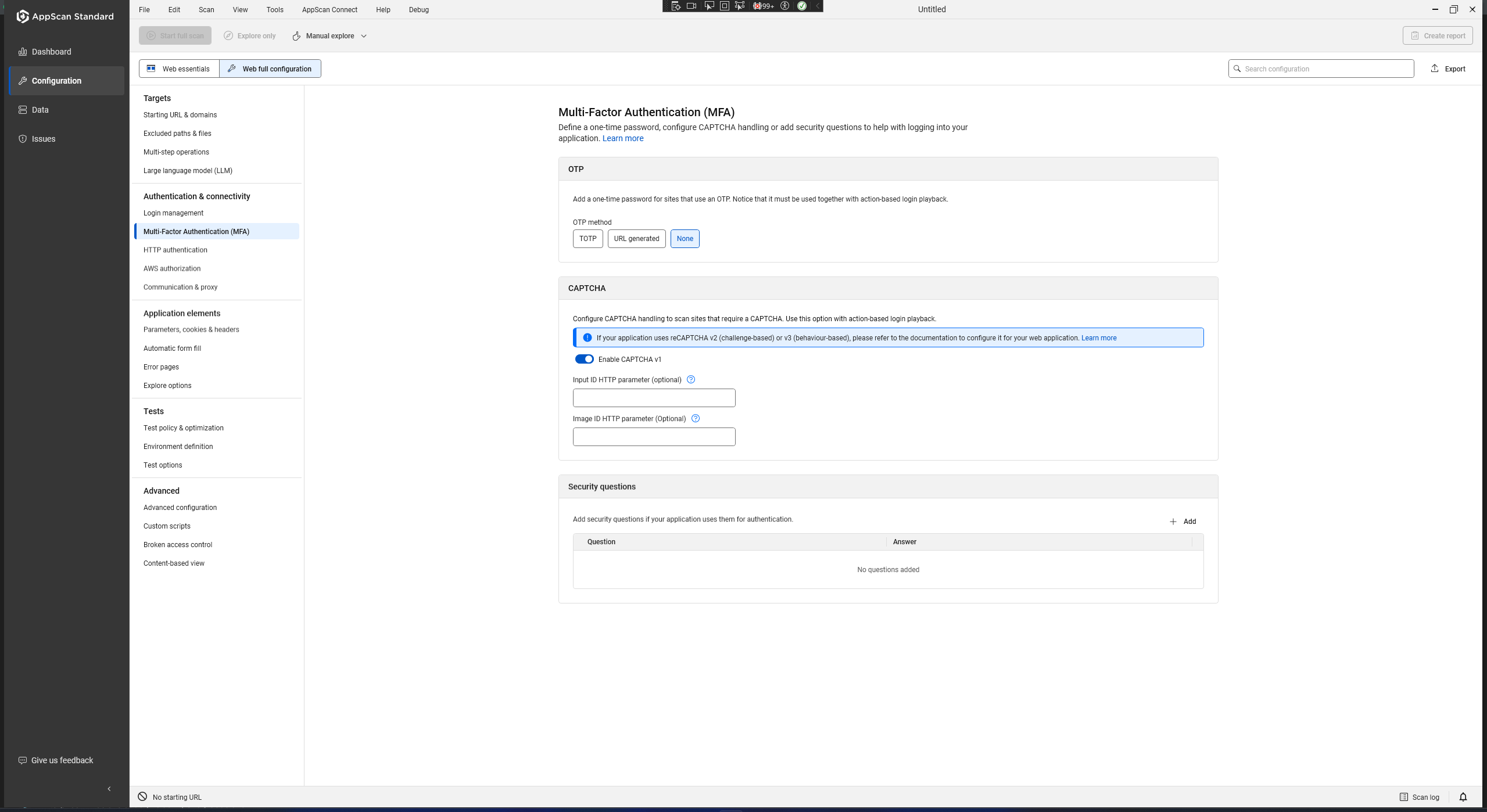
Supported MFA types
- OTP (One-Time Password)
- One-time passwords delivered via URL or TOTP. Configure OTP before recording. For full setup and parameter identification, see Multi-Factor Authentication (OTP).
- Security questions
- Predefined challenge questions and answers used during login or recovery flows. Add exact question and answer pairs in the Security questions section of the OTP topic. For more information, see Configuring security questions.
- CAPTCHA V1
- Image and text-input CAPTCHAs. AppScan uses an AI agent to detect and solve V1 CAPTCHAs. AI provider configuration is required. For more information, see CAPTCHA authentication.
- CAPTCHA V2
- reCAPTCHA V2 (challenge-based). Bypass requires allowlisting AppScan public IPs in Google Cloud. For more information, see CAPTCHA authentication.
- CAPTCHA V3
- reCAPTCHA V3 (behavior-based). Supports automatic and recorded methods; bypass also requires Google Cloud allowlisting where applicable. For more information, see CAPTCHA authentication.