
Example 2: Creating a Validation/Encoding Routine from the Trace view
About this task
Since AppScan® Source
trace identifies
the FileInputStream.read method as a source producing
tainted data, you should create a validation or encoding routine to
eliminate this finding from future scans.
To create an input
validation routine for FileInputStream.read:
Procedure
- In the Trace view call graph, select and right-click the
TestCase_IOT_Instance_Val_Encode.encodemethod.Tip: If the validation/encoding routine that you want to create does not appear in the trace graph, you can create the routine by launching the Custom Rules Wizard from the Trace view. Example 2: Creating a Validation/Encoding Routine from the Custom Rules Wizard explains the steps involved in doing this. - Select Mark as a Validation/Encoding routine in
the menu.
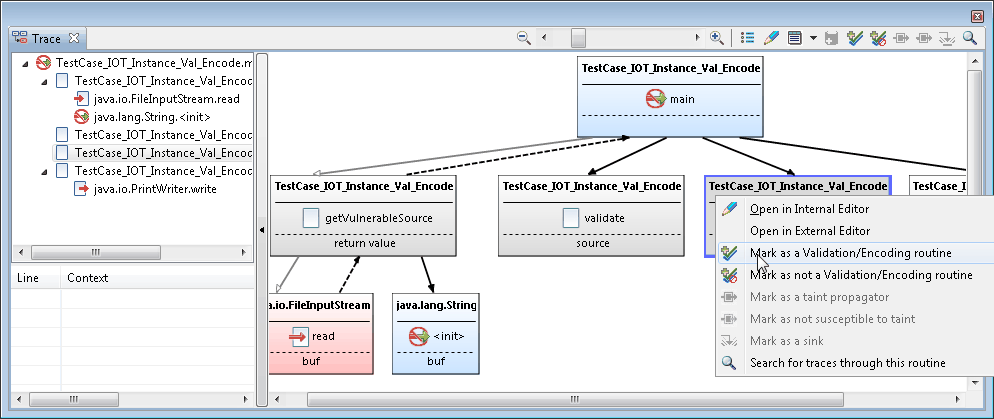
- If the
encoderoutine only applies for this specific instance of callingFileInputStream.read, select this call to java.io.FileInputStream.read in the Specify how to apply this validation routine dialog box.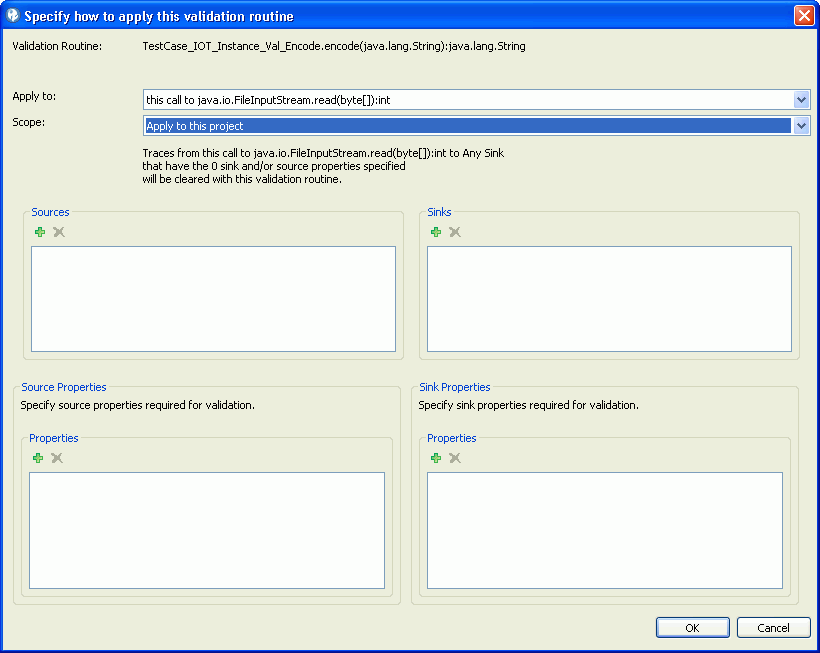
Typically, you would specify this call to java.io.FileInputStream.read because the
validatemethod is private to the class and tightly associated with the code.Select any call to java.io.FileInputStream.read to apply the validation routine for any call to the
readmethod. When selecting this option, also select Apply to this project if this is only valid for the current project or Apply to all projects. - Set up the routine to apply to all
readmethods of theFileInputStreamclass and to any sink with a property ofTechnology.IO(such as thejava.io.PrintWrite.writemethods):- Adding the
readmethods as sources: Although you could specify any call to java.io.FileInputStream.read(byte[]):int to addjava.io.FileInputStream.read(byte[]):intas a source, we will instead add the sources individually. In the Specify how to apply this validation routine dialog box, select java.io.FileInputStream.read(byte[]):int not considered, all constraints specified below in the Apply to menu. Then click the Sources section Add button. In the Choose Signatures dialog box, expand thejava.ioand thenFileInputStreamsections. Multiselect thejava.io.FileInputStream.read*nodes and then click OK.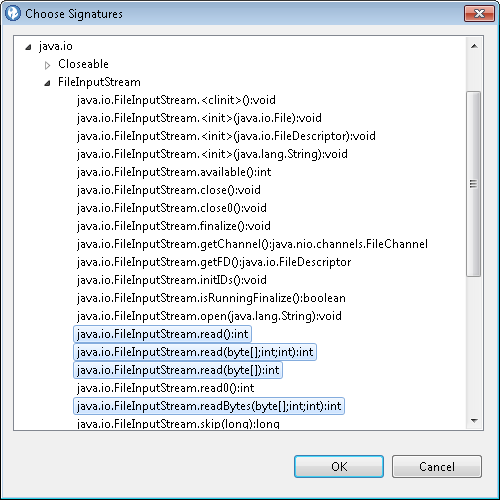 Note: The number of signature nodes listed depends on your applications usage. Select all you wish to apply.
 - When all settings are complete, the dialog box should
look similar to this:
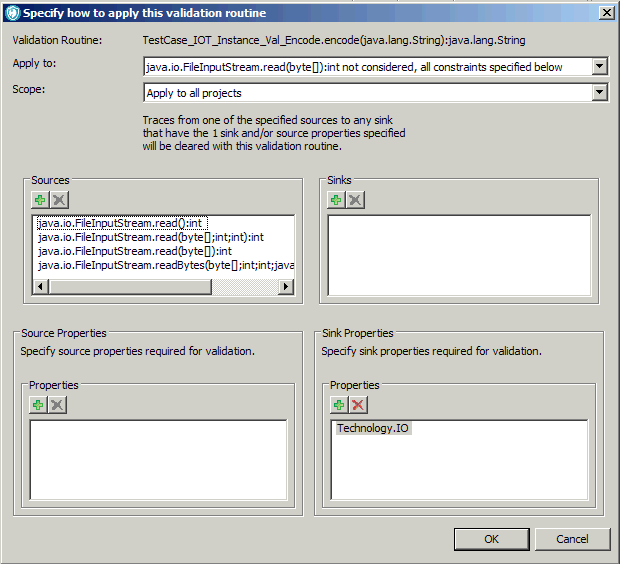
- Adding the
- Click OK to save and share the validation routine.