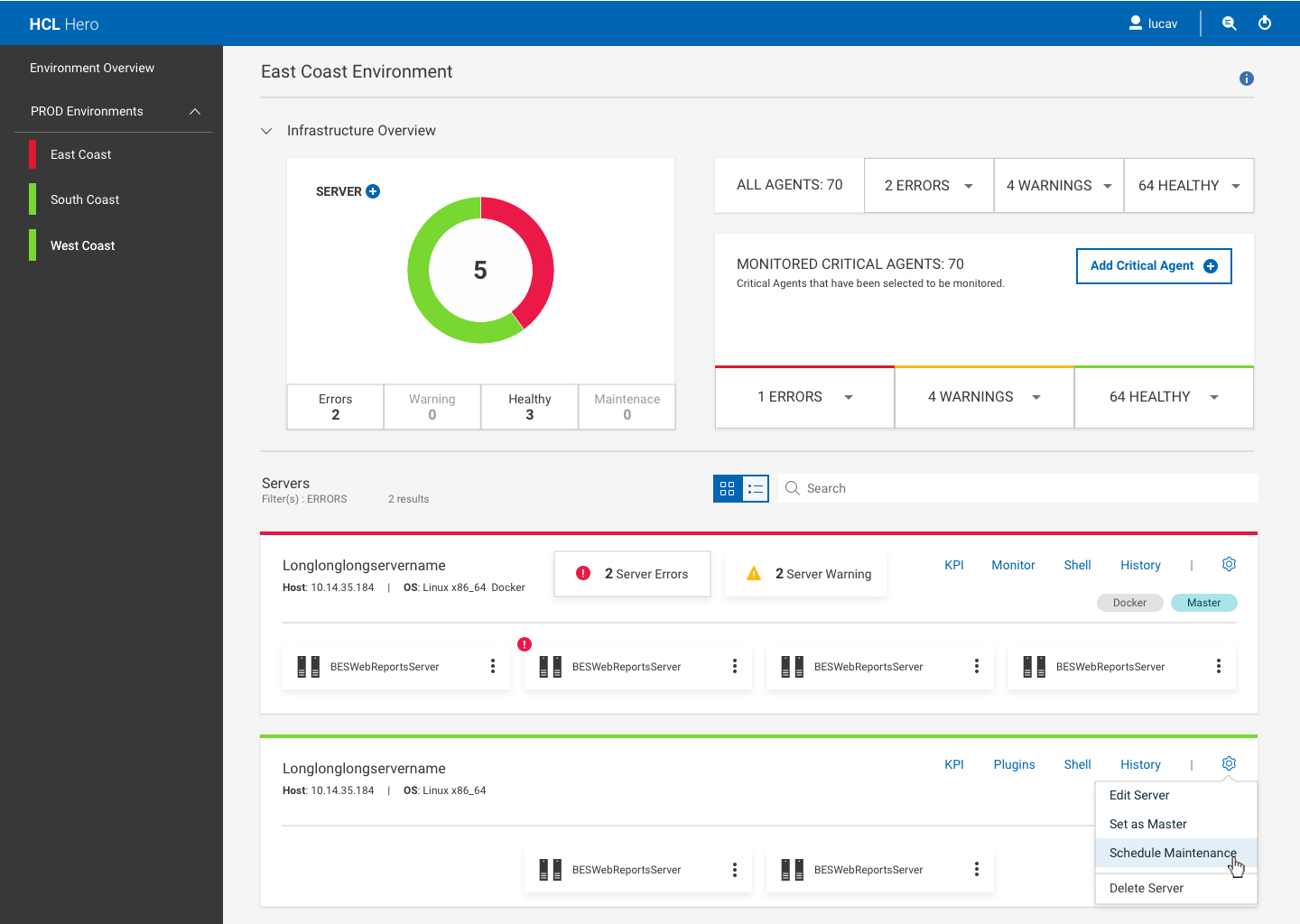
You can schedule server maintenance from the server drop-down menu.
Note: During a maintenance window, all the server monitors are disabled.
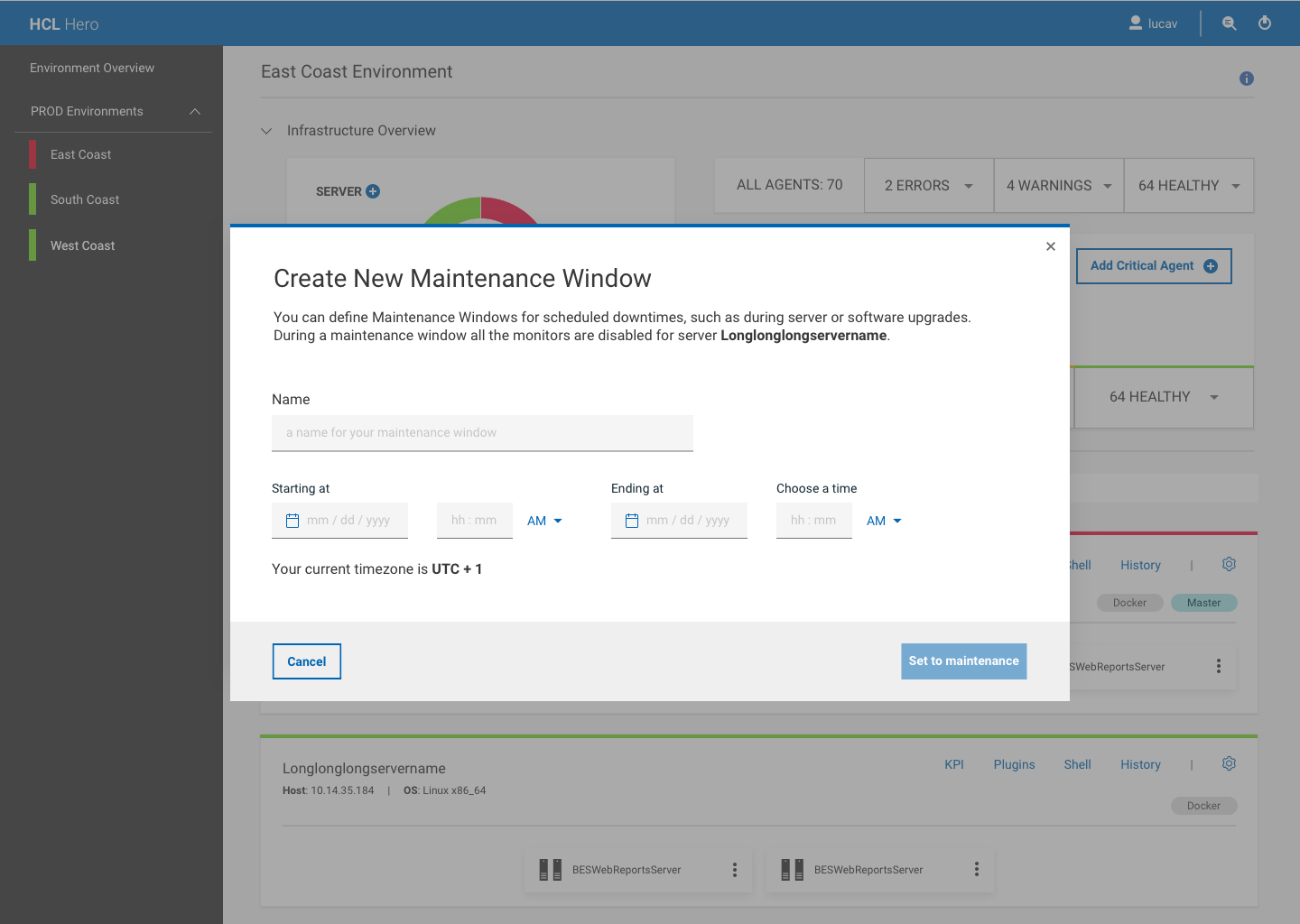
In the Create New Maintenance Window page, you can set :
The name of the maintenance window
The start date and time, the end date and time
Click Set to maintenance to enable the maintenance window.
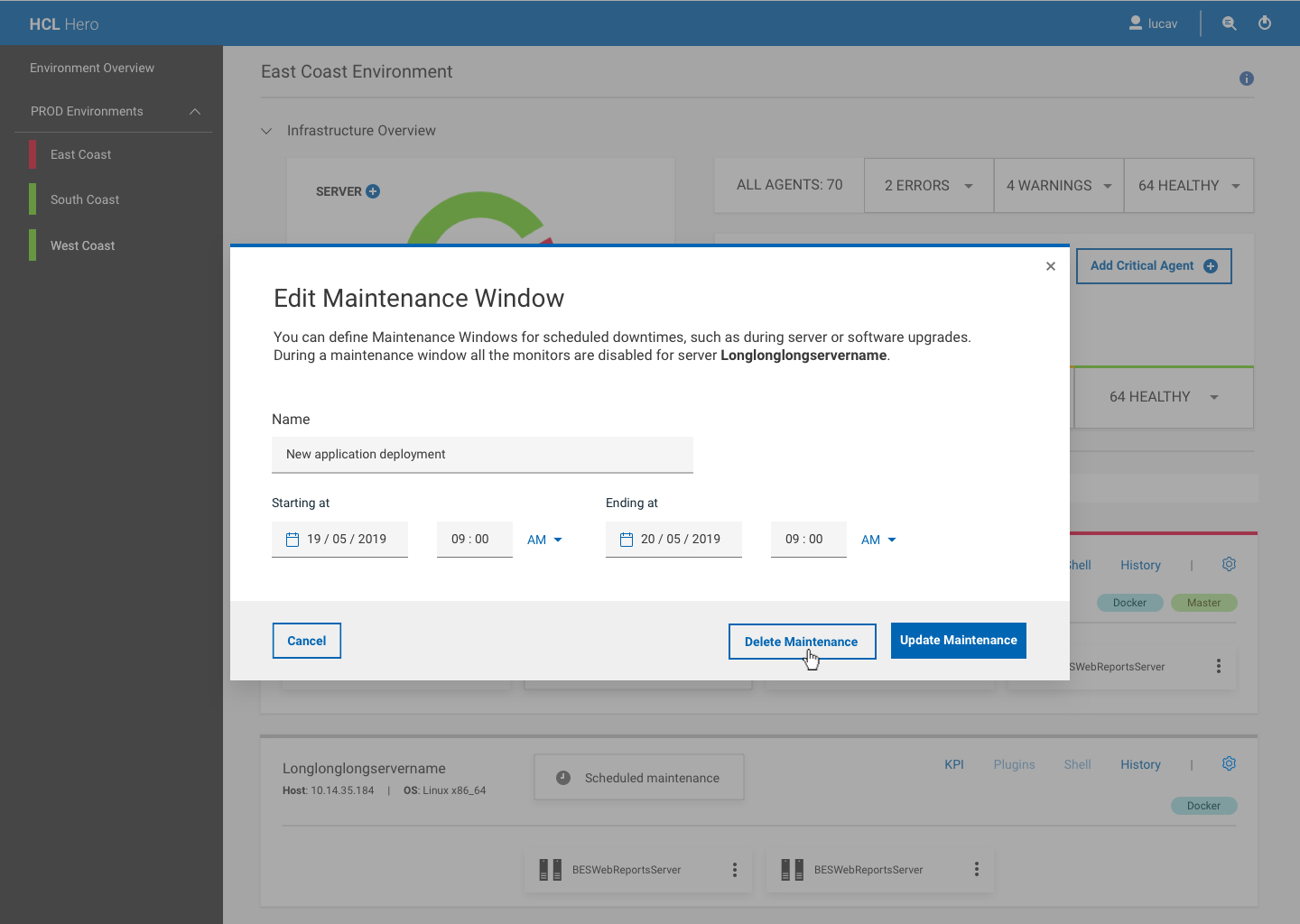
To update the maintenance window, click on the Scheduled maintenance card.
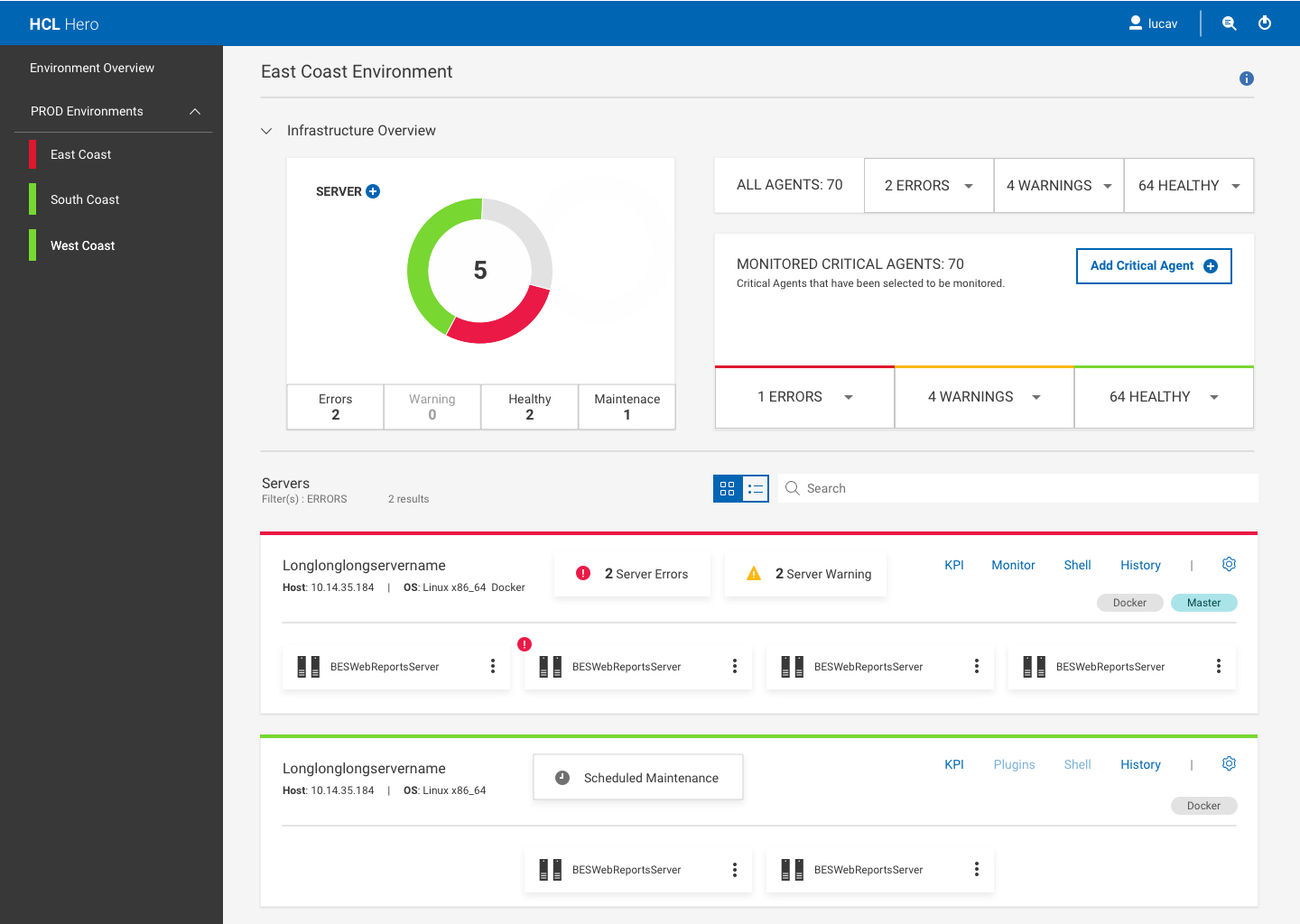
When the maintenance is started, the card indicates an Under maintenance status. You can still update the maintenance window by clicking the Under maintenance card.
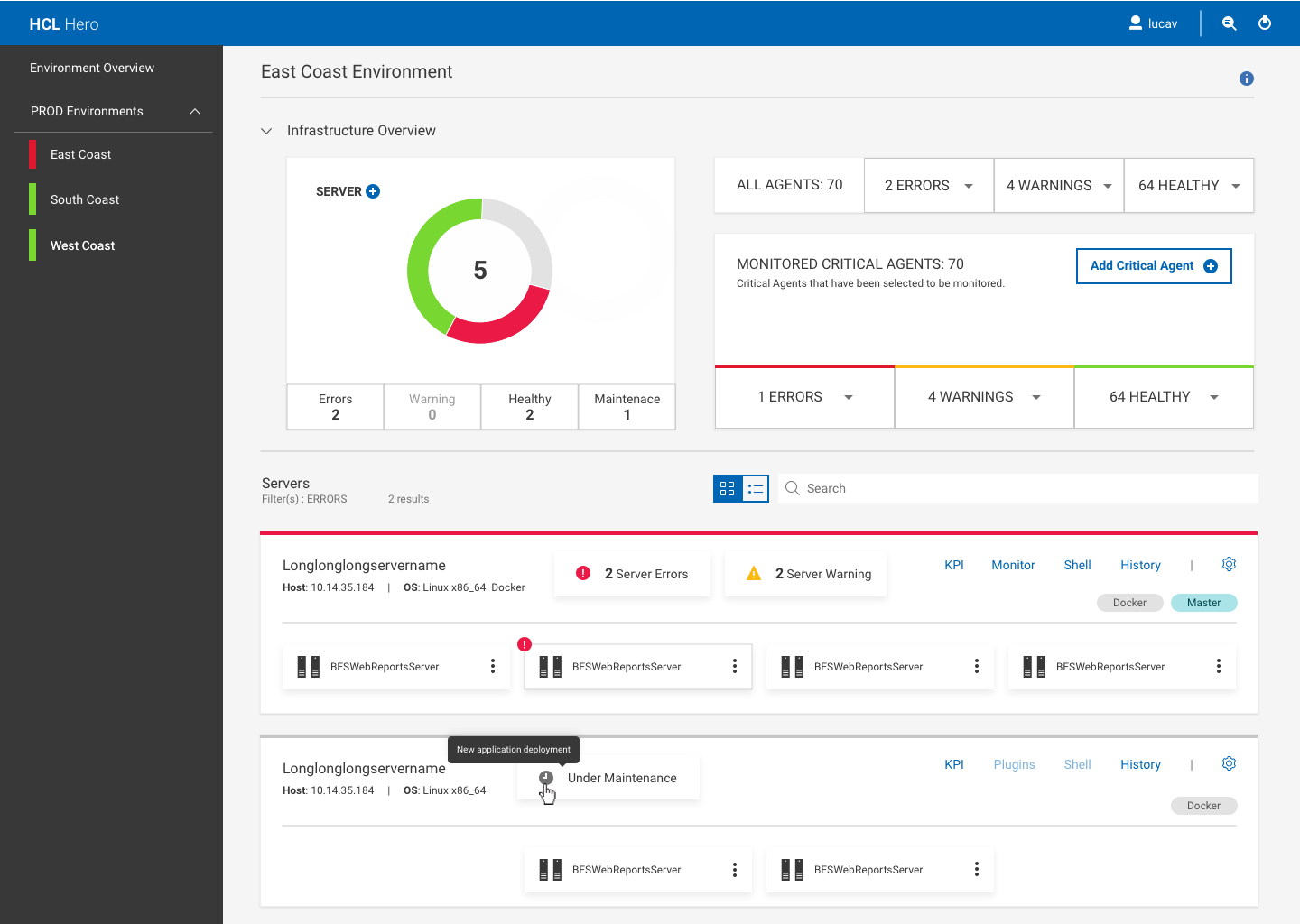
You can also delete a scheduled maintenance.