Managing the Intents
From Clara Control Panel > Intent Manager page you, as an Administrator, can manage FAQs (or intents) for your product environments, and add your own custom FAQs to the default ones that you get with Clara.
In the world of virtual assistants, “intent” refers to the user's intention, that is his goal or requirement for engaging with a virtual assistant.
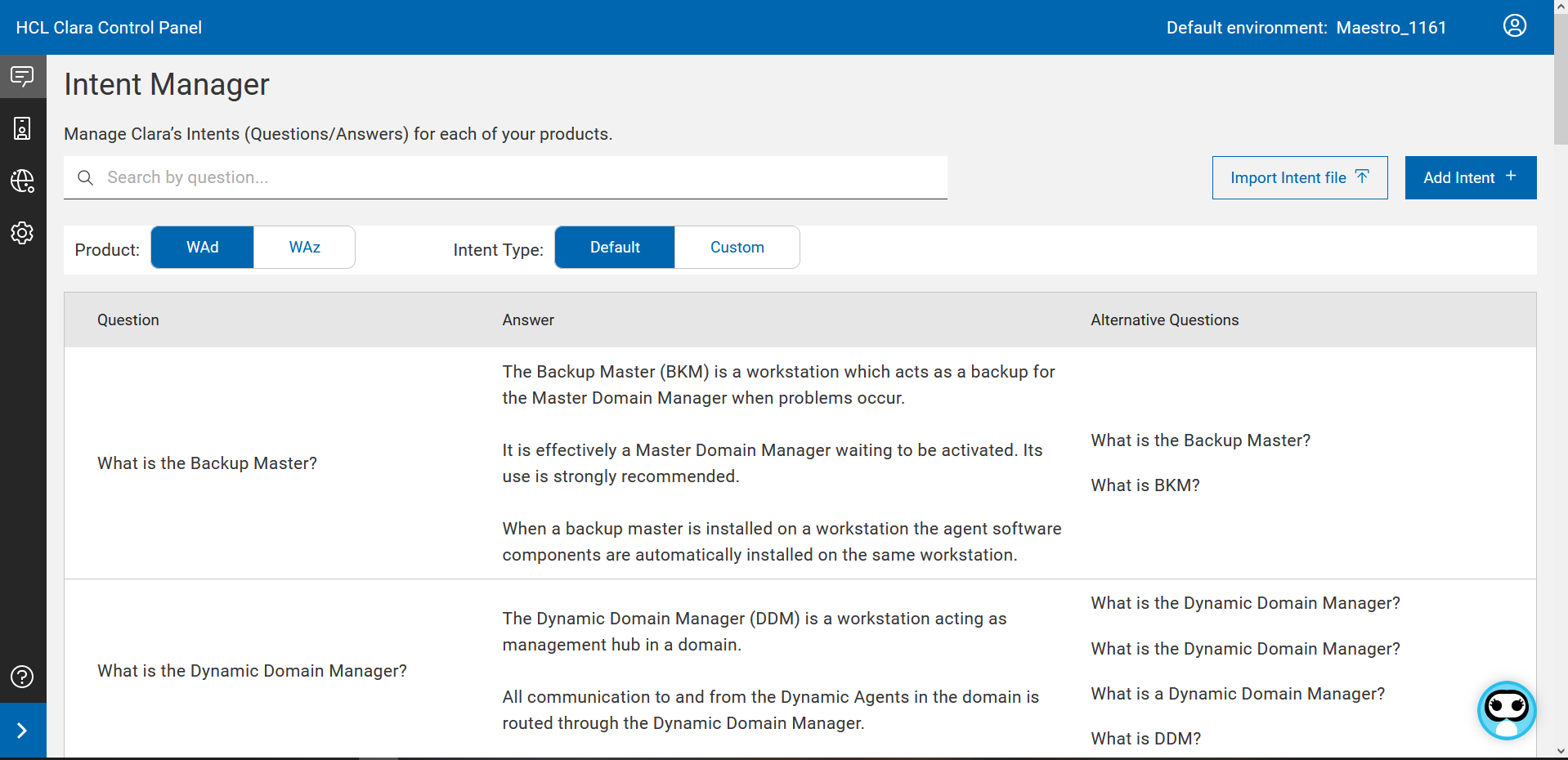
From the search bar, you can search for one or more intents.
You have an intent table for each of the products that you want to manage with Clara and you can switch from one to another.
Intents can be of two types: Default or Custom. Default intents cannot be edited or deleted.
Custom intents can be added, edited, deleted, and downloaded.
To add new intents, you can proceed in two different ways:
-
Add one intent at a time:
-
Click the Add Intent button.
-
A side panel appears where you can enter the required information in markdown language.
-
-
Add multiple intents at a time:
-
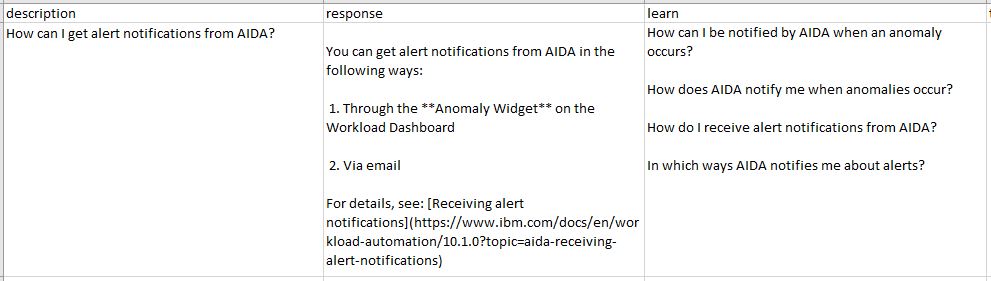
Prepare a .csv file with three columns with title "description", "response", and "learn", containing the intents you want to add. Use the markdown language to format the text. Insert an intent for each row.
-
Click the Import button to upload the file.
-
In both ways, for each intent you want to add, specify the following information:
|
Field |
Description |
Notes |
|
description |
The question you want to ask Clara |
|
|
response |
The answer Clara must provide |
|
|
learn |
Insert different questions compatible with the provided answer |
Needed for Clara training |
To export custom intents to a .csv file, select the intents and run the Download action.