Managing the Workload Automation environments
Through Clara Dashboard > Environments page you can add, modify, or delete the Workload Automation environments managed by Clara. You can also set the environment currently in use by Clara.
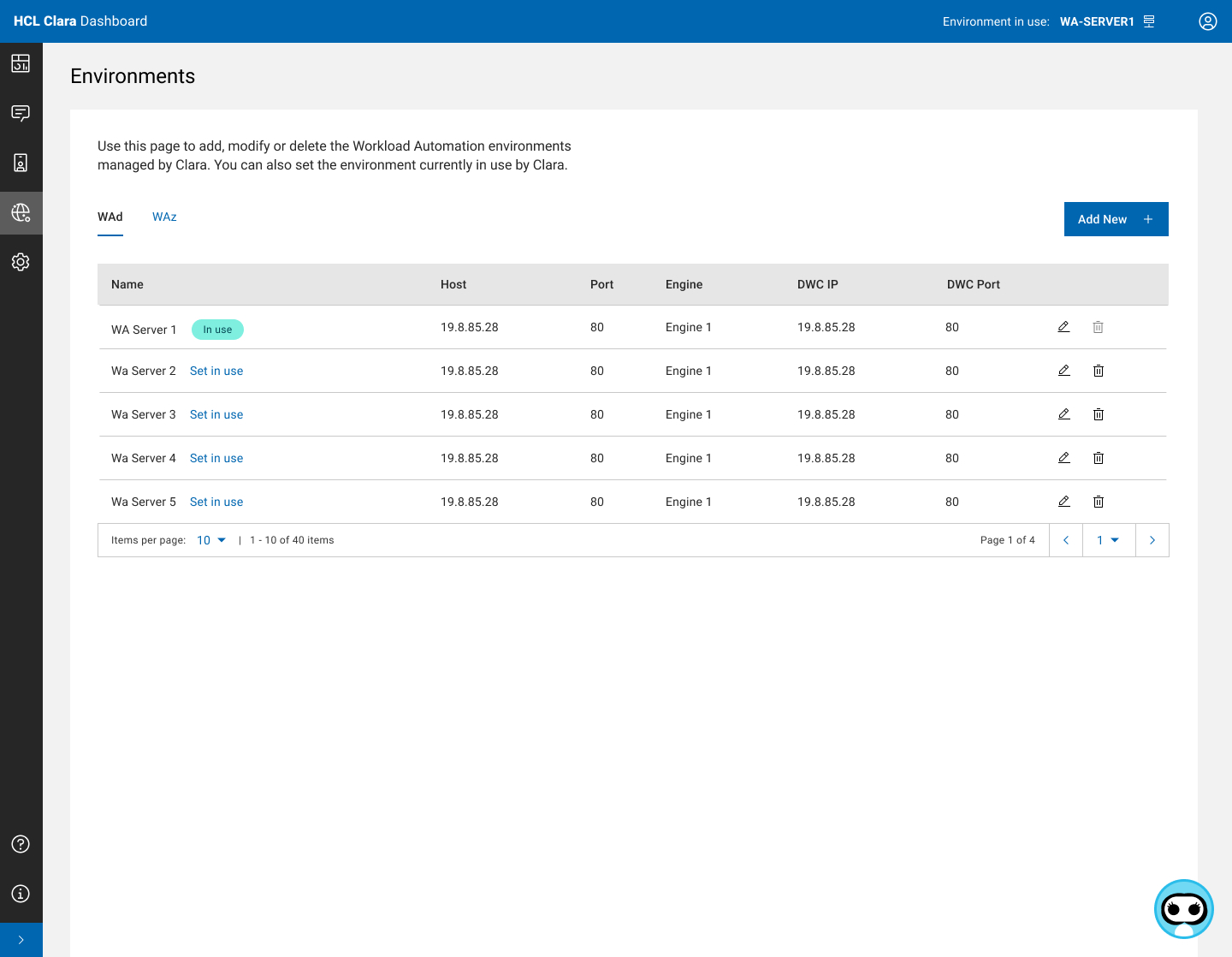
Two environment tables are available and you can switch from one to another:
-
WAd table, showing the environments available for HCL Workload Automation (WAd).
-
WAz table, showing the environments available for HCL Workload Automation for Z (WAz).
The environment that is currently in use by Clara is highlighted in turquoise.
Actions that you can run on each environment are:
-
Set in use - to switch from the currently used environment to another.
-
Edit - to edit the environment configuration parameters.
-
Delete - to delete the environment. You cannot delete the environment currently in use.
Click the Add New button to add a new environment.
Click the Test all button to check the connectivity between Clara and the available environments.
For each WAd environment that you want to add, specify the following properties:
|
Property |
Description |
Notes |
|
Type |
The environment type. It must be "WAd". |
|
|
Name |
The name of the environment. |
|
|
IP Address |
The IP address of the Workload Automation engine. |
|
|
Port |
The port to connect the Workload Automation engine. |
Default: 587. |
|
Engine Name |
The name of the engine definition within the Workload Automation environment. |
|
|
DWC IP Address |
The IP Address of the Dynamic Workload Console. |
Optional, if you want to define a DWC within the environment. |
|
DWC Port |
The Port of the Dynamic Workload Console. |
Optional, if you want to define a DWC within the environment. |
For each WAz environment that you want to add, specify the following properties:
|
Property |
Description |
Notes |
|
Type |
The environment type. It must be "WAz". |
|
|
Name |
The name of the environment. |
|
|
DWC IP Address |
The IP Address of the Dynamic Workload Console. |
|
|
DWC Port |
The Port of the Dynamic Workload Console. |
Default: 587. |
|
Engine Name |
The name of the WAz engine to which the DWC is linked. |
|
The credentials to access each Workload Automation environment and the related Dynamic Workload Console must be defined in the Dashboard > Credential Manager.
Only for WAz environments, after adding a new environment, run the following commands:
- docker exec -it clara-actions sed -i '197s/HWAZ/HWAz/' /app/utils/models.py
- docker exec -it clara-actions sed -i '205s/HWAZ/HWAz/' /app/utils/models.py
- docker restart clara-actions