You can monitor and get information about your WA servers through HERO (HEalthcheck & Runbook Optimizer). This feature is available for WA users only (not WAz).
HERO effectively helps Workload Automation Administrators monitor the health of their servers and perform informed recovery actions with specialized runbooks, keeping Workload Automation environments responsive and reliable. For additional information about HERO, see HERO Product Overview.
From the What can you do? conversation flow, select Monitoring and environment info > Monitoring WA servers through HERO.
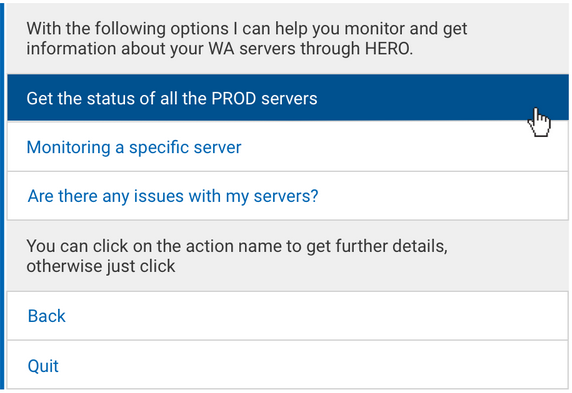
The following actions are available. Click on any option to see additional details. :
By selecting this action, you can retrieve information about the current status of Workload Automation production servers.
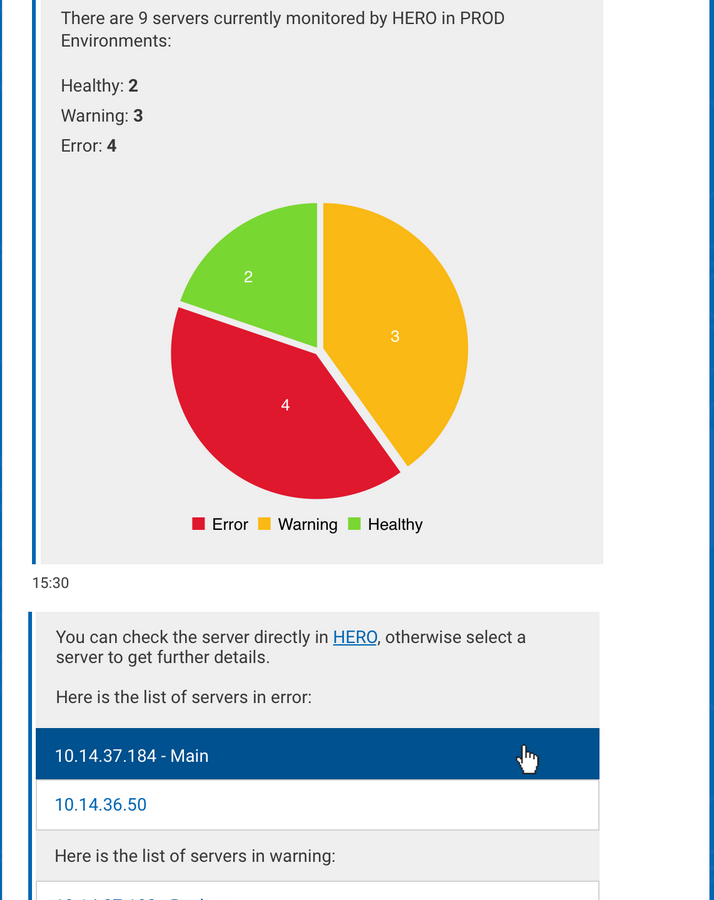
Clara shows a graph with a summary of the current status of your production servers. Status categories are: healthy, warning, error.
A direct link to HERO is available if you want to check any of your servers in HERO.
For servers in error or warning status, Clara provides you the list. Click on a server to get additional information about its status.
By selecting a server, Clara returns the current status of the server and, in case of error or warning, the issue description and the failing component(s). A direct link to HERO is available if you want to check the server in HERO and get additional details.
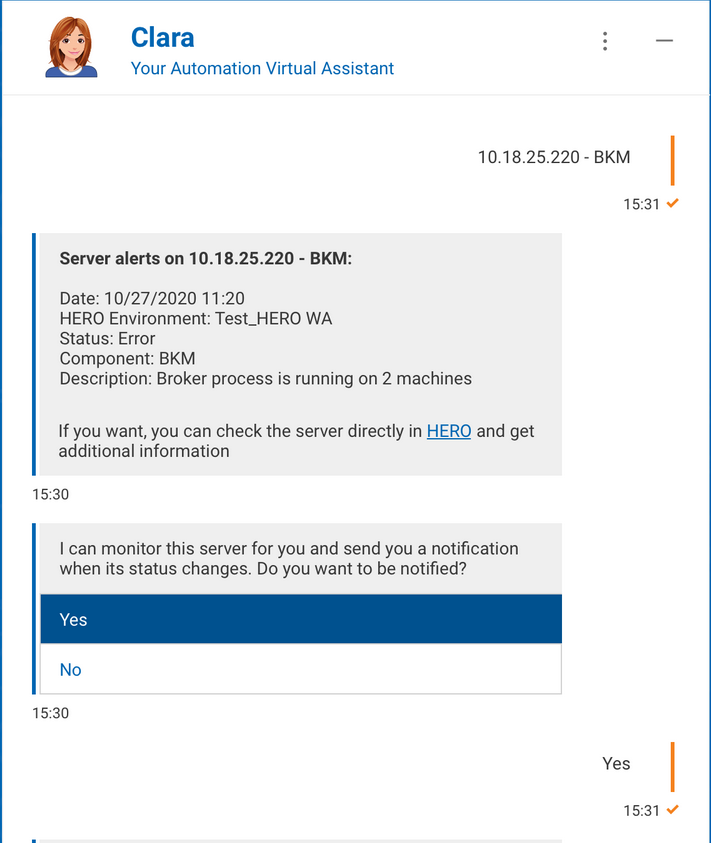
Also, Clara asks if you want to be notified when the status of the server changes. Select Yes to receive Clara notification.
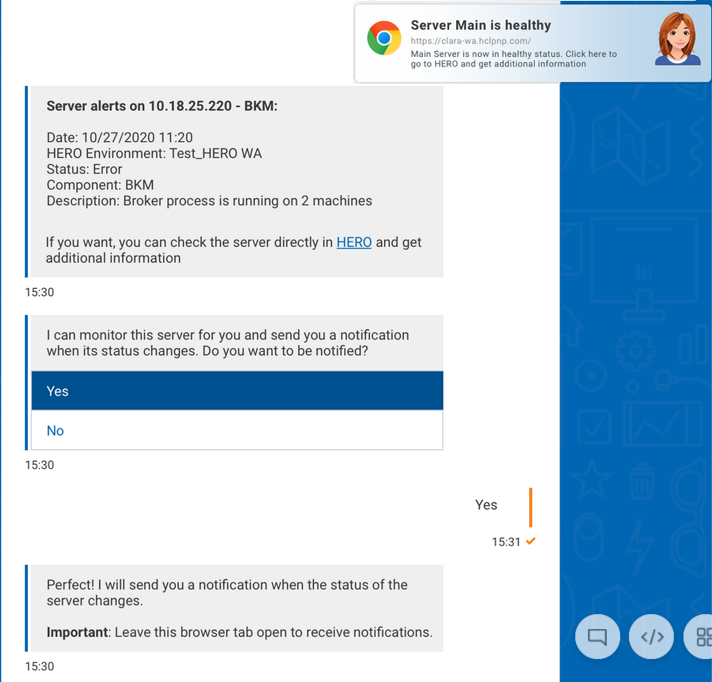
By selecting this action, you ask Clara to monitor a specific server on your behalf, and to send you a notification when the server status changes.
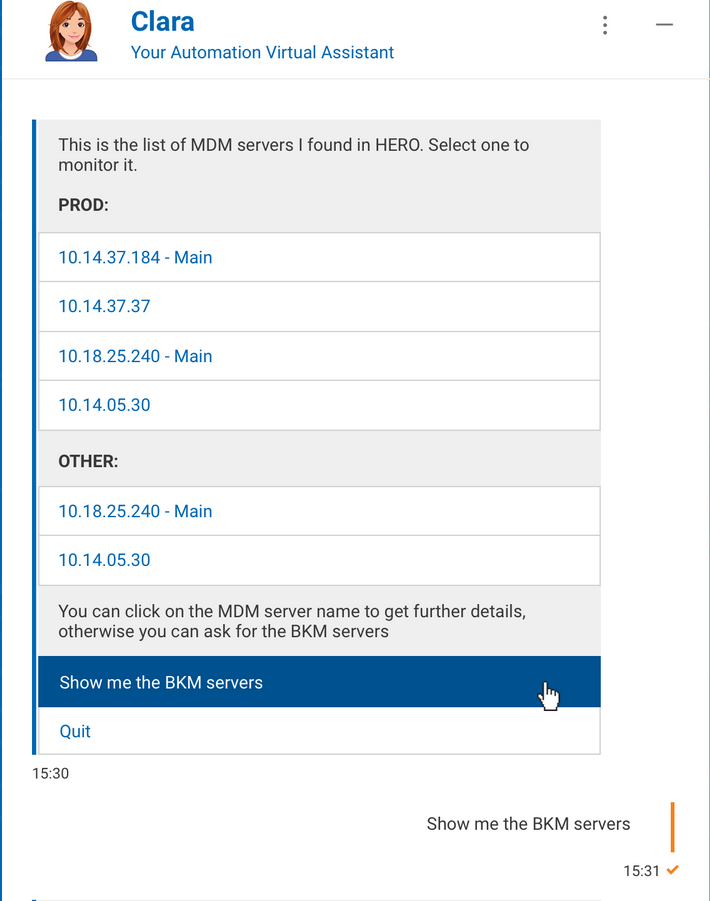
Clara provides you with the full list of your MDM and BKM servers ( both in PROD and OTHER type environments in HERO).
By selecting a server, Clara returns the current status of the server and, in case of error or warning, the issue description and the failing component(s). A direct link to HERO is available if you want to check the server in HERO and get additional details.
Also, Clara asks if you want to be notified when the status of the server changes. Select Yes to receive Clara notification.
By selecting this action, you ask Clara to quickly discover if there are any issues with your servers.
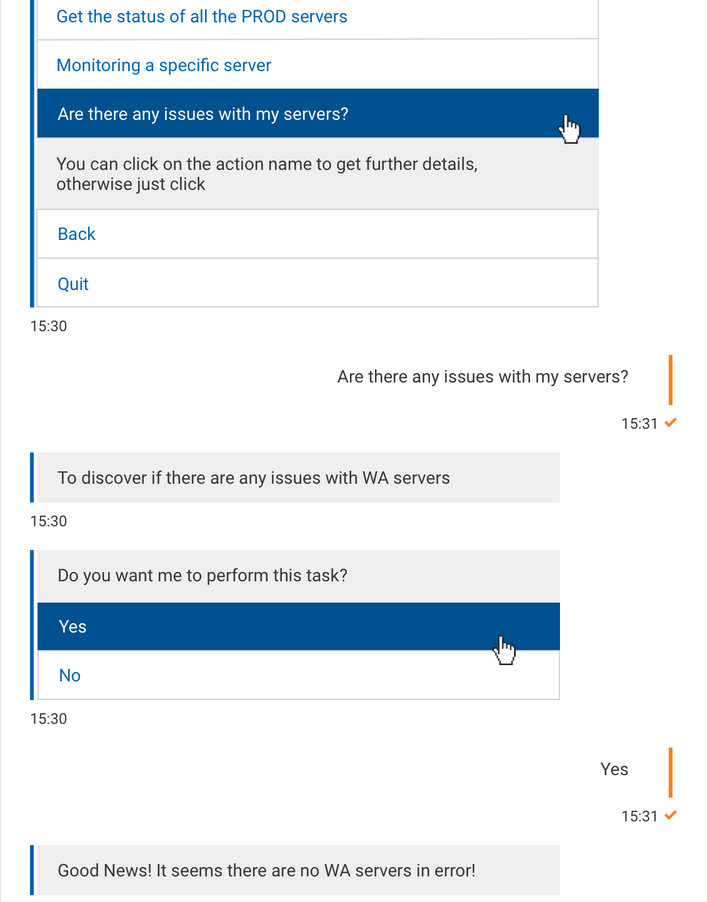
If Clara discovers servers in error or in warning status, she provides the list. A direct link to HERO is available if you want to check any server in HERO.
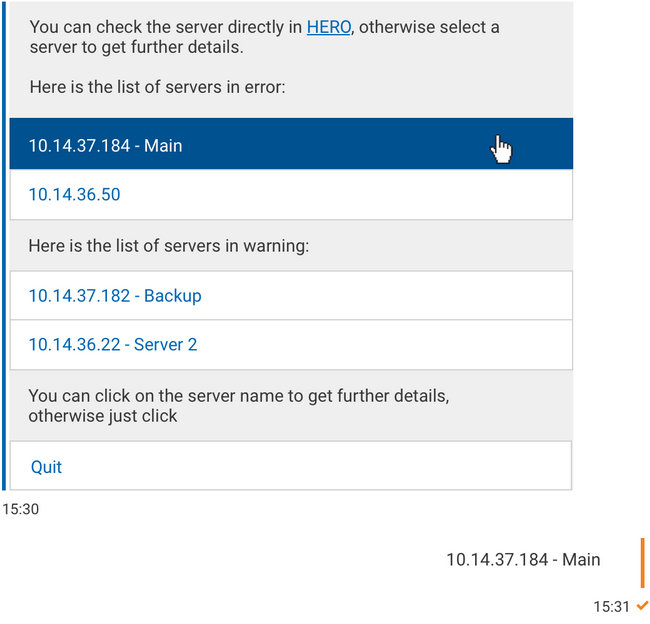
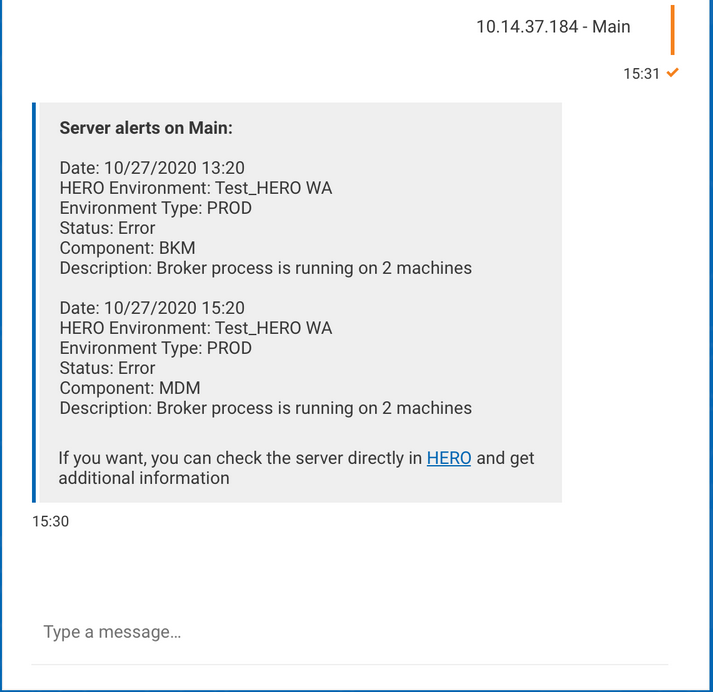
By selecting a server, Clara returns the issue description, the failing component(s) and the environment type. A direct link to HERO is also available if you want to check the server in HERO and get additional information.
Also, Clara asks if you want to be notified when the status of the server changes. Select Yes to receive Clara notification.