Starting the InformixHQ Server and the Agent on Linux/AIX
This topic provides a brief tutorial about the script used to get started with InformixHQ
Server and Agent on Linux/AIX.
Procedure
Locate your informixHQ.sh for Linux and InformixHQ.ksh for AIX (default path is
${INFORMIXDIR}/hq).
Note: Following examples are shown on bash shell, however those will run exactly same on korn shell
with .ksh script.
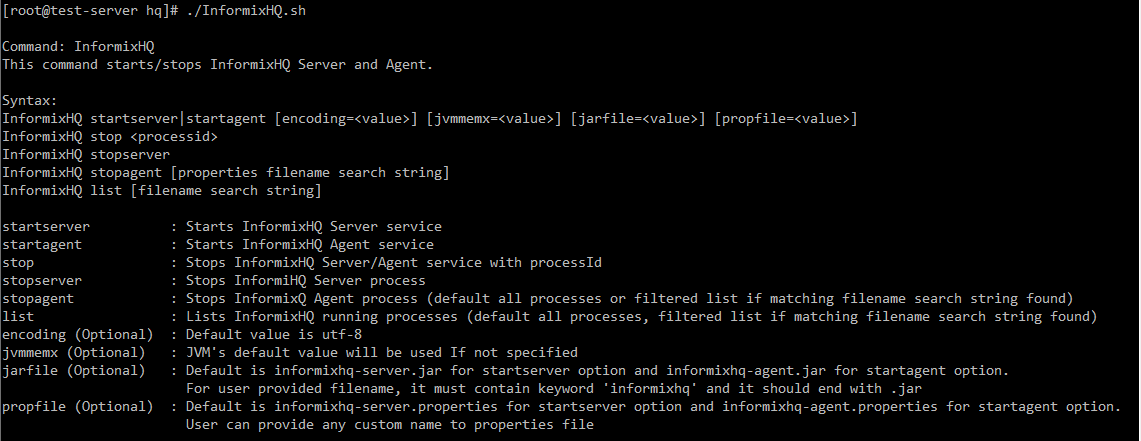
Use command InformixHQ help to see sample syntax: e.g- InformixHQ.sh
help .
Tip:User can only run InformixHQ.sh for help menu
Figure 1. InformixHQ help
Use command InformixHQ startserver to start InformixHQ server with default
file names. e.g- ./InformixHQ.sh startserver .
It will start INFORMIXHQ Server with default values for all the parameters including jar file
name (informixhq-server.jar) and properties filename
(informixhq-server.properties).
Use command InformixHQ startagent to start InformixHQ agent with default
filenames. e.g- ./InformixHQ.sh startagent
It will start an INFORMIXHQ Agent with default values for all the parameters including jar
file name (informixhq-agent.jar) and properties filename (informixhq-agent.properties).
List the Java processes running. It will list all the InformixHQ processes running with
ProcessID e.g: ./InformixHQ.sh list.
Additionally user can filter the list by passing search keyword to the list command. e.g. –
InformixHQ.bat list prod .
Note: It is recommended that properties file name should be unique which will help users to search
specific processes.
Stop the InformixHQ server or agent by providing processID to stop command. It will stop
InformixHQ process with provided processID. e.g: ./InformixHQ.sh stop 183230
.
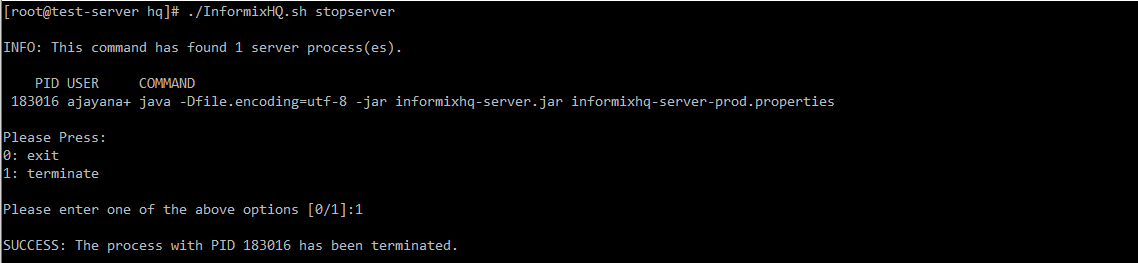
stopserver command will stop the server processes. e.g. -
InformixHQ.bat stopserver .
0. exit: It will exit from the command.
1. Terminate: It will terminate server process.
Note: Unless valid option is provided, it will not proceed further.
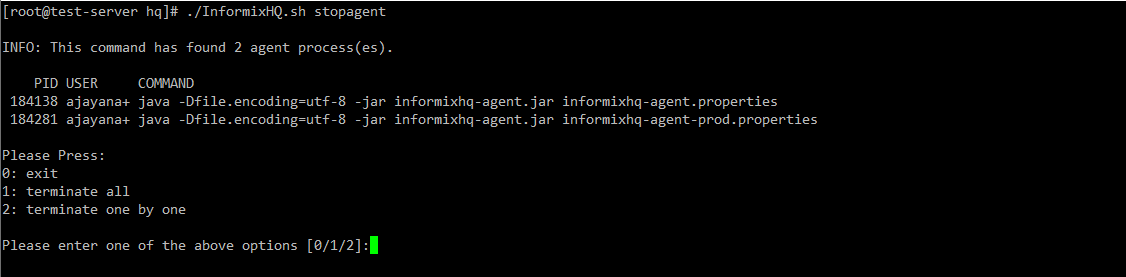
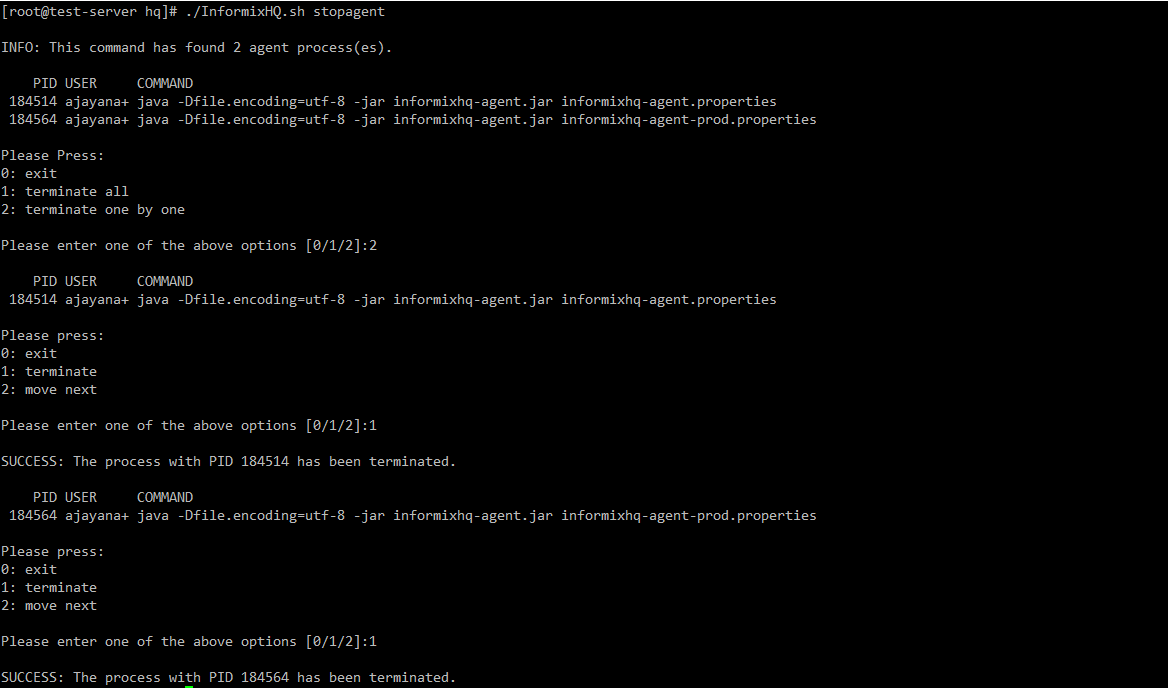
stopagent command will stop the agent processes. e.g. -
InformixHQ.bat stopagent .
0: exit - It will exit from the command.
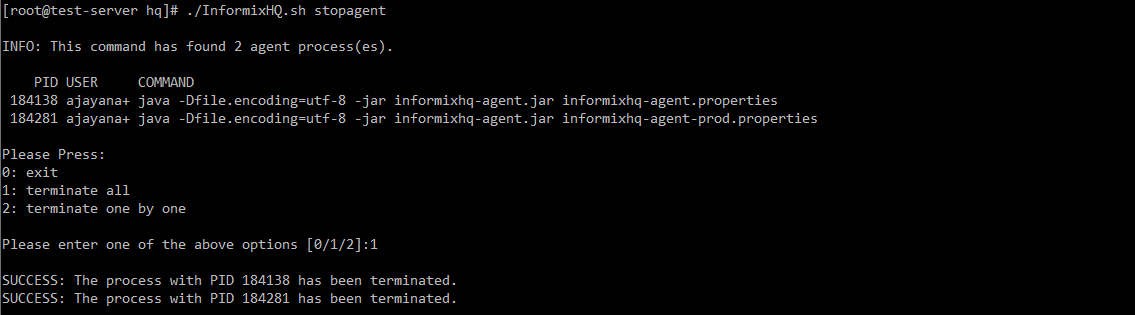
1: Terminate all - It will terminate all the agent processes.
2: Terminate one by one - It will terminate agent processes one by one after user
confirmation.
Note: Unless valid option is provided, it will not proceed further.
Sample screenshot for 'terminate all processes' :
Sample screenshot for 'one-by-one process termination' :
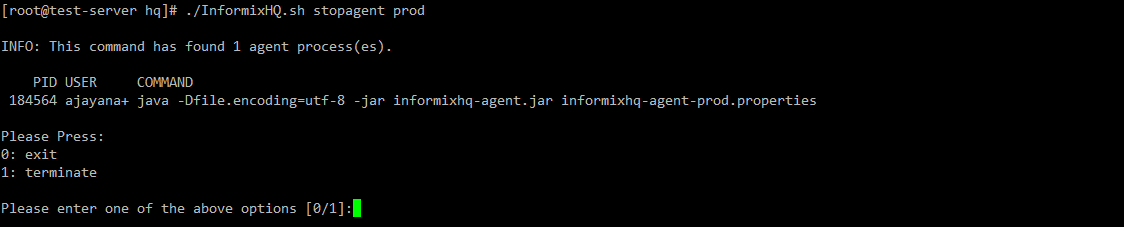
Additionally, user can search specific agent process using stopagent command.
e.g. - stopagent prod .
Example
User can use different properties filenames (with appropriate informixServer.id for different
servers) to run agents for different instances as follows
Following are sample commands where user can provide custom values (similar commands will work
with agent)
optional jar and properties filename to start InformixHQ
server:
If options are not provided correctly then script will report error as follows
If jarfile/propfile option is not specified
filename is not specified with jarfile/propfile option
incorrect filename provided
If specified or default files are not found also if custom filename is specified and file is not
found in the folder, it will inform accordingly
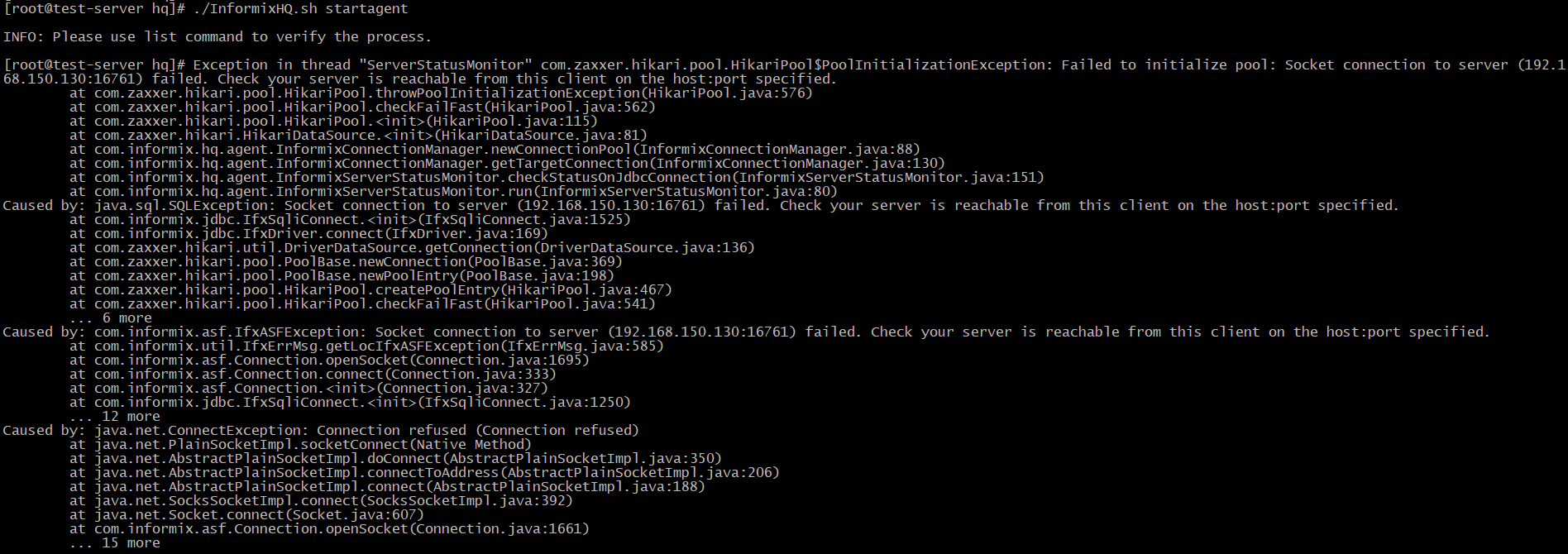
If IDS Server is not reachable by Agent. This is not related to script, however sometimes you
might get exception if Server or Agent Java process encountered error. While starting agent process,
if agent is not able to connect to IDS server specified in HQ then it might show error on screen as
follows with message. Socket connection to server (Server IP:Port) failed. Check your server is
reachable from this client on the host:port specified.
In such case, ensure, server added in InformixHQ server is configured correctly and is
reachable and online.