User Documentation
Domino Workspace Mail is mail that understands you. It has less clutter and more clarity for getting you connected to the people who matter to you most. Powered by HCL's analytics and advanced search, Domino Workspace Mail works for you, not the other way around.
Eight things you can do with Mail
Domino Workspace Mail allows connecting with people and uploading and sharing files. Share your calendar and see calendar availability for other mail users in your organization. Work with web-based mail, calendar and contact information, including type-ahead addressing, custom mail folders, support for mail threads, in depth search, view and work with files, and tracking of actions that need attention.. You can delegate your mail and calendar, or manage other people's mail and calendar.
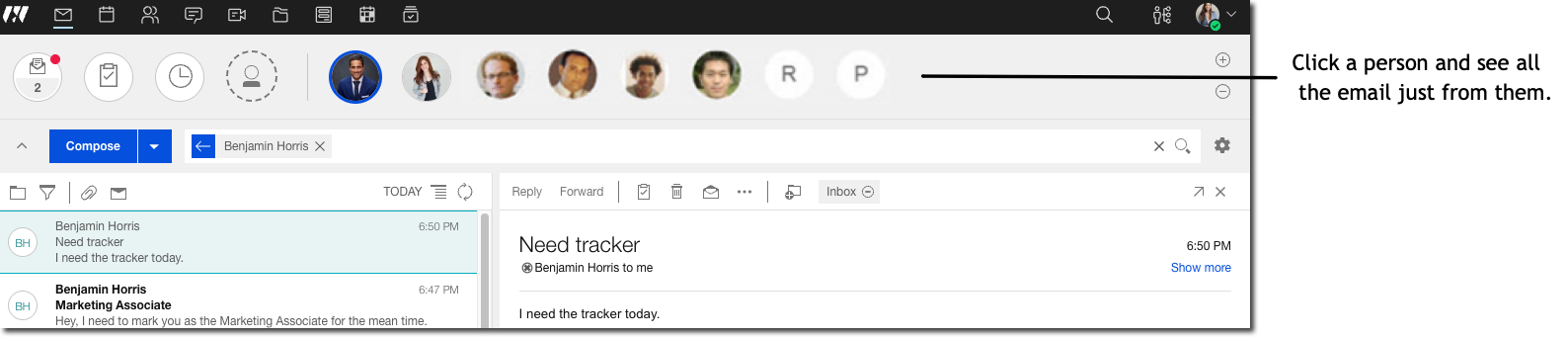
See mail from people important to you
Turn a suggested person into one of your favorites
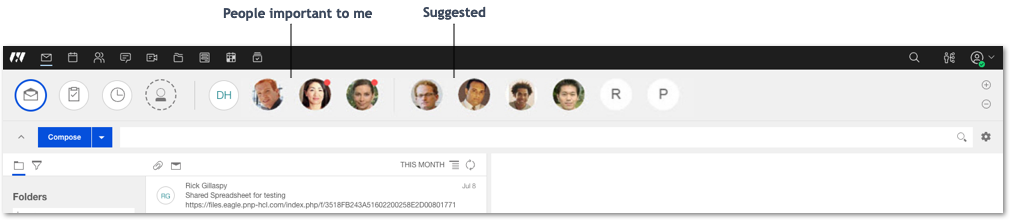
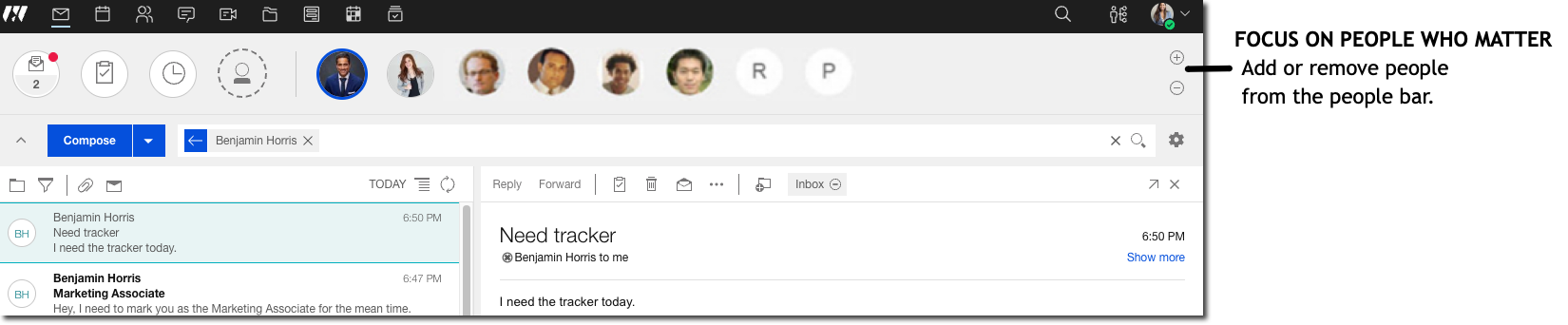
Pin people to stay aware of what's new
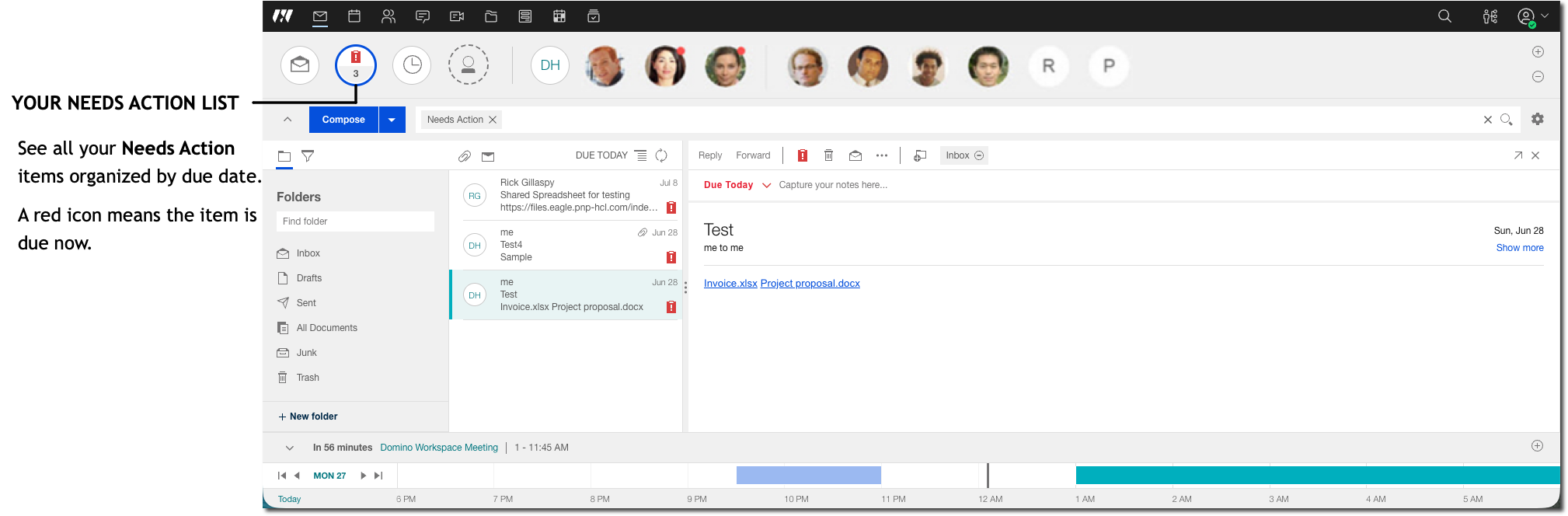
Mark mail as Needs Action
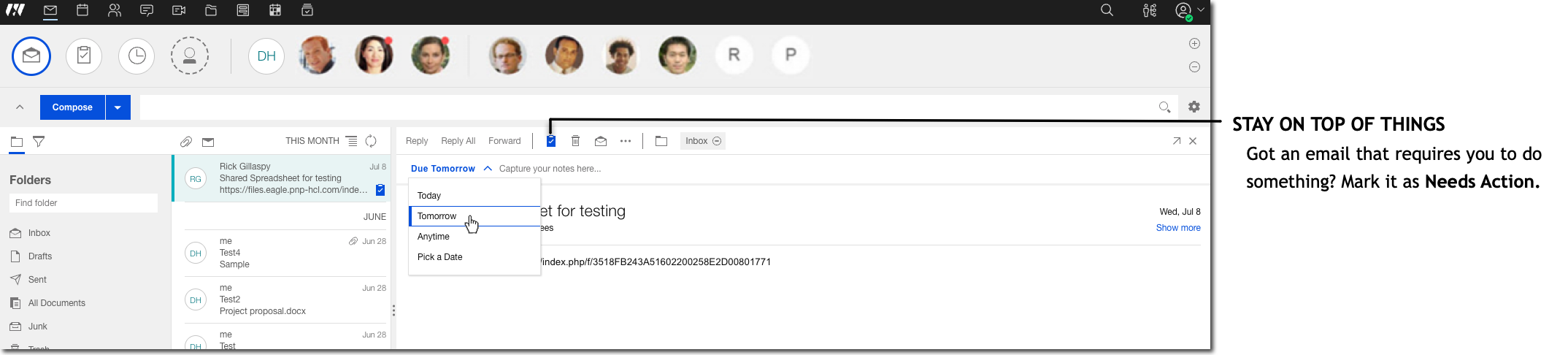
Manage the items that need follow up
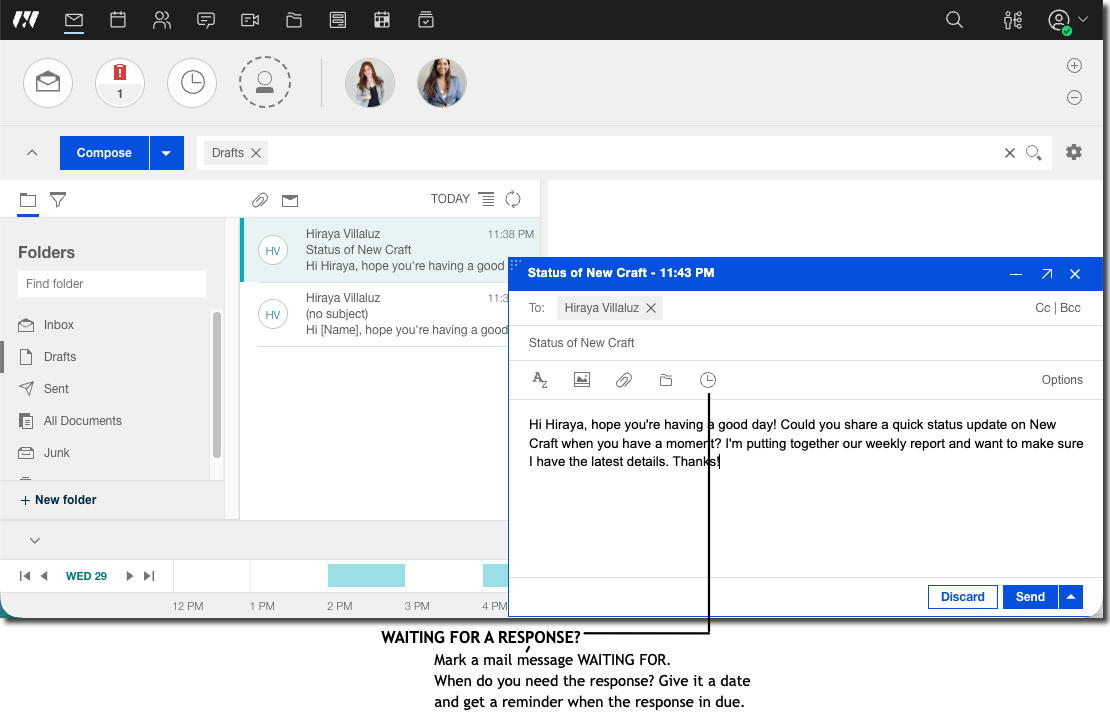
Track who owes you a response and when
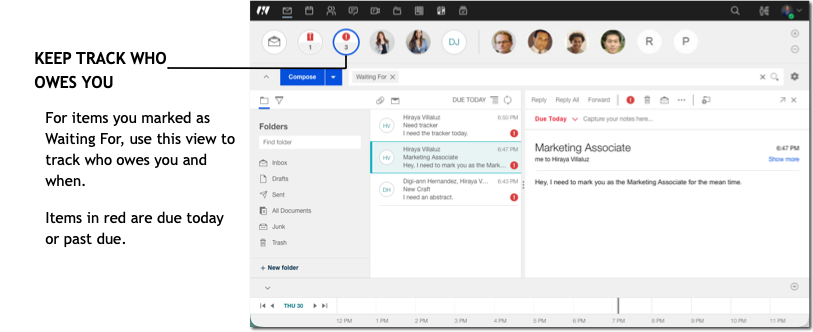
See all messages marked Waiting For
Happiness is a clean inbox
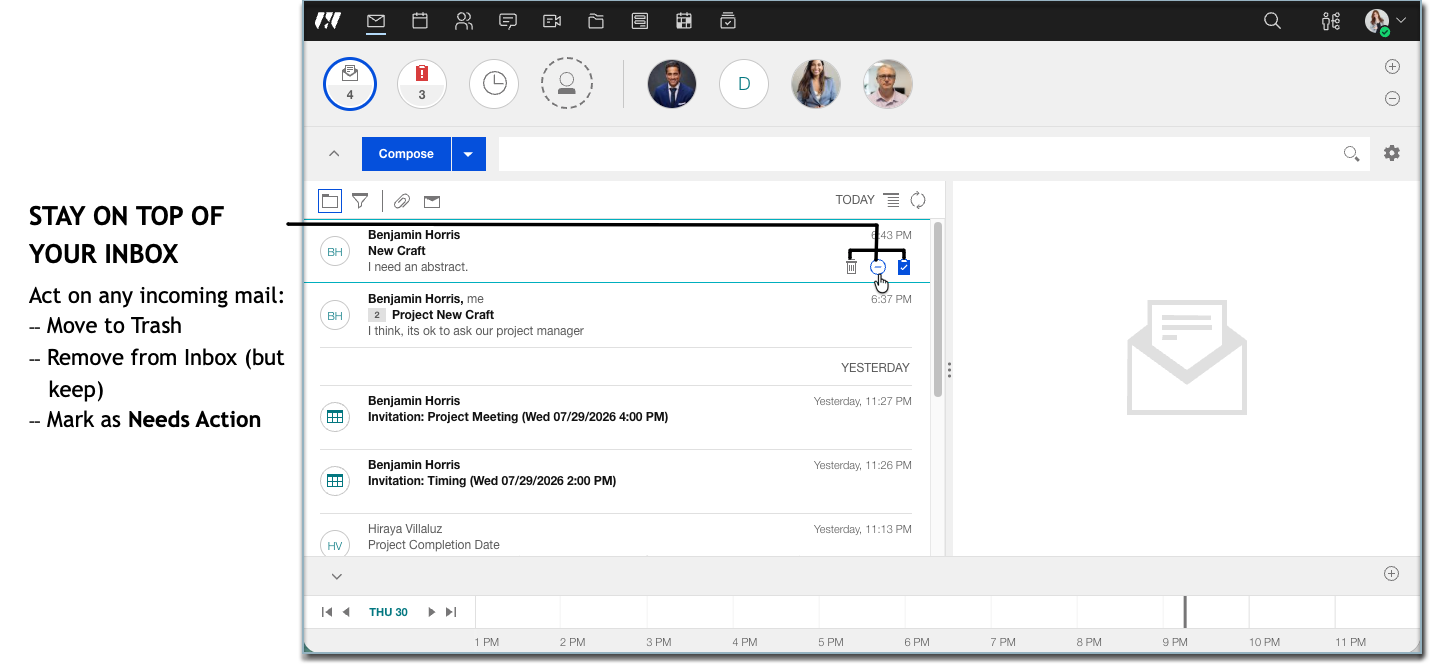
You can select and work with multiple messages by either selecting the individual people avatars in the message list, or shift-selecting the messages themselves. Your selected messages appear in the message view, where you can mark them all as read or unread, delete them all, or move them to a folder.
-
How do I run Mail as a standalone app?
You can install and run HCL Mail as a standalone browser app that is based on progressive web app (PWA) technology.
-
Why do I see people in the top bar?
One of the main aspects of HCL Domino Workspace Mail that sets it apart is that it lets you have, within easy reach, all the things that are important to you. People are a big part of this idea. - How do I use business cards to see my colleagues' information with HCL Domino Workspace Mail?
HCL Domino Workspace Mail® business cards keep all the necessary personal information for your contacts within easy reach, while at the same time taking it one step further. In Mail, the business card is more than just a source of contact information, it becomes a modern social tool, giving you the opportunity to interact with your colleagues in a variety of ways. -
How do I manage my personal contacts?
Add contacts to save information about the people you communicate with in HCL Domino Workspace Mail. -
How to view the certificate status of a personal contact?
Use the dedicated section in Contact forms for viewing the status of the contact's Notes certified public key or Internet certificate.
-
You can add or change the picture of yourself in the Mail "important to me" bar by uploading an image, pointing to a URL that has an image, or taking a photo of yourself.
-
How do I find what I'm looking for?
One of the most powerful and useful features of HCL Domino Workspace Mail is its dynamic and analytics-driven search capacity. Search through every piece of mail with precision and ease. - How can I see my mail storage quota?
If your administrator sets a mail file quota to limit the size of your mail file, you can see how close your mail file is to quota. - How do I master mail?
HCL Domino Workspace Mail gives you many great ways to take control of your mail. -
How do I manage my calendar?
HCL Domino Workspace Mail gives you many options for managing your work day, whether it's from the quick access Calendar Bar on your mail view, or the powerful and unique Calendar Inbox. -
How do I personalize HCL Domino Workspace Mail?
From the navigation bar, click your profile image and then select Verse Settings to change mail, calendar, out of office, security, and delegation settings. -
How do I manage passwords and my Notes ID?
You can use Security settings to change the password you use to log on to Mail.
-
How can I use keyboard shortcuts?
HCL Domino Workspace Mail gives you ways to simplify your experience through keyboard shortcuts.