Screen sharing
By default, you can share your screen with all attendees during a meeting.
-
Using presenter mode
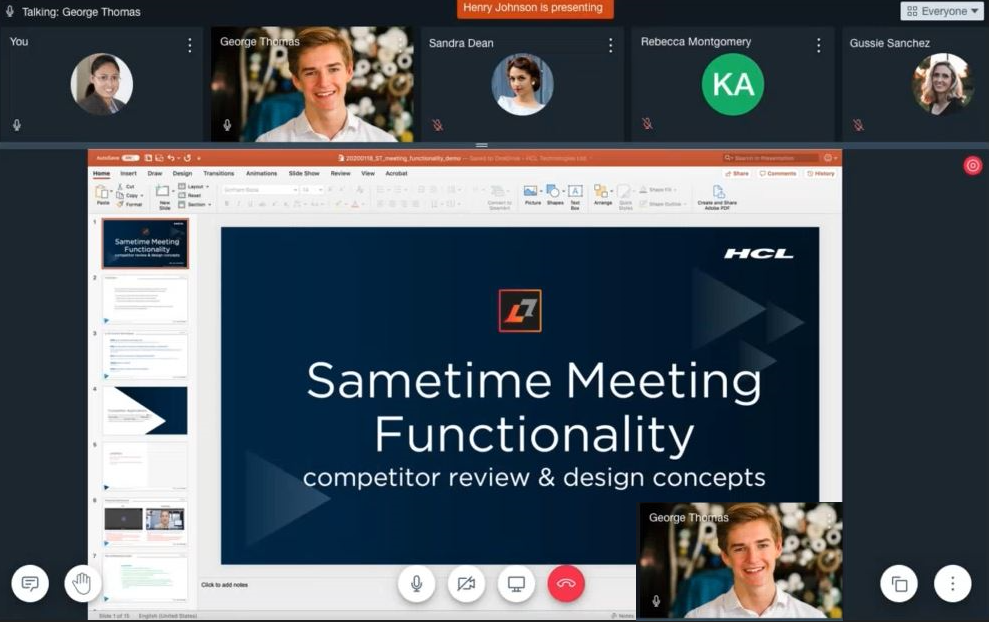
Turning your camera on while sharing your screen in a meeting activates presenter mode. In presenter mode, all attendees see the presenter's face along with the presentation. Currently, the camera thumbnail is positioned at the lower right part of the screen.
-
Sharing your screen
For moderated meetings, moderators and users with presenter access can share their screen one at at time. If a meeting is not moderated, more than one person can present at the same time. - Screen sharing on MacOS
When a MacOS user attempts to present for the first time, the browser prompts the user to complete additional steps. The user must complete these steps to enable the presenter options.
Parent topic:How do I