

Installing individual components with Starter Stack
Install a Starter Stack to deploy the components for the service you want to deploy.
Before you begin
Before installing a Starter Stack, check that the following are in place:
- You have sudo access to all servers.
- ICp is installed and running. Check that you can access ICp in the browser at https://ipaddressofmaster:/8443/#/login with the username: admin and the password: admin
- Any required persistent volumes for the Starter Stack chosen are created, according to the table in Installing Component Pack services. You can check persistent volumes at https://ipaddressofmaster:/8443/#/storage/pvcs/
- Hybridcloud zip file is extracted.Note: The path to the install file is in the extracted folder at /microservices/hybridcloud/install.sh. If you extracted the zip to a folder called hybrid, the path to the installer would be hybrid/microservices/hybridcloud/install.sh. For this section, we will use hybrid/microservices/hybridcloud/install.sh in examples.
Procedure
-
In the browser, log into ICp dashboard and select Infrastructure from
the
 menu, then click Images.
You will see the Starter Stack application images being loaded.
menu, then click Images.
You will see the Starter Stack application images being loaded.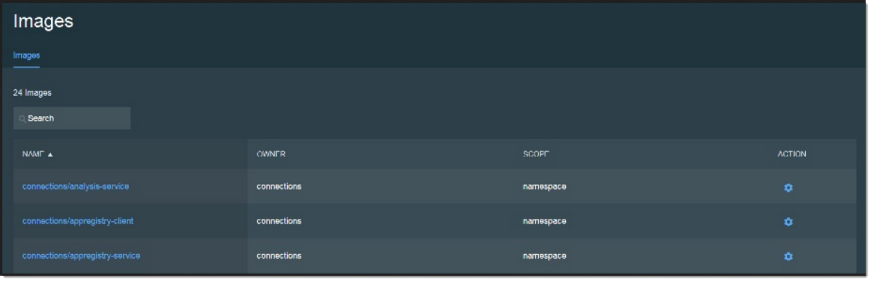
-
In ICp in the browser, from the menu click Workloads and then select
Applications to see the installed applications.
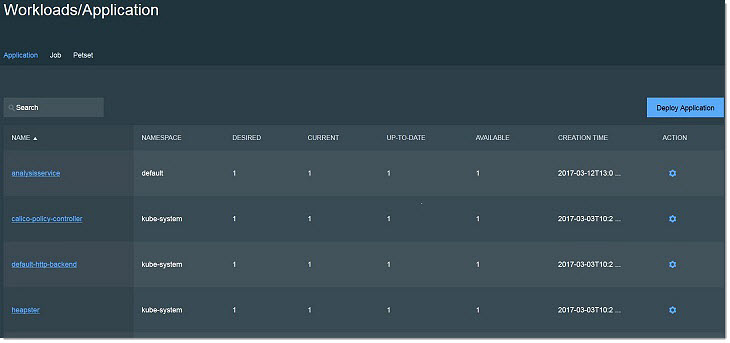 Note: It could take up to 10 minutes for the application to display.