Department page (B2C)
Expanded category navigation
Customers can search the store catalog either by using expanded category navigation (deep product navigation), or without expanded category navigation (shallow product navigation).When enabled, expanded category navigation displays all of the products that belong to the immediate category and its subcategories to display. For catalogs with a deep hierarchy, this function might show many products at the higher levels. The facets on the left sidebar belong to the entire set of products in the current category and subcategories. With expanded category navigation, the scoping of products by filtering through subcategories is not necessary, as it is possible to locate products from the larger product set. That is, products are displayed in a category even if the products are not assigned to the current category, as they belong to its subcategories.
When expanded category navigation is enabled, customers can filter by Brand or Price at the higher levels.
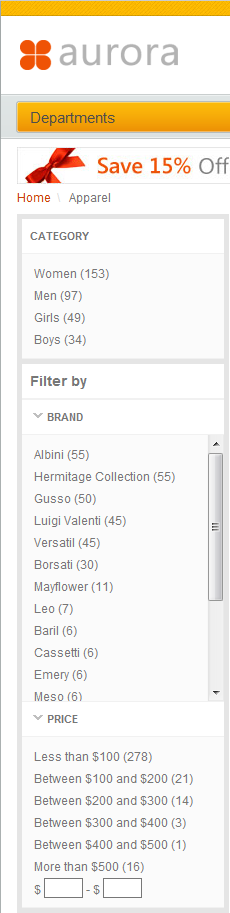
When disabled, category navigation displays only the products immediately within the current category. Facets on the left sidebar belong to only those products from the search. Customers cannot filter by Brand or Price at the higher levels as shown in the first image on the Department page.