Configuring the Advanced user search feature
For deployments with a very large number of registered users, the transaction server container should be deployed with the dark feature parameter advancedUserSearch.
About this task
To Enable advancedUserSearch feature use the toggle option feature in new CMC.
Procedure
- For deployment, edit the /profile/installedApps/localhost/ts.ear/LOBTools.war/javascript/shell/Configure.js file that is available within the container.
-
The dark feature parameter named advancedUserSearch must
be changed from true to false as shown in the following image:
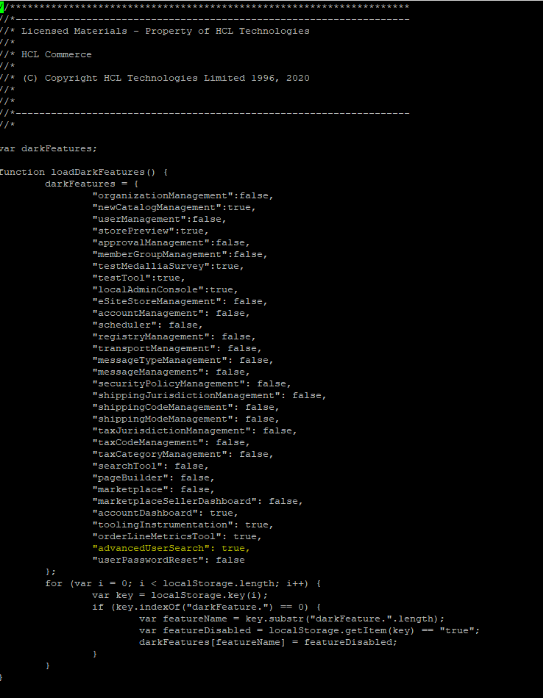 The Advanced user search feature is enabled for the user.Important: To enable this feature temporarily in a user’s browser, issue the following URL in the browser before launching the :
https://<hostname:8000>/lobtools/cmc/Configure?featureName=advancedUserSearch&featureEnabled=true Where <hostname:8000> is the domain and port used to launch the .