
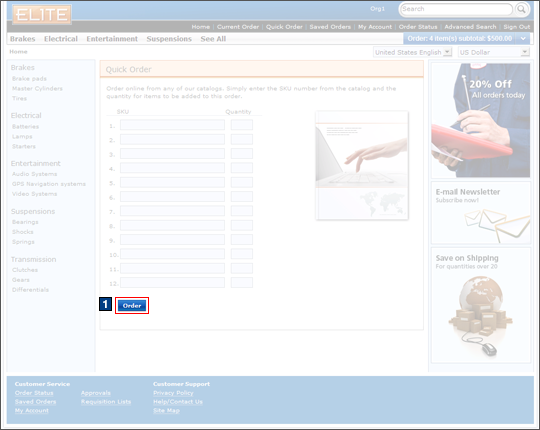
Quick Order
Customers can use the quick order page to place
an order with the Elite starter store without browsing through any
other store pages. On this page, customers can add more
than one item to the current order using a single page and click Add
to Order. Items can be added to the current order by entering
the SKU number and quantity of each product into the quick order form.
Elements of the Quick Order page
JSP files
- QuickOrderForm.jsp represents the entire page.
e-Marketing Spots
- There are no e-Marketing or content spots on the Quick Order page.
Store functions
- AJAX shopping cart can be enabled or disabled.
Links and buttons
- 1 When the Order button
is clicked:
- AjaxOrderChangeServiceItemAdd is
called if AJAX shopping cart is enabled.
- Double-click handling is implemented using JavaScript to prevent multiple requests from being sent.
- The cursor_wait() method is called and displays the progress bar.
- OrderChangeServiceItemAdd is
called if AJAX shopping cart is disabled.
- Double-click handling is implemented using JavaScript to prevent multiple requests from being sent.
- AjaxOrderChangeServiceItemAdd is
called if AJAX shopping cart is enabled.