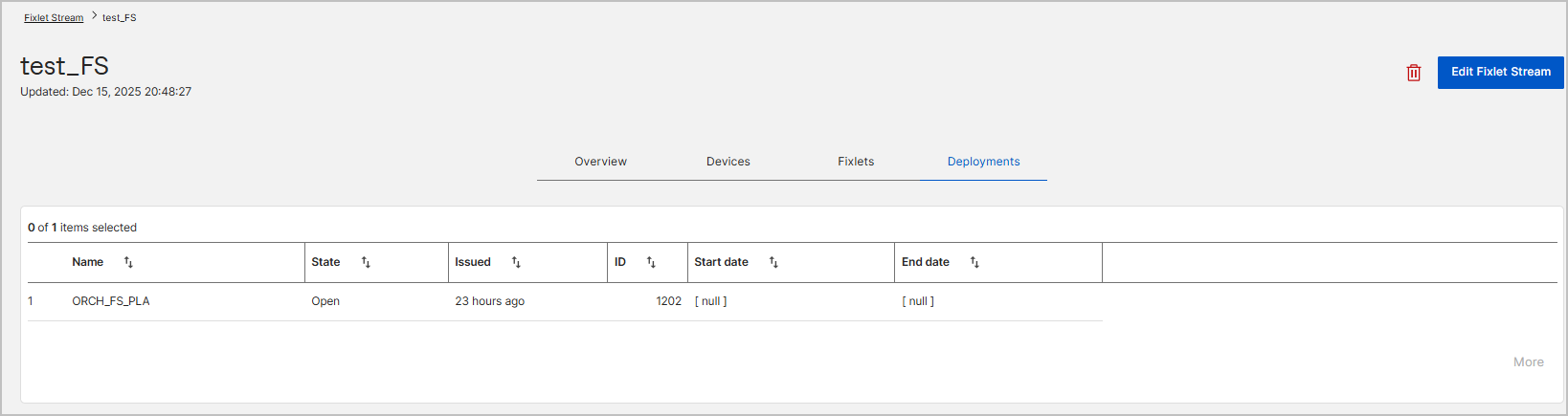
Fixlet Stream Details Page
The Fixlet Stream details page provides a centralized view of a specific Fixlet Stream, including its configuration, subscribed devices, selected Fixlets, and deployment activity. From this page, you can monitor compliance, review automation settings, and manage subscriptions and automation for the stream.
- A Fixlet Stream remains inactive until automation is created and activated.
- Once automation is active, deployment activity appears in the Deployments tab.
- Subscription and automation status are reflected immediately in the Overview tab
To monitor the fixlet streams, expand Resolve from the side navigation, and then select Fixlet streams. Click the required Fixlet Stream card. The Fixlet Stream details page opens.
Overview tab
The Overview tab displays a high-level summary of the Fixlet Stream’s status and configuration.
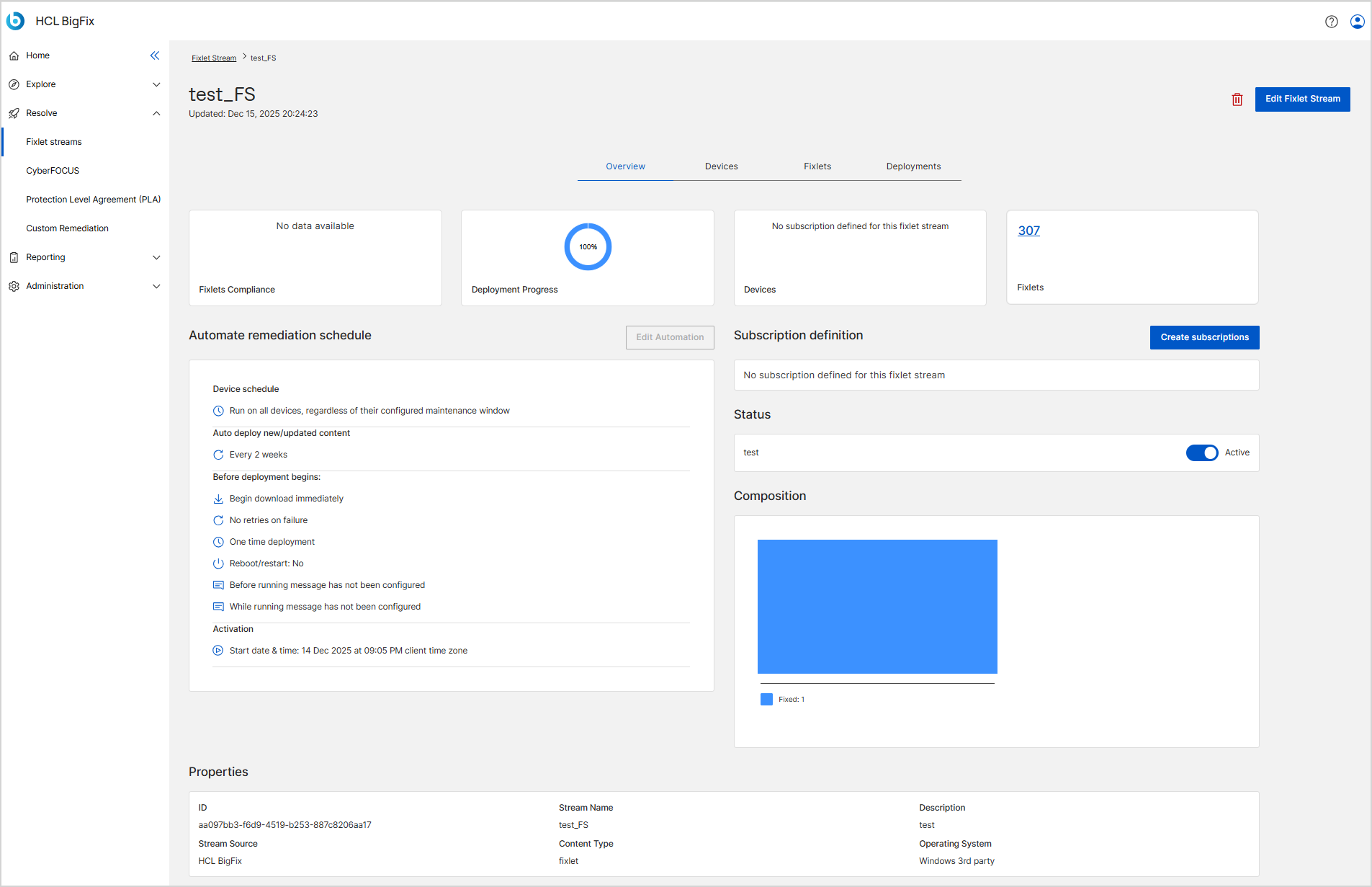
Fixlets compliance: Shows the overall compliance percentage for Fixlets included in the stream.
Deployment progress: Displays the current deployment status for the stream. If no deployments have occurred, the message No data available is shown.
Automate remediation schedule:
Displays the configured automation settings, including:
- Device schedule (maintenance window behavior)
- Auto-deploy frequency for new or updated content
- Retry and reapply behavior
- Activation date and time
If automation has not been configured, this section indicates that no automation is defined.
Subscription definition:
Shows the status of device subscriptions for the Fixlet Stream.
- If no subscriptions exist, the message No subscription defined for this Fixlet Stream is displayed.
- Displays the number of subscribed devices once subscriptions are set.
Composition: Provides a visual summary of the Fixlet Stream composition, including Fixlets and deployment-related information.
Status: Displays whether the Fixlet Stream is Active or Inactive. Users can toggle this status as needed.
Properties: Displays critical information about the Fixlet Stream such as its category, ID, severity.
-
Edit Options:
- Edit Subscription: Modify the device subscriptions associated with the Fixlet Stream.
- Edit Automation: Change the automation settings, including the schedule or conditions.
- Edit Fixlet Stream: Opens the Fixlet Stream configuration so you can update its details and criteria when editing is allowed.
Devices tab
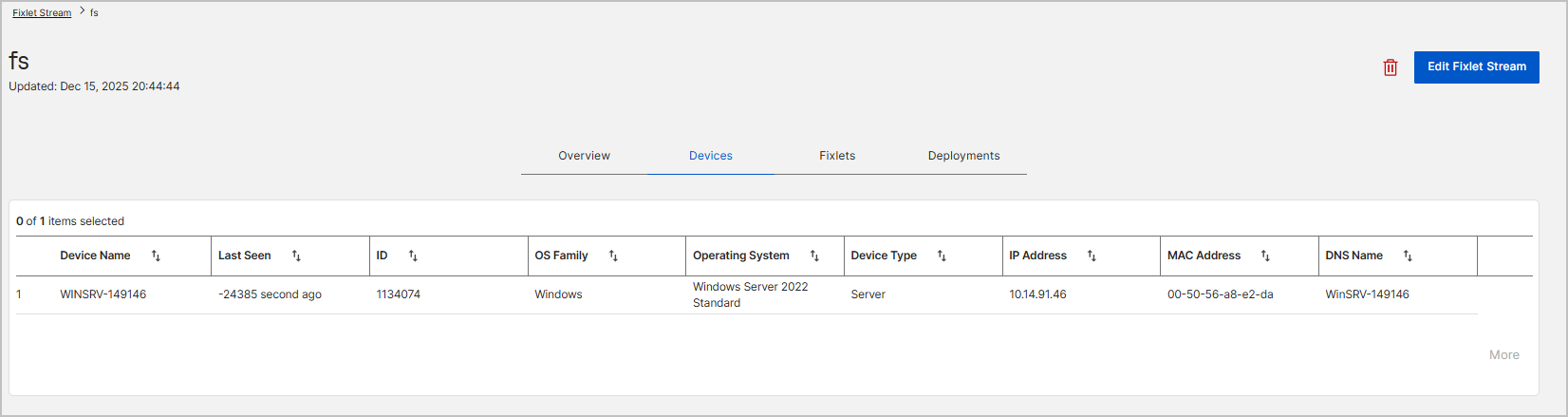
The Devices tab lists all devices currently subscribed to the Fixlet Stream based on dynamic filters. The device list updates dynamically as devices begin or stop matching the subscription criteria.
Fixlets tab
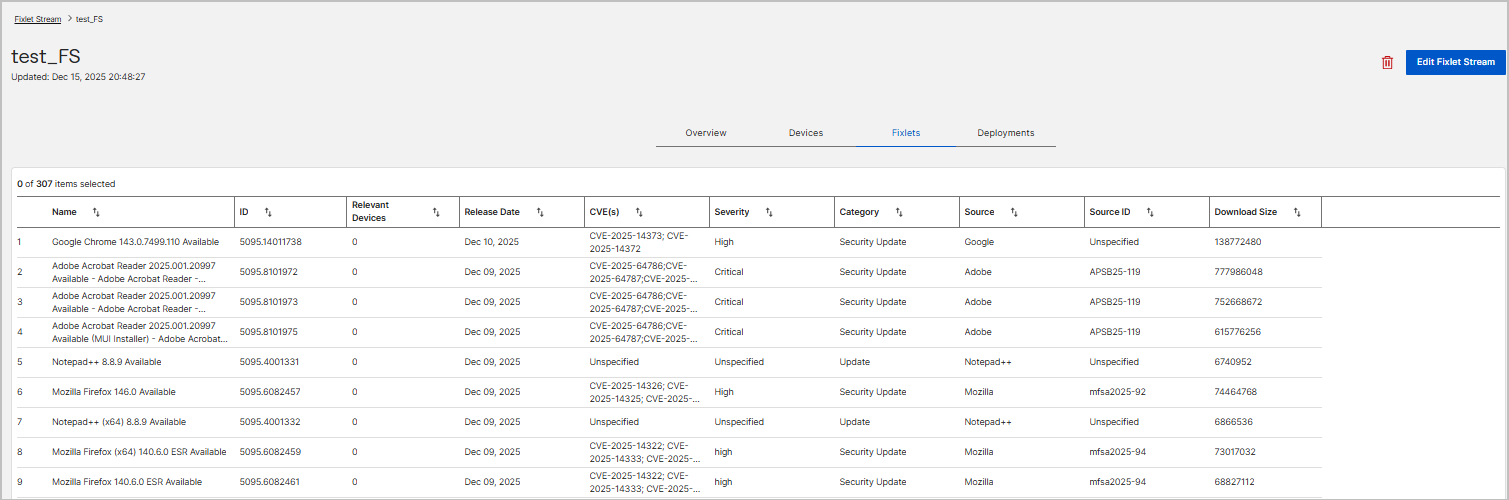
The Fixlets tab displays all Fixlets included in the Fixlet Stream. This list is continuously updated as new Fixlets match the stream criteria or existing Fixlets become irrelevant.
Deployments tab
The Deployments tab displays deployment activity generated by the Fixlet Stream automation. If no deployments have occurred, the page displays No data available.