Audit Trail Cleaner
Use this tool to clear historical data, used as audit trail, from the bfenterprise database. The audit trail contains deleted and previous versions of Fixlets, tasks, baselines, properties, mail boxes, actions, and analyses.
The audit trail is not used by BigFix and can be deleted to reduce the database size. Before running this tool and removing the audit trail from the product database, create a historic archive of the current database and save it to a secure location to preserve the audit trail history.
BES Audit trail Cleaner section to
clear data: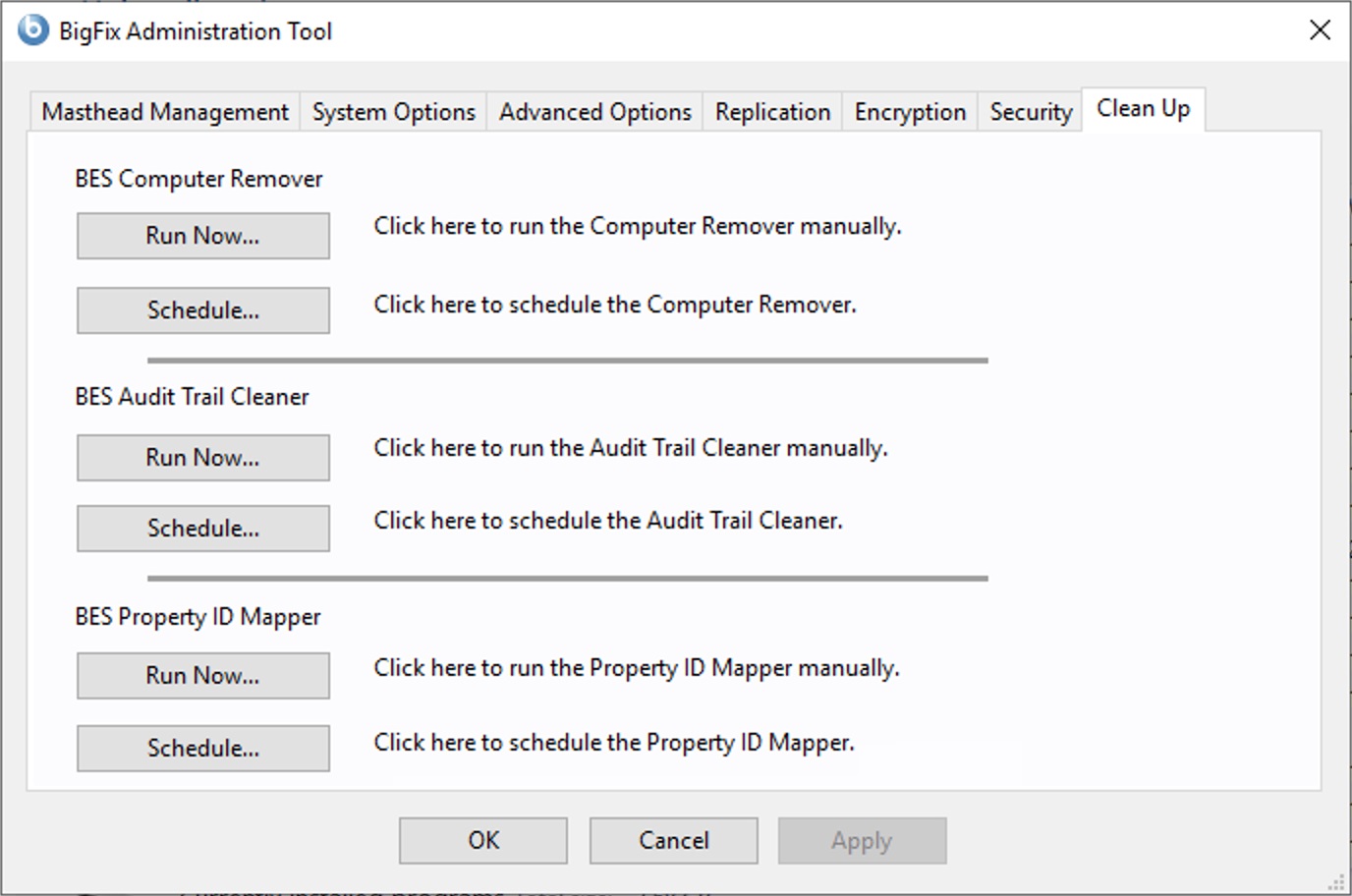
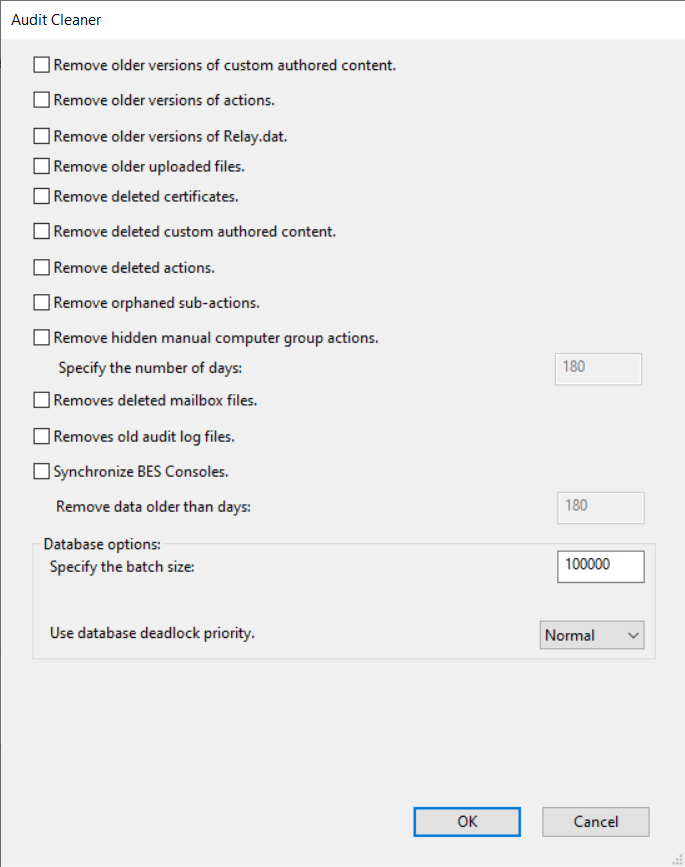
The tool can count and delete the following sets of data:
- Remove older versions of custom authored content - Every edit to Fixlets, tasks, baselines, and analyses creates a new version; the earlier versions can be deleted.
- Remove older versions of actions - Any time you stop or start an action a new version is created; the earlier versions can be deleted.
- Remove older versions of Relay.dat - Any time you install or uninstall a new relay a new version is created; the earlier versions can be deleted.
- Remove older uploaded files - Removes the old files uploaded by the Archive Manager on the BigFix server. This option deletes the old files after an expiration period (default 180 days) from when they were uploaded.
- Remove deleted certificates - The old certificates that were deleted.
- Remove deleted custom authored content - When you delete a Fixlet, task, baseline, or analysis using the console, the data is marked as deleted in the database and preserved. The deleted content, including all the earlier versions, and the corresponding client reports can be deleted.
- Remove deleted actions - When you delete an action using the console, the data is marked as deleted in the database and preserved. The deleted actions, including all the earlier versions, and the corresponding client reports can be deleted.
- Remove orphaned sub-actions - The orphaned sub-actions from multiple action groups that were deleted.
- Remove useless action results - Earlier versions of BigFix V7.2.4.6 might cause clients to report ActionResults which were not used in any way but would use up space in the database. These useless ActionResults can be deleted.
- Remove hidden manual computer group actions - Manual Computer Groups create hidden actions that add and remove computers to and from groups and the actions can build up over time. This option deletes actions after an expiration period (default 180 days) from when they were created.
- Remove deleted mailbox files - Deleted Mailbox Files are stored in a table in the database and can be removed.
- Remove old audit log files - Remove old server_audit.log files to prevent the server running out of disk space. If the _BESAdminAudit_Logging_LogDirectoryPath client setting is not used, on Windows the audit log files may not be deleted from the Audit Cleaner Removes old audit log files function. For more details, refer to Configuring logs.
- Synchronize BES Consoles - The BigFix Console maintains a local cache of the database that will become unsynchronized when data is removed with this tool. To prevent this from happening, the tool sets a flag in the database to force all BigFix Consoles to re-load the cache when they next start up.
Remove data older than days - You can specify to remove data earlier than a specified date. The default value is 99 days.
Specify the batch size - Deleting large sets of data causes the SQL transaction log to quickly increase in size, the log will temporarily be larger than the data being removed until the database is shrunk. You can also specify batched deletions to remove results in sets.
Use database deadlock priority - You can set the priority in case of transaction deadlocks in the Microsoft SQL Server database. Available values are Low, Normal and High. The default value is Normal. Setting the value to High and Low influences how Microsoft SQL Server resolves the potential deadlocks. Setting the priority to High means that the BigFix Administration Tool transaction is more likely to survive in case of deadlocks. Setting the priority to Normal means that Microsoft SQL Server will decide which transactions will survive based on rollback costs. Setting the priority to Low means that the BigFix Administration Tool transaction is more likely to be terminated in case of deadlocks.
To automate the process of removing all this data from the the database you can
schedule the process by clicking Schedule in the BES Audit trail Cleaner
of the BigFix Administration Tool.
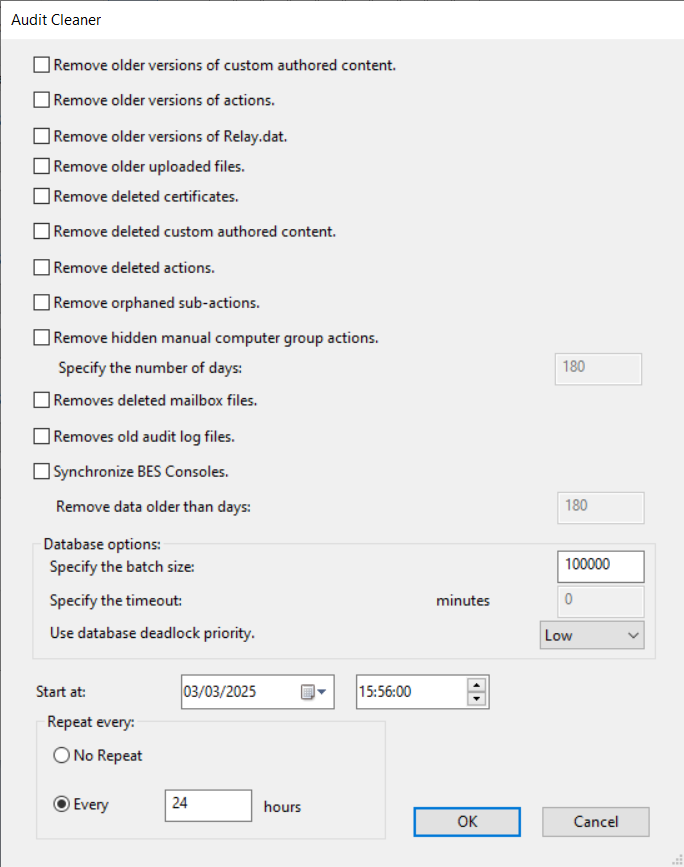
You can specify the date to start the data deletion and also a period of time to make this deletion operation recursive.
In Specify the timeout, you can also specify a timeout value in minutes by which the scheduled process must complete.
In Use database deadlock priority, you can set the priority in case of transaction deadlocks in the Microsoft SQL Server database. Available values are Low, Normal and High. The default value is Normal. Setting the value to High and Low influences how Microsoft SQL Server resolves the potential deadlocks. Setting the priority to High means that the BigFix Administration Tool transaction is more likely to survive in case of deadlocks. Setting the priority to Normal means that Microsoft SQL Server will decide which transactions will survive based on rollback costs. Setting the priority to Low means that the BigFix Administration Tool transaction is more likely to be terminated in case of deadlocks.